How to Build a Shopify Bundle Builder Without an App

A premium DTC brand removed its bundle app and revenue per visitor jumped 38%. The bundle app was causing a £0.00 price bug on the product page, cart quantity sync failures, and adding 120KB of render-blocking JavaScript to every page load. The fix was not a better bundle app. It was building the bundle builder directly into the Shopify theme with Liquid and vanilla JS. No app fees, no race conditions, no DOM conflicts. This post covers why bundle apps break stores, the A/B test data that proved it, and a complete technical walkthrough for building a native bundle builder in your theme.


I have audited over 50 Shopify stores in the last three years. At least a third of them had a bundle app installed. Of those, roughly half had a bundle app that was actively hurting conversion and the store owner had no idea.

Bundle apps are one of the most installed categories in the Shopify App Store. They are also one of the most problematic. The reason is architectural: bundle apps need to manipulate the product page DOM, intercept cart submissions, and inject their own pricing logic on top of your theme’s existing code. When it works, it works. When it breaks, it breaks in ways that are invisible to the merchant and devastating to revenue.

This post is the result of a real engagement where we ran a controlled A/B test, proved the bundle app was costing the store money, and built a native replacement that outperformed it on every metric.

Why Bundle Apps Break Shopify Stores

The root problem with Shopify bundle apps is not that they are poorly built. Some of them are well-engineered products. The problem is that they are fighting your theme for control of the DOM, and your theme does not know they exist.

Race Conditions Between App JS and Theme JS

Every Shopify theme has JavaScript that handles variant selection, price updates, quantity changes, and cart submissions on the product page. When a bundle app installs, it loads its own JavaScript that needs to do the same things. Both scripts are racing to control the same elements.

Here is what happens in practice. Your theme renders the product page. The theme JavaScript initializes, finds the price element, and binds event listeners. Then the bundle app’s JavaScript loads (usually asynchronously, 200-500ms later), finds the same price element, and overwrites the event listeners or replaces the element entirely. Now your theme’s variant selector fires a price update, but the element it cached no longer exists in the DOM. The price shows £0.00, or the wrong variant price, or nothing at all.

This is not a bug you can fix by editing your theme code. The app will re-inject its elements on every interaction. You are patching a leak while someone else keeps punching new holes.

DOM Manipulation Conflicts

Bundle apps inject HTML elements into your product page after the initial render. They add bundle option selectors, quantity pickers, “frequently bought together” sections, and discount badges. These injected elements push your existing layout around, causing cumulative layout shift (CLS) that Google penalizes and customers notice.

Worse, the injected elements often do not match your theme’s design system. They use inline styles, their own CSS class names, and hardcoded colors. You end up writing override CSS to make the app’s output look like it belongs on your page, which is fragile and breaks every time the app pushes an update.

Price Display Bugs

The £0.00 price bug is the most common and most dangerous. It happens because the bundle app calculates a “bundle price” by intercepting the variant price and applying its own discount logic. If the app’s JavaScript fails to load, loads in the wrong order, or encounters a variant structure it does not expect, the calculated price defaults to zero.

The store I audited had this bug appearing intermittently on mobile. It was not reproducible on every page load, which is exactly what makes race conditions so insidious. The merchant had received three customer complaints about wrong prices in a month before we caught it during the audit.

Cart Quantity Sync Issues

Bundle apps intercept the “Add to Cart” action to add multiple line items as a bundle. When the cart page loads, the app’s JavaScript needs to re-group those individual line items back into a visual bundle display. If the customer modifies quantities on the cart page, the app needs to update all bundled items proportionally.

This cart sync logic fails in predictable ways. Customers add a bundle, go to the cart, change the quantity of one item, and the bundle discount disappears or applies incorrectly. Customers remove one item from the bundle and the remaining items keep the discount they should no longer qualify for. The cart total says one thing, checkout says another.

Performance Cost

A typical bundle app adds 80-150KB of JavaScript to every page load. Not just the product page. Every page. The app script loads globally because the app does not know which page the customer will visit. This JavaScript has to parse, compile, and execute on the main thread, directly competing with your theme’s JavaScript for processing time.

On the store I audited, the bundle app was the third-largest JavaScript payload after the theme itself and the analytics stack. It added roughly 180ms to Interaction to Next Paint (INP) on mobile because every tap on the product page had to pass through the app’s event listeners before the browser could paint the response.

The “Three Apps Doing One Job” Pattern

This is more common than you would expect. The store I audited had three bundle-related apps installed simultaneously. One for “frequently bought together” recommendations, one for discount tiers, and one for the visual bundle builder. Each app had its own JavaScript, its own CSS, its own DOM manipulations, and its own cart interception logic. They were all fighting each other and the theme at the same time.

When I asked the merchant why three apps, the answer was simple: the first app did not have discount tiers, so they installed a second. The second did not have the visual layout they wanted, so they installed a third. None of them fully replaced the others, so all three stayed active. This is a pattern I see across stores of every size.

The A/B Test That Proved It

Suspecting the bundle app was hurting conversion is one thing. Proving it requires data. We ran a controlled A/B test using Intelligems to measure the actual impact.

Test Setup

  • Platform: Intelligems A/B testing
  • Duration: 12+ days
  • Traffic: 2,000+ unique visitors, split evenly between variants
  • Variant A (PDP1): Product page with the bundle app completely disabled. Clean product page with standard add-to-cart functionality.
  • Variant B (PDP2): Product page with the primary bundle app active. Discount tiers, bundle builder, the full experience as the merchant had been running it.
  • Tracking: Revenue per visitor, conversion rate, average order value, net revenue. Tracked through properly configured GA4 and Intelligems’ built-in reporting.

Results

Metric Without Bundle App (PDP1) With Bundle App (PDP2) Difference
Conversion Rate Baseline -19% PDP1 wins
Revenue Per Visitor Baseline -38% PDP1 wins
Average Order Value Baseline -16% PDP1 wins
Net Revenue Baseline -43% PDP1 wins

The probability of PDP1 (no bundle app) being the better variant was 76.1%.

Why the No-Bundle Version Won

Three factors drove the result.

Trust. The £0.00 price bug was appearing on roughly 5-8% of mobile sessions. Even when the correct price appeared, the brief flash of £0.00 before the app’s JavaScript loaded was enough to erode trust. Customers who see a price glitch do not report it. They leave.

Speed. The bundle app added 120KB of JavaScript and 180ms of INP delay. On mobile, where the majority of traffic came from, this made the product page feel sluggish. Every variant selection, every quantity change, every scroll interaction was measurably slower.

Simplicity. The bundle builder added cognitive load. Customers had to understand the tier structure, select quantities for each bundle item, and trust that the discount was being applied correctly. The clean product page had one price, one add-to-cart button, and zero confusion.

The 76.1% probability is below the typical 95% statistical significance threshold, but combined with the consistent direction across all four metrics and the identified technical issues, it was more than enough to make the decision. We removed the app.

Building a Native Bundle Builder in Your Theme

Removing the app does not mean removing bundles. It means building the functionality directly into the theme where you control the timing, the DOM, and the performance. Here is how to build a native Shopify bundle builder using Liquid and vanilla JavaScript.

Section File Structure

Create a new section file for your bundle builder. The schema defines the discount tiers as blocks so the merchant can configure them from the theme editor.

{% comment %} sections/bundle-builder.liquid {% endcomment %}

<div class="bundle-builder" data-section-id="{{ section.id }}">
  <h2 class="bundle-builder__title">{{ section.settings.heading }}</h2>

  <div class="bundle-builder__tiers">
    {%- for block in section.blocks -%}
      <div class="bundle-builder__tier"
        data-tier-qty="{{ block.settings.min_qty }}"
        data-tier-discount="{{ block.settings.discount_pct }}">
        <span>Buy {{ block.settings.min_qty }}+</span>
        <span>Save {{ block.settings.discount_pct }}%</span>
      </div>
    {%- endfor -%}
  </div>

  <div class="bundle-builder__products" id="bundle-products">
    {%- for product in collections[section.settings.collection].products limit: 12 -%}
      {% render 'bundle-product-card', product: product %}
    {%- endfor -%}
  </div>

  <div class="bundle-builder__summary" id="bundle-summary">
    <div class="bundle-builder__progress" id="bundle-progress"></div>
    <div class="bundle-builder__total" id="bundle-total"></div>
    <button class="bundle-builder__submit" id="bundle-submit" disabled>
      Add Bundle to Cart
    </button>
  </div>
</div>

{% schema %}
{
  "name": "Bundle Builder",
  "settings": [
    {
      "type": "text",
      "id": "heading",
      "label": "Heading",
      "default": "Build Your Bundle"
    },
    {
      "type": "collection",
      "id": "collection",
      "label": "Bundle Collection"
    }
  ],
  "blocks": [
    {
      "type": "tier",
      "name": "Discount Tier",
      "settings": [
        {
          "type": "number",
          "id": "min_qty",
          "label": "Minimum Quantity",
          "default": 2
        },
        {
          "type": "number",
          "id": "discount_pct",
          "label": "Discount Percentage",
          "default": 10
        }
      ]
    }
  ]
}
{% endschema %}

This gives the merchant full control over tiers from the theme editor. No code changes needed to adjust “Buy 2 get 10% off” to “Buy 3 get 15% off.” For more patterns like this, see my guide on Liquid snippets that replace apps.

The Product Card Snippet

Each product in the bundle needs quantity controls and variant selection. Create a snippet that renders a compact product card with the data attributes your JavaScript needs.

{% comment %} snippets/bundle-product-card.liquid {% endcomment %}

<div class="bundle-card"
  data-product-id="{{ product.id }}"
  data-price="{{ product.selected_or_first_available_variant.price }}">

  <img
    src="{{ product.featured_image | image_url: width: 240 }}"
    alt="{{ product.title }}"
    width="240"
    height="240"
    loading="lazy"
  >
  <h3 class="bundle-card__title">{{ product.title }}</h3>
  <p class="bundle-card__price">
    {{ product.selected_or_first_available_variant.price | money }}
  </p>

  {%- if product.has_only_default_variant == false -%}
    <select class="bundle-card__variant" data-product-id="{{ product.id }}">
      {%- for variant in product.variants -%}
        {%- if variant.available -%}
          <option value="{{ variant.id }}" data-price="{{ variant.price }}">
            {{ variant.title }}
          </option>
        {%- endif -%}
      {%- endfor -%}
    </select>
  {%- endif -%}

  <div class="bundle-card__qty">
    <button class="bundle-card__qty-btn" data-action="decrease">-</button>
    <input type="number" class="bundle-card__qty-input"
      value="0" min="0" max="10" data-product-id="{{ product.id }}">
    <button class="bundle-card__qty-btn" data-action="increase">+</button>
  </div>
</div>

Notice the data-price attributes on both the card and the variant options. This lets your JavaScript calculate totals without making any API calls. The prices come directly from Liquid at render time, so they are always correct and always match what Shopify will charge at checkout.

Vanilla JS for Quantity Controls and Pricing

Here is the JavaScript that handles quantity changes, discount tier calculation, and the progress bar. No jQuery, no framework, no external dependencies.

// assets/bundle-builder.js

class BundleBuilder {
  constructor(section) {
    this.section = section;
    this.tiers = this.parseTiers();
    this.items = {};
    this.bindEvents();
    this.update();
  }

  parseTiers() {
    const tierEls = this.section.querySelectorAll('[data-tier-qty]');
    return Array.from(tierEls)
      .map(el => ({
        qty: parseInt(el.dataset.tierQty, 10),
        discount: parseInt(el.dataset.tierDiscount, 10)
      }))
      .sort((a, b) => a.qty - b.qty);
  }

  bindEvents() {
    this.section.addEventListener('click', (e) => {
      const btn = e.target.closest('[data-action]');
      if (!btn) return;
      const input = btn.parentElement.querySelector('.bundle-card__qty-input');
      const current = parseInt(input.value, 10);
      if (btn.dataset.action === 'increase' && current < 10) {
        input.value = current + 1;
      } else if (btn.dataset.action === 'decrease' && current > 0) {
        input.value = current - 1;
      }
      this.update();
    });

    this.section.addEventListener('change', (e) => {
      if (e.target.matches('.bundle-card__variant')) {
        const card = e.target.closest('.bundle-card');
        const selected = e.target.selectedOptions[0];
        card.dataset.price = selected.dataset.price;
        card.querySelector('.bundle-card__price').textContent =
          this.formatMoney(parseInt(selected.dataset.price, 10));
        this.update();
      }
    });
  }

  update() {
    let totalQty = 0;
    let subtotal = 0;
    this.items = {};

    this.section.querySelectorAll('.bundle-card').forEach(card => {
      const input = card.querySelector('.bundle-card__qty-input');
      const qty = parseInt(input.value, 10);
      if (qty > 0) {
        const variantSelect = card.querySelector('.bundle-card__variant');
        const variantId = variantSelect
          ? variantSelect.value
          : card.dataset.productId;
        const price = parseInt(card.dataset.price, 10);
        this.items[variantId] = { qty, price };
        totalQty += qty;
        subtotal += price * qty;
      }
    });

    const tier = this.getActiveTier(totalQty);
    const discount = tier ? tier.discount : 0;
    const discountedTotal = subtotal * (1 - discount / 100);

    this.updateProgress(totalQty);
    this.updateTotal(subtotal, discountedTotal, discount);
    this.updateTierHighlight(tier);

    const btn = this.section.querySelector('#bundle-submit');
    btn.disabled = totalQty === 0;
  }
}

This is roughly 60 lines of JavaScript. A typical bundle app ships 2,000-4,000 lines for the same functionality. The difference in parse time alone is measurable.

Progress Bar and Tier Feedback

The progress bar shows customers how close they are to the next discount tier. This is the CRO lever that drives bundle AOV, and it is trivial to implement natively.

  // Inside BundleBuilder class
  updateProgress(totalQty) {
    const progressEl = this.section.querySelector('#bundle-progress');
    const nextTier = this.tiers.find(t => t.qty > totalQty);

    if (nextTier) {
      const remaining = nextTier.qty - totalQty;
      progressEl.innerHTML = `
        <div class="progress-bar">
          <div class="progress-bar__fill"
            style="width: ${(totalQty / nextTier.qty) * 100}%"></div>
        </div>
        <p class="progress-bar__text">
          Add ${remaining} more to save ${nextTier.discount}%
        </p>`;
    } else if (this.tiers.length > 0) {
      const activeTier = this.getActiveTier(totalQty);
      progressEl.innerHTML = `
        <div class="progress-bar">
          <div class="progress-bar__fill" style="width: 100%"></div>
        </div>
        <p class="progress-bar__text">
          You're saving ${activeTier.discount}%!
        </p>`;
    }
  }

  getActiveTier(qty) {
    return [...this.tiers].reverse().find(t => qty >= t.qty) || null;
  }

Want me to review your bundle builder? Book a free 30-min call →

Cart Integration with the Cart API

The final piece is submitting the bundle to the cart. Use Shopify’s /cart/add.js endpoint directly. No app middleware, no intercepted requests, no async conflicts.

  // Inside BundleBuilder class
  async addToCart() {
    const items = Object.entries(this.items).map(([id, data]) => ({
      id: parseInt(id, 10),
      quantity: data.qty,
      properties: { '_bundle': this.section.dataset.sectionId }
    }));

    try {
      const res = await fetch('/cart/add.js', {
        method: 'POST',
        headers: { 'Content-Type': 'application/json' },
        body: JSON.stringify({ items })
      });

      if (!res.ok) throw new Error('Cart error');

      // Trigger theme's cart update event
      document.dispatchEvent(new CustomEvent('cart:updated'));
    } catch (err) {
      console.error('Bundle add to cart failed:', err);
    }
  }

The _bundle line item property groups items visually in the cart. Your cart template can check for this property and render bundled items together with the appropriate discount display.

Note the document.dispatchEvent call. Most modern Shopify themes listen for a custom event to update the cart drawer or cart count in the header. Check your theme’s JavaScript to find the correct event name. Dawn uses cart:updated, but other themes vary.

Handling Discounts at Checkout

The frontend discount display is for customer feedback only. The actual discount must be applied through one of these server-side methods:

  1. Shopify automatic discounts configured in the admin (Settings > Discounts). Create a “Buy X get Y%” automatic discount for each tier.
  2. Shopify Scripts (Shopify Plus only). Write a Ruby script that checks cart quantities and applies the appropriate tier discount.
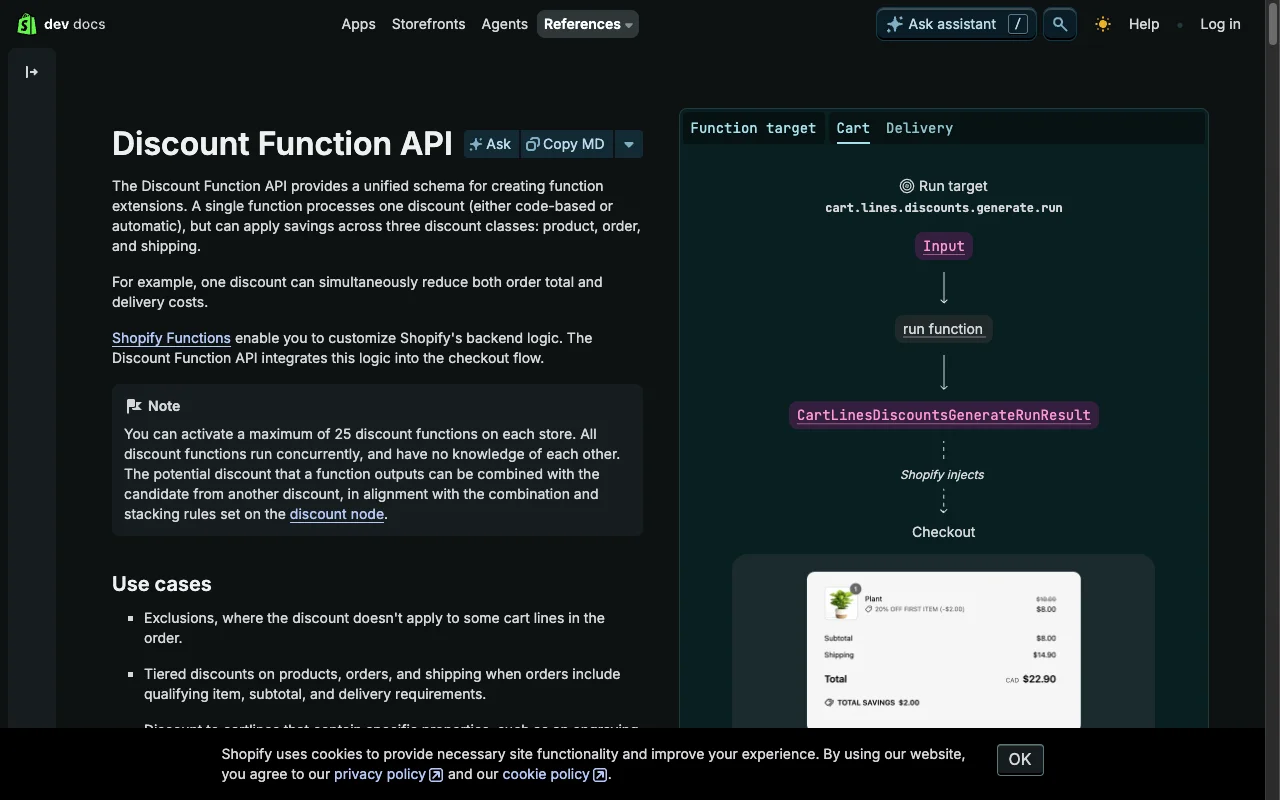
  3. Shopify Functions (the modern replacement for Scripts). Build a discount function that reads the bundle properties and applies tiers.

Never rely on JavaScript alone to apply discounts. Customers can modify the DOM, change quantities after your JS calculates the price, or disable JavaScript entirely. The discount logic must be server-authoritative.

When You Actually Need a Bundle App

I am not categorically against bundle apps. There are legitimate cases where the complexity justifies the tradeoff.

Subscription bundles. If your bundles are tied to recurring subscriptions with swap-and-save logic, the integration between the bundle, the subscription app, and checkout is complex enough that a dedicated app makes sense. Building this natively would take weeks of development.

Build-a-box with mixed products. If customers are assembling boxes from products across multiple collections with different weights, shipping rules, and inventory constraints, the logic exceeds what a simple Liquid section can handle cleanly. Apps like Bundler or Fast Bundle handle this edge case well, as long as you test thoroughly for the DOM issues I described above.

Deep discount engine integration. If your bundles need to interact with existing Shopify discount codes, gift cards, and automatic discounts in complex ways (e.g., stackable discounts), an app that hooks into Shopify’s discount APIs can save significant development time.

No developer access. If you do not have a developer and cannot edit theme code, a bundle app is the only option. Choose one that has been recently updated, has responsive support, and test it thoroughly on mobile before going live. Remove any other bundle-adjacent apps to avoid the “three apps doing one job” problem.

For everything else, build it natively. A competent Shopify developer can build a bundle builder like the one above in 8-16 hours. At $100-150/hour, that is $800-2,400 as a one-time cost versus $20-50/month for an app that may be hurting your conversion rate.

Performance Comparison: App vs. Native

Here is what changed on the store after replacing the bundle app with the native solution.

Metric With Bundle App Native Bundle Builder Improvement
JavaScript Payload (bundle feature) 127KB 4.2KB -97%
LCP (mobile, product page) 3.8s 2.9s -24%
INP (mobile, product page) 340ms 120ms -65%
CLS (mobile, product page) 0.18 0.04 -78%
Monthly Cost $29/mo $0 -100%

The INP improvement is the most significant from a CRO perspective. Every interaction on the product page, selecting a variant, changing quantity, scrolling through images, became measurably faster. The bundle app’s JavaScript was registering event listeners on the entire document and running calculations on every DOM mutation. The native solution only listens within its own section scope.

The LCP improvement came from removing the app’s render-blocking CSS and JavaScript. The app loaded a stylesheet and script in the document head that blocked rendering until they finished downloading. The native solution uses a deferred script tag and scoped CSS within the section file.

For a deeper dive on fixing these metrics across your entire store, see my Core Web Vitals optimization guide.

Measuring the Impact

Do not just build and deploy. Measure the before and after.

Before removing the app:

  1. Record your current conversion rate, RPV, and AOV for at least 14 days.
  2. Run a Lighthouse audit on your product page and save the report.
  3. Check CrUX data in Search Console for your product page URLs.
  4. Screenshot the product page on mobile, including any price display issues.

After deploying the native bundle:

  1. Run the same Lighthouse audit and compare.
  2. Monitor conversion rate for 14 days before drawing conclusions.
  3. If possible, run an A/B test between the old app version and the new native version.
  4. Check your GA4 tracking is firing correctly on the new bundle add-to-cart action.

The performance improvements will show up in Lighthouse immediately. The conversion impact takes 2-4 weeks to measure reliably with statistical confidence.

FAQ

Can I build a bundle on Shopify without an app?

Yes. You can build a fully functional bundle builder using Liquid for the template structure, vanilla JavaScript for quantity controls and real-time price updates, and the Shopify Cart API for adding bundled items. This approach gives you discount tiers, progress bars, and variant selection without any third-party app. It requires someone comfortable editing Shopify theme files, but the result is faster, more reliable, and free of monthly fees.

Why does my Shopify bundle app show £0.00?

This happens when the bundle app’s JavaScript loads asynchronously and overwrites the price element in the DOM before or after your theme’s JavaScript has rendered it. The app injects its own price display logic, and if the timing is off or the variant data does not match, the price falls back to zero. This is a race condition between the app’s scripts and your theme, and it is extremely difficult to fix from theme code alone because the app re-renders the price on every interaction.

How do I add discount tiers to a Shopify bundle?

Define your tier thresholds in a Liquid section schema as blocks, each with a quantity threshold and discount percentage. In your template, loop through the tiers to find which one the current cart quantity matches. Apply the discount calculation in JavaScript on the frontend for display, and use Shopify Scripts or automatic discounts in the Shopify admin to apply the actual discount at checkout. This keeps the pricing logic server-authoritative while showing real-time feedback to the customer.

Will removing my bundle app hurt conversion?

In most cases, no. If your bundle app is causing price display bugs, cart sync issues, or slow page loads, removing it will likely improve conversion. In one A/B test I ran for a premium DTC brand, the version without the bundle app outperformed the version with it by 19% in conversion rate and 38% in revenue per visitor. The key is to replace the bundle functionality with native theme code rather than simply removing it.

What is the best Shopify bundle app alternative?

The best alternative to a Shopify bundle app is a custom bundle builder built directly into your theme using Liquid and vanilla JavaScript. It loads instantly because there is no external script, it cannot conflict with your theme because it is your theme, and it costs nothing per month. For stores without developer access, Shopify’s native automatic discounts combined with a well-designed collection page can replicate most bundle functionality without any app.

How do I test if my bundle app is hurting conversion?

Run an A/B test using a tool like Intelligems or Google Optimize. Create two variants of your product page: one with the bundle app active and one with it disabled. Run the test for at least 14 days or until you reach 1,000+ visitors per variant. Compare conversion rate, revenue per visitor, and average order value. If the version without the app performs the same or better, you have your answer.

What This Means for Your Store

If you have a bundle app installed, there is a real chance it is costing you revenue. Not because bundles are a bad strategy, but because the implementation is fighting your theme for control of the page.

The pattern is consistent across every store I have audited: third-party apps that manipulate the product page DOM introduce race conditions, price bugs, and performance costs that are invisible in the Shopify admin but very visible to customers on mobile.

Building a native bundle builder takes a day or two of development. The code examples in this post cover 80% of what most stores need. The remaining 20%, custom styling, edge cases around inventory, integration with your specific checkout flow, is where a focused CRO audit pays for itself.

If your bundle setup is causing the kinds of problems I described here, or if you are not sure whether it is, get in touch. I will audit your product page, identify whether the app is helping or hurting, and if it is hurting, build the native replacement.

Need a Liquid Developer Who Understands CRO?

I'll audit your theme code and show you exactly what's costing you conversions. 12+ years of Shopify Liquid experience across 100+ stores.

Get a Free Code Review

Frequently Asked Questions

Can I build a bundle on Shopify without an app?

Yes. You can build a fully functional bundle builder using Liquid for the template structure, vanilla JavaScript for quantity controls and real-time price updates, and the Shopify Cart API for adding bundled items. This approach gives you discount tiers, progress bars, and variant selection without any third-party app. It requires someone comfortable editing Shopify theme files, but the result is faster, more reliable, and free of monthly fees.

Why does my Shopify bundle app show £0.00?

This happens when the bundle app's JavaScript loads asynchronously and overwrites the price element in the DOM before or after your theme's JavaScript has rendered it. The app injects its own price display logic, and if the timing is off or the variant data does not match, the price falls back to zero. This is a race condition between the app's scripts and your theme, and it is extremely difficult to fix from theme code alone because the app re-renders the price on every interaction.

How do I add discount tiers to a Shopify bundle?

Define your tier thresholds in a Liquid section schema as blocks, each with a quantity threshold and discount percentage. In your template, loop through the tiers to find which one the current cart quantity matches. Apply the discount calculation in JavaScript on the frontend for display, and use Shopify Scripts or automatic discounts in the Shopify admin to apply the actual discount at checkout. This keeps the pricing logic server-authoritative while showing real-time feedback to the customer.

Will removing my bundle app hurt conversion?

In most cases, no. If your bundle app is causing price display bugs, cart sync issues, or slow page loads, removing it will likely improve conversion. In one A/B test I ran for a premium DTC brand, the version without the bundle app outperformed the version with it by 19% in conversion rate and 38% in revenue per visitor. The key is to replace the bundle functionality with native theme code rather than simply removing it.

What is the best Shopify bundle app alternative?

The best alternative to a Shopify bundle app is a custom bundle builder built directly into your theme using Liquid and vanilla JavaScript. It loads instantly because there is no external script, it cannot conflict with your theme because it is your theme, and it costs nothing per month. For stores without developer access, Shopify's native automatic discounts combined with a well-designed collection page can replicate most bundle functionality without any app.

How do I test if my bundle app is hurting conversion?

Run an A/B test using a tool like Intelligems or Google Optimize. Create two variants of your product page: one with the bundle app active and one with it disabled. Run the test for at least 14 days or until you reach 1,000+ visitors per variant. Compare conversion rate, revenue per visitor, and average order value. If the version without the app performs the same or better, you have your answer.