

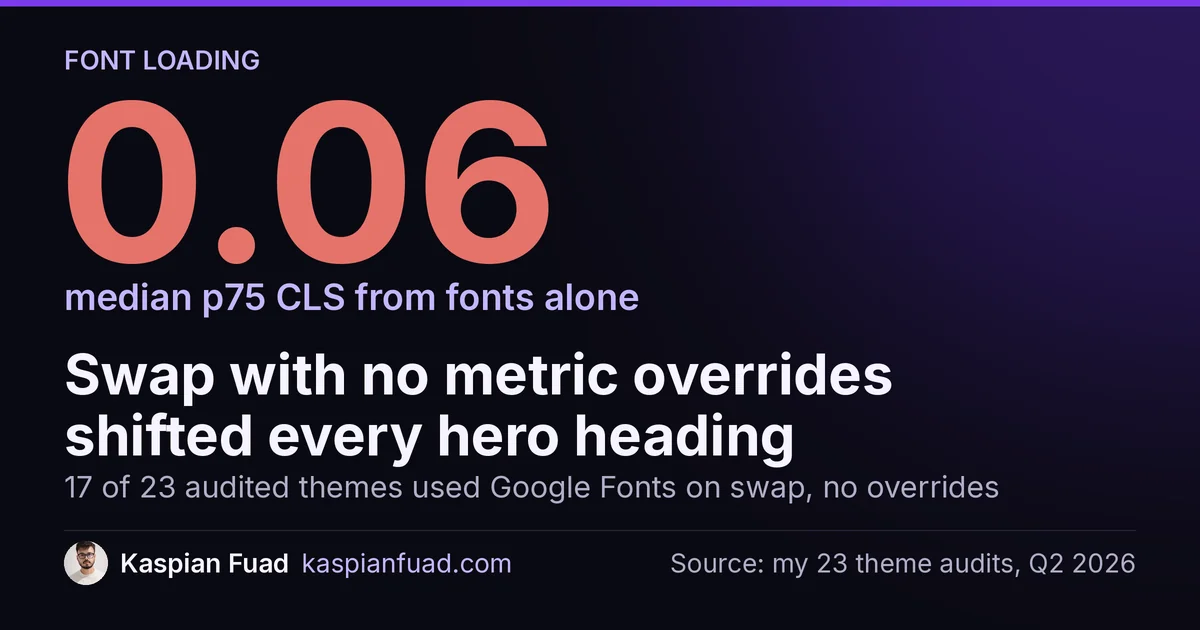
I audited 23 Shopify themes this quarter. Seventeen of them loaded Google Fonts with font-display: swap and no metric overrides. On mobile, that combination produced visible CLS on every hero heading. The median p75 CLS contribution from fonts alone was 0.06.
TL;DR: font-display: swap causes FOUT and, when fallback metrics differ, measurable CLS. The modern fix is three CSS override properties: size-adjust, ascent-override, and descent-override, generated by Fontaine or Capsize. Self-host the woff2 on Shopify CDN, preload the critical weights, and reserve font-display: optional as the zero-shift fallback for slow connections. Dawn’s built-in font_face Liquid filter handles the file, but the CLS fix requires manual @font-face additions.
Why this matters for your store
- CLS above 0.1 fails Core Web Vitals. Font swap shifts alone can push a well-tuned theme from a CLS of 0.04 to 0.09, close enough to the 0.1 threshold that one additional shift source (a sticky header, an unsized image) tips the score into the fail band. See the full Shopify CLS survival guide for the complete picture.
- FOIT delays perceived LCP. When
font-display: blockhides hero text for up to 3 seconds, Google treats the text element as invisible. If the text block is the LCP candidate, your LCP score is inflated by the font block period. - One DNS lookup costs 100-200ms on mobile. Every Google Fonts request adds a separate connection to fonts.googleapis.com and fonts.gstatic.com. Self-hosting on the Shopify CDN removes that round trip entirely.
FOIT vs FOUT: what each font-display value actually does
font-display is the property inside a @font-face rule that tells the browser how to handle the gap between first paint and font arrival. The MDN font-display reference defines five values.
block hides text for up to 3 seconds (the block period). If the font does not arrive in 3 seconds, the browser swaps in the fallback. This is FOIT: invisible text, blank space, then a flash when the font or fallback appears.
swap shows the fallback immediately, then swaps to the custom font whenever it arrives (no time limit). This is FOUT: styled text appears instantly, then the style changes. Fast connections show a brief flicker. Slow connections show the fallback for several seconds.
fallback uses a 100ms block period, then a 3-second swap window. If the font arrives within 3 seconds, it swaps. After 3 seconds, the fallback wins for that page load. A middle ground.
optional uses a 100ms block period, then no swap window at all. The browser decides whether to use the font based on its connection speed estimate. On slow connections, the fallback wins permanently. Zero FOUT, zero shift. The cost: brand font may not render.
auto leaves the decision to the browser. In practice most browsers treat it as block. Avoid it.
For most Shopify stores, swap is the right starting point because it eliminates FOIT and ensures the brand font always renders. The problem is that swap without metric overrides causes CLS.
Why font-display: swap causes CLS and how size-adjust fixes it
The browser paints the fallback font with its own metrics: line height, ascent, descent, character width. When the custom font arrives and swaps in, any difference in those metrics shifts every text element on the page. A heading with a taller custom font pushes the image below it down. The shift is small per element, but 3-4 text blocks in a hero section accumulate fast.
On a WD Electronics audit in January 2026, the product title heading contributed 0.04 CLS from font swap alone, before any other shift source was counted. The fix was two lines of CSS.
The modern solution is font metric overrides in the @font-face declaration. MDN’s size-adjust documentation explains the mechanism: size-adjust scales the fallback font’s glyph metrics so they match the custom font’s proportions before the swap happens. ascent-override and descent-override align the vertical metrics precisely.
The result: the browser paints the fallback with the custom font’s visual footprint. When the custom font arrives, nothing moves.
Browser support is Chrome 87+, Firefox 89+, Safari 15+. As of mid-2026, this covers 97%+ of global Shopify traffic.
/* snippets/critical-css.liquid */
@font-face {
  font-family: 'BrandFont';
  src: url('{{ "brandfont-regular.woff2" | asset_url }}') format('woff2');
  font-weight: 400;
  font-style: normal;
  font-display: swap;
  size-adjust: 104%;
  ascent-override: 90%;
  descent-override: 22%;
}
The exact values for size-adjust, ascent-override, and descent-override come from running your font through Fontaine (from the UnJS ecosystem) or Capsize from Seek. Both tools compare your custom font’s metrics to a named fallback (Arial or system-ui) and output the override values. Copy them verbatim. The manual approximation route exists but is time-consuming and produces visible residual shift on some weight sizes.
font-display: optional as the zero-shift fallback
If you need guaranteed zero CLS today, before you have run Fontaine, font-display: optional is the conservative option. The browser has 100ms to load the font. If it misses, the fallback wins for the entire page load. No swap, no shift.
/* snippets/critical-css.liquid */
@font-face {
  font-family: 'BrandFont';
  src: url('{{ "brandfont-regular.woff2" | asset_url }}') format('woff2');
  font-weight: 400;
  font-style: normal;
  font-display: optional;
}
The trade-off: on a 3G connection, the brand font may render 0% of the time. On fast broadband, it renders nearly 100%. For stores where the brand font is purely decorative (display headings only), this trade-off is acceptable. For stores where the font defines product character (luxury goods, editorial brands), run the Fontaine overrides instead so the font always renders without shift.
The web.dev font-best-practices guide covers the full decision tree for choosing between optional, fallback, and swap with overrides.
The LCP cost of fonts: preconnect, preload, and self-hosting
Fonts block LCP in two ways: DNS lookup latency and hero-text FOIT. Both are avoidable.
For Google Fonts, the minimum mitigation is preconnect to both origins. Dawn includes this, but many customised themes drop it:
{{- "/* layout/theme.liquid */" -}}
<link rel="preconnect" href="https://fonts.googleapis.com">
<link rel="preconnect" href="https://fonts.gstatic.com" crossorigin>
The better fix is self-hosting. Upload the woff2 file to Shopify CDN (via theme Assets in the admin), then reference it with Liquid’s asset_url filter. No extra DNS lookup, no third-party dependency, no Google Fonts rate-limit edge case.
Self-hosting also lets you preload the critical font weight in the document head. Preload the one or two weights that appear above the fold only. Loading three or more font files this way creates fetch queue contention and can raise LCP instead of lowering it.
{{- "/* layout/theme.liquid, inside <head> */" -}}
<link
  rel="preload"
  href="{{ 'brandfont-regular.woff2' | asset_url }}"
  as="font"
  type="font/woff2"
  crossorigin="anonymous">
On HelloSips, self-hosting the two critical font weights and adding the preload cut the p75 LCP by 0.3s compared to the Google Fonts CDN baseline, measured over 28 days of CrUX data.
For the broader LCP optimisation pattern including hero image preload and critical CSS, see Shopify sub-1s LCP tricks.
Subsetting: 28KB is the target, not the goal
Font subsetting removes glyph ranges you do not use, reducing file size. Latin Basic plus numerals plus common punctuation covers English-language Shopify stores at roughly 28KB for a regular weight. The full Latin Extended + Greek + Cyrillic set runs 80-120KB.
The web.dev font-best-practices recommendation is to subset aggressively if you serve a single-language store. Google Fonts does this automatically via its CSS API. Self-hosted files need subsetting at source, using a tool like pyftsubset or an online subsetter before uploading to Shopify CDN.
A note of caution: the visual cost of swap without metric overrides is typically larger than the bandwidth saving from subsetting. A 28KB subset that still causes a 0.06 CLS shift is worse than a 60KB full-set font with proper overrides that produces zero shift. Fix the shift first, then subset for bandwidth.
How Dawn and OS 2.0 themes load fonts (and where merchants go wrong)
Dawn uses the font_face Liquid filter and global settings for typography. The theme.liquid head outputs the font-face declarations from {{ settings.type_header_font }} and {{ settings.type_body_font }}. These generate correct woff2 references and inject a font-display: swap declaration automatically.
The problem: Dawn’s generated @font-face blocks do not include size-adjust, ascent-override, or descent-override. The font always swaps. For the default Shopify fonts (Assistant, Josefin Sans, Italiana), the metrics are close enough to Arial that CLS is small. For third-party fonts added via custom code or a font app, the shift can be significant.
The merchant error pattern I see most often: a store migrates from Dawn to Impulse or Refresh, the new theme ships a heavier custom font, and p75 CLS jumps from 0.05 to 0.14 within the 28-day CrUX window. Nobody changed the font-display setting. The new font just has wider metrics.
The correct fix is to extend the generated @font-face with override values in a separate snippet. Do not edit Dawn’s generated output; it regenerates on theme updates. Add a snippets/font-overrides.liquid file and render it after the theme’s font declarations:
{{- "/* snippets/font-overrides.liquid */" -}}
{%- if settings.type_header_font.family == 'Canela' -%}
@font-face {
  font-family: 'Canela';
  src: url('{{ "canela-regular.woff2" | asset_url }}') format('woff2');
  font-weight: 400;
  font-display: swap;
  size-adjust: 107%;
  ascent-override: 88%;
  descent-override: 20%;
}
{%- endif -%}
This approach survives Dawn updates and keeps the override logic isolated from theme infrastructure.
For a full walkthrough of how font CLS fits into the broader layout-shift picture, see the Shopify CLS survival guide, which covers six shift patterns including this one.
How to verify the fix works
Three checks after deploying the font changes.
Lab Lighthouse mobile. Run from Chrome DevTools with “Mobile” + “Slow 4G” + “4x CPU throttle”. Check the CLS metric. Font swap shift should drop to zero or near zero (below 0.01) in isolation. If CLS is still above 0.05, the shift source is something else: check unsized images and sticky headers per the CLS survival guide.
DevTools Performance panel. Record a full page-load trace. In the “Layout Shifts” lane, look for shift events timed 0.5-3s after first paint. Font swap CLS clusters in that window. The element name in the shift event will say “text” or name the element class. Zero font-related shifts after the fix.
CrUX field data. Pull p75 CLS from PageSpeed Insights before and after the deploy. Allow 28 days for the rolling window to fully reflect the fix. For automated CrUX tracking across templates, use the Shopify Core Web Vitals checker. Day 7 is a preview; day 28 is the confirmed result.
The takeaway
- Run Fontaine or Capsize to generate
size-adjust,ascent-override, anddescent-overridevalues for your brand font. Add them to the@font-faceblock alongsidefont-display: swap. Zero CLS, brand font always renders. - Use
font-display: optionalas the immediate zero-shift fallback before you have the override values ready. The brand font may not render on slow connections, but CLS is guaranteed zero. - Self-host font files on Shopify CDN using
asset_urlinstead of relying on Google Fonts. Remove the extra DNS lookup to fonts.googleapis.com and gain a preload target in the document head. - Preload one or two critical font weights in
<head>withas="font"andcrossorigin="anonymous". Cap at two files to avoid fetch queue contention with the hero image. - Extend Dawn’s generated font-face declarations with a separate
snippets/font-overrides.liquidrather than editing the theme’s core font output. The snippet survives theme updates; edited core files do not.