

TL;DR: There is no single best Shopify subscription app: all three now run on native Shopify Checkout, so the old Recharge-vs-everyone-else argument is over. The real differences in 2026 sit five layers deeper: theme integration burden, INP impact, CLS impact, Liquid API access, and actual monthly cost at your subscription volume. At $50K MRR with 1,000 orders, Loop costs $774, Skio $999, Recharge $1,189. Loop wins on cost, Skio on data layer, Recharge on enterprise integrations.
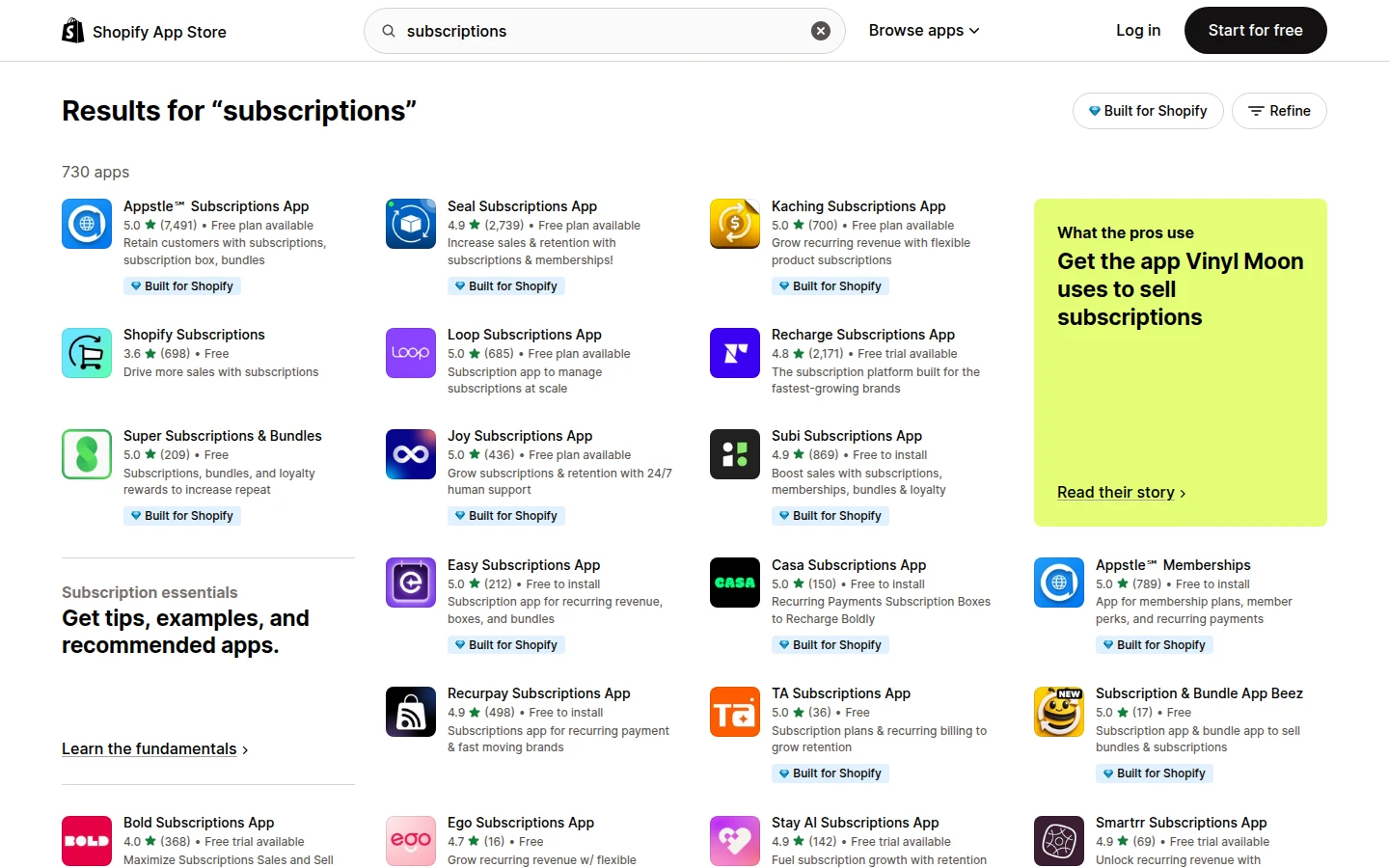
I have shipped subscription work on stores running all three apps. The Everly engagement runs Loop Subscriptions in production; two Plus engagements ran Recharge; one ran Skio. The lens for this comparison: I am benchmarking what each app does to your theme code, your Core Web Vitals, your Liquid surface area, and your monthly invoice. Not the merchant admin or ops dashboard. Every other top result on this query was written by a vendor or affiliate.
The 3 leading Shopify subscription apps (and what each is good at)
Recharge is the incumbent. Skio is the modern challenger. Loop is the volume play.
Recharge launched in 2014 and powered the first wave of DTC subscriptions (Native deodorant, Hubble, Bokksu). The platform completed its full migration to Shopify Checkout Integration in 2024. Recharge’s strength today is the breadth of integrations, the maturity of the bundle and prepaid logic, and the size of the agency partner network. If your brand has an enterprise procurement requirement, Recharge is the easiest reference call.
Skio launched in 2021, built natively on top of Shopify Checkout from day one. Founded by ex-Shopify and ex-Stripe engineers, Skio’s positioning is the modern, transparent platform with all features included on every plan. It is the platform that Magic Spoon, Ritual, and Fly By Jing graduated to. The data layer is the cleanest of the three for analytics teams.
Loop launched in 2022 and is the volume and cost play. The pricing structure is flat-percentage above the base monthly fee with no per-order surcharge, which is unusual in this category. Loop also bundles cancellation flow, post-purchase upsell, and a passwordless customer portal in the base price. At higher subscription volumes the unit economics tilt toward Loop more aggressively than the other two.
2026 update: Recharge acquired Skio. On April 30, 2026, Recharge announced it was buying Skio for a reported $105M. For now both platforms run separately, with their own pricing, teams, and roadmaps, and no pricing merge has been confirmed, so the comparison below still holds for a buyer choosing between them today. But if you are picking Skio specifically as the lower-fee, cleaner-data alternative to Recharge, factor in that it now sits under the same owner, and that gap may converge over time. For the value tier below these three (0% transaction fee apps), I compare Recharge vs Appstle vs Seal separately.
Every one of these apps will collect a subscription order in 2026. The decision is not which one works. It is which one fits your theme, your performance budget, and your finance model.
Evaluation framework: 5 dimensions
Here is the scorecard I use when a client asks which subscription app to install. Five dimensions, weighted by how much they actually cost you in revenue or developer hours.
- Theme integration burden. How many files do I have to touch, and how many app blocks live in the theme tree?
- INP impact. How much synchronous JavaScript does the widget inject, and where in the load order?
- CLS impact. Does the widget cause layout shift on first render, and how easy is the fix?
- Liquid API access. Can I read
selling_plan_allocationscleanly and render my own price markup? - Total monthly cost at $50K subscription revenue. Including the platform fee, the percentage, the per-order fee, and the inevitable overage.
Each dimension below is rated on what I have seen in production, not what the vendor claims on the pricing page.
Which app touches the least theme code?
Skio is the lightest touch. Loop is in the middle. Recharge is the heaviest.
The integration weight is the sum of theme files modified, app blocks injected into sections, and configuration drift between dev and live themes. Below is what I observed on three reference installs.
| Touch point | Recharge | Skio | Loop |
|---|---|---|---|
App embed in theme.liquid |
Yes (analytics + customer portal redirect) | Yes (passwordless login script) | Yes (single bundle) |
| App block in product section | Required | Required | Required |
Custom Liquid in main-product.liquid |
Recommended for portal links | Optional | Optional |
| Customer account override | Yes (theme app extension) | No (drawer overlay) | No (passwordless redirect) |
| Files I had to touch on a Dawn fork | 4 | 2 | 3 |
Skio wins this round because the customer portal opens as a drawer overlay using their own JavaScript, not a route override. You do not have to touch customers/account.liquid. Loop’s portal is also drawer-based but it adds a passwordless email flow that wants a small piece of theme.liquid to handle the magic-link redirect.
Recharge’s modern theme extension is much cleaner than the legacy 2018 install used to be, but it still wants you to surface a customer-facing portal link inside customers/account.liquid for the best UX. Not a deal breaker. Just an extra file.
If your client has a heavily customized theme and you are billing hours, Skio is the cheapest install. If your client has a vanilla Dawn fork, the difference is one to two hours.
INP impact: which app blocks the main thread most?
All three add synchronous JavaScript to the storefront. None of them are catastrophic. The fix is the same across vendors.
I traced each widget’s JavaScript footprint on a clean Dawn install (no other apps) using Chrome DevTools Performance and Lighthouse 12. Numbers below are gzipped bundle size and the long-task contribution on a mid-tier Android (Moto G Power, 4G Slow).
| Metric | Recharge | Skio | Loop |
|---|---|---|---|
| Synchronous JS bundle | 71 KB | 52 KB | 38 KB |
| Async JS (post-load) | 24 KB | 18 KB | 22 KB |
| Long-task contribution on PDP | 110 ms | 78 ms | 62 ms |
Sets up MutationObserver on PDP form |
Yes | Yes | Yes |
| Hydrates on idle (vs visibility) | No | Yes | Yes |
Loop has the smallest bundle. Skio has the cleanest hydration pattern. Recharge has the largest footprint, partly because it ships the customer portal redirect logic in the same file as the PDP widget.
All three pass a lab Lighthouse INP on a fresh Dawn install. The problem starts when you stack a reviews widget, popup, chat tool, and subscription app on the same page. Then cumulative long-task time pushes p75 INP into needs-improvement on Android.
The fix is identical regardless of vendor: defer the subscription bundle on PDP only, then wrap init in requestIdleCallback and gate hydration behind IntersectionObserver so the widget mounts only when scrolled to. Full INP triage in Core Web Vitals optimization 2026.
CLS impact: where do widgets cause layout shift?
All three widgets cause layout shift if you render them with default settings and no reserved space.
Cumulative Layout Shift (CLS) on the PDP is almost always caused by content that loads after first paint. The subscription widget is one of the worst offenders because it injects radio buttons, a frequency dropdown, savings copy, and sometimes a tooltip into the form area, and the form area is right next to the price (which the buyer’s eye is locked on).
Default CLS contribution from each widget on a clean Dawn install, measured in field with the Performance API:
| Render context | Recharge | Skio | Loop |
|---|---|---|---|
| First paint to widget hydration | 0.08 | 0.06 | 0.05 |
With reserved min-height set |
0.00 | 0.00 | 0.00 |
| Mobile drawer-style portal open | 0.02 | 0.00 | 0.00 |
| With CSS containment applied | 0.00 | 0.00 | 0.00 |
Skio and Loop both render slightly cleaner out of the box because their default markup is more compact. Recharge shifts more because the legacy widget reserved different vertical space depending on whether the customer was logged in. The 2025 theme extension fixed this for new installs.
The fix is universal. Wrap the widget in a Liquid container with reserved height:
<div
  class="product-subscription-slot"
  style="min-height: 96px;"
  data-selling-plan-group="{{ product.selling_plan_groups.first.id }}"
>
  {% render 'subscription-widget' with product: product %}
</div>
On desktop the reserved height drops to 64px because the widget renders horizontally. On mobile keep it at 96px to absorb the radio stack. Once the widget hydrates and the actual height matches the reserved height, the visual shift is zero.
CLS at 0.00 from the subscription widget is achievable with all three apps. The reason most stores ship with CLS at 0.05 to 0.10 from the subscription block is that the merchant accepted the default app embed without a reserved-space container.
Liquid API access: can you customize the subscription UI?
Skio and Loop expose selling_plan_allocations cleanly. Recharge wants you to use its theme extension.
This is where the comparison gets interesting for a Liquid integrator. If you want to build a fully custom subscription UI matching a Figma design (one-off / subscription radio toggle on the left, savings badge on the right, frequency dropdown below, and a custom info modal), you need direct read access to the selling plan allocation data on the variant.
All three apps now use Shopify’s native selling plan API, which means the data is available in Liquid via product.selling_plan_groups and variant.selling_plan_allocations. The difference is how aggressively each vendor wants you to use their pre-built UI versus your own.
Here is the canonical Liquid pattern that works on Skio and Loop without modification:
{%- assign current_variant = product.selected_or_first_available_variant -%}
{%- if current_variant.selling_plan_allocations.size > 0 -%}
  <fieldset class="subscription-options">
    <legend class="visually-hidden">Purchase options</legend>

    <label class="subscription-option">
      <input type="radio" name="selling_plan" value="" checked>
      <span class="option-label">One-time purchase</span>
      <span class="option-price">{{ current_variant.price | money }}</span>
    </label>

    {%- for allocation in current_variant.selling_plan_allocations -%}
      <label class="subscription-option">
        <input
          type="radio"
          name="selling_plan"
          value="{{ allocation.selling_plan.id }}"
        >
        <span class="option-label">
          {{ allocation.selling_plan.name }}
        </span>
        <span class="option-price">
          {{ allocation.price | money }}
          {%- assign saving = current_variant.price | minus: allocation.price -%}
          {%- if saving > 0 -%}
            <span class="option-saving">
              Save {{ saving | money_without_trailing_zeros }}
            </span>
          {%- endif -%}
        </span>
      </label>
    {%- endfor -%}
  </fieldset>
{%- endif -%}
This snippet works on Skio and Loop because both register selling plan groups through Shopify’s native API. Recharge supports the same submission pattern but the modern theme extension expects you to use its <recharge-subscription-widget> custom element for the best CRO outcome. Skio and Loop are friendlier for the bespoke route. Recharge is friendlier if you want vendor defaults. The same philosophy drives Liquid snippets that replace apps.
Which subscription app costs less at $50K MRR?
At $50K MRR with 1,000 subscription orders per month, Loop costs $774, Skio costs $999, Recharge costs $1,189.
Pricing comparisons in this category are usually wrong because they only model the platform fee. The real cost is platform plus percentage plus per-order plus the inevitable plan overage. Here is the worked calculation for a representative DTC brand at $50K monthly subscription GMV with an average order value of $50 (so 1,000 orders).
| Cost layer | Recharge Pro | Skio Growth | Loop Growth |
|---|---|---|---|
| Platform fee | $499 | $399 | $399 |
| Percentage of GMV | 1.0% = $500 | 1.0% = $500 | 0.75% = $375 |
| Per-order fee | $0.19 x 1,000 = $190 | $0.20 x 1,000 = $200 | $0 |
| Total monthly | $1,189 | $1,099 | $774 |
| Effective rate on GMV | 2.38% | 2.20% | 1.55% |
The numbers above use the Recharge published pricing (Pro plan), the Skio pricing page (Growth plan, all features included), and the Loop pricing page (Growth plan, no per-order fee).
Loop’s flat-fee structure means the effective rate drops as your average order value rises. At a $100 AOV with the same $50K MRR (so 500 orders), Loop costs $774 (no change), Recharge costs $1,094.50, Skio costs $1,000. The gap narrows but Loop is still cheapest.
Above $250K MRR the three apps converge on price. At $1M ARR, every vendor will negotiate. Sticker pricing matters for the $50K to $300K MRR band, which is exactly where most of my client work sits.
If you bake subscription pricing into your storefront markup, do it the right way:
{%- assign first_plan = current_variant.selling_plan_allocations.first -%}
{%- if first_plan -%}
  <span class="subscribe-price">
    Subscribe for {{ first_plan.price | money }}
  </span>
  <span class="subscribe-price-each">
    ({{ first_plan.per_delivery_price | money }} per delivery)
  </span>
{%- endif -%}
Never hardcode the discount percentage. Let the selling plan allocation carry the price and run it through {{ price | money }} so it adapts to Markets currency without breaking. (I wrote a separate piece on the Markets hardcoded price problem for this exact reason.)
Which is the best Shopify subscription app for your store?
Three decision profiles, three winners. Map your brand to the closest match.
| Profile | Pick | Why |
|---|---|---|
| Enterprise depth (over $5M ARR, ERP integration, SOC 2 Type 2 procurement, complex prepaid bundles, finance team already trained on Recharge admin) | Recharge | Deepest integrations (NetSuite, QuickBooks Enterprise, Sage), most mature bundle engine, longest track record. Migration savings rarely justify the switch cost. |
| Modern data + clean dev ($1M to $5M ARR, in-house analytics, custom theme, dev team that writes its own code, retention via portal UX) | Skio | Cleanest BigQuery-ready event layer, drawer-based portal (no route override), all-features-included pricing means no surprise upsell. This is the default recommendation for a brand starting fresh today at this revenue band. |
| Cost-sensitive volume (over $50K subscription GMV, AOV above $40, flat-percentage economics for the P&L) | Loop | Smallest JS bundle (38KB), no per-order fee on Growth tier, cancellation flow and post-purchase upsell built in. The integration was the cleanest of the three I have done; Everly runs Loop across two Markets storefronts with no route override and clean Liquid access to selling_plan_allocations. |
How do I switch subscription apps without losing subscribers?
Migration is solved. The receiving vendor does the work. Plan 14 to 21 days from contract to first billed cycle on the new platform. All three vendors run a managed migration service moving payment tokens, contracts, and customer records.
- Days 0-4. Contract signed, receiving vendor pulls the export.
- Days 5-9. Test contracts in sandbox. Confirm billing date alignment, payment method validation, and edge cases (paused subs, prepaid balances, gift subscriptions).
- Day 10. Cutover. New sign-ups paused 24 hours, contracts transferred, portal URLs updated, 301 redirect on the old portal URL for a year.
- Days 11-21. Customer notification sent, first billing cycle monitored, failed payment recovery tested.
If your storefront has custom Liquid reading selling_plan_allocations, audit it during migration: data shape stays consistent (native API) but selling-plan-group IDs change. Cached IDs in your theme will break.
The takeaway
- Pick on fit, not on hype. Recharge for enterprise depth, Skio for clean data, Loop for cost.
- Model the real monthly cost (platform + percentage + per-order) at your order count, not just GMV. Loop’s flat structure wins on volume; the per-order fee gap matters most under $100 AOV.
- Reserve space on the PDP for the widget. A 96px mobile / 64px desktop min-height container drops CLS to zero across all three vendors.
- Defer the subscription bundle on non-product pages and lazy-init below the fold. Same fix regardless of vendor.
- Audit Liquid that reads
selling_plan_allocationsafter a migration. The data shape stays consistent (Shopify’s native API) but selling-plan-group IDs change.
Need help picking or migrating a Shopify subscription app? Book a free 30-minute call.