

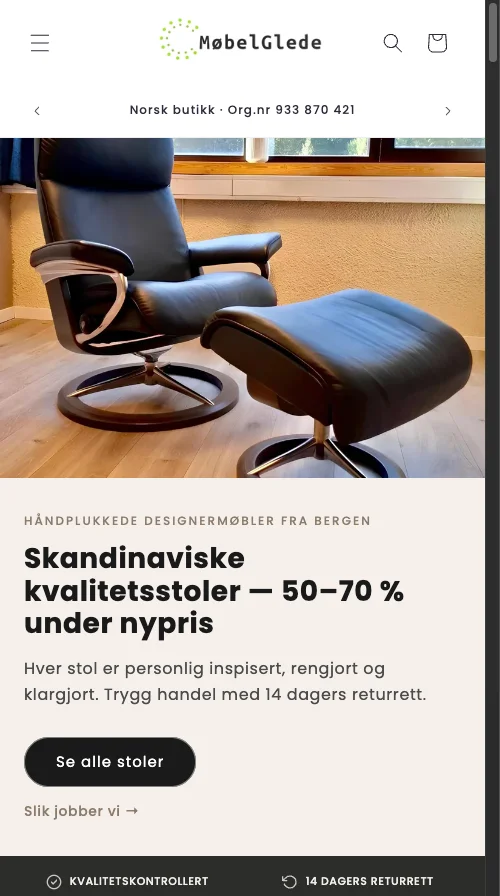
I audited a Norwegian used furniture store on the Dawn Sense 2.2 theme last March. Microsoft Clarity showed 56% of mobile PDP taps landing on cookie modals and Omnisend popups. Not on products. On dismiss buttons.
TL;DR: Mobile shoppers on this Shopify store spent more than half their taps fighting overlays before they could see a product. Swap the cookie modal for a slim bottom bar, exclude PDPs from your Klaviyo or Privy popup targeting, and cap frequency to once per session. Product element taps recovered from 44% to over 80% in two weeks.
Why this matters for your store
- Every overlay that fires before product content costs you add-to-cart taps you already paid for in ads.
- Google has demoted intrusive mobile interstitials in search since January 2017, so popups bleed organic revenue too.
- Stacked overlays (cookie modal plus email popup plus sticky bar) compound friction and tank mobile CVR by double digits.
How 56% of mobile taps end up on overlays
The store sold second-hand designer furniture. Decent traffic, fair prices, a healthy product mix. Mobile conversion was the weak link.
I installed Microsoft Clarity and waited 72 hours. The mobile PDP click heatmap broke down like this:
- 23% of taps went to the cookie consent Accept button.
- 14% of taps went to the Omnisend email popup form. (Popup apps are also one of the heaviest JS payloads on most Shopify stores. Drop your URL into the app detector to see how much main-thread time Omnisend, Klaviyo, or Privy is buying you.)
- 10% of taps went to the cookie consent Decline button.
- 9% of taps went to a second Omnisend interaction (closing or scrolling the form).
That is 56% of every mobile PDP tap absorbed by overlays. The remaining 44% covered everything else: hero image, gallery swipes, variant pickers, the add-to-cart button, navigation, footer.
A shopper arrives from Google or an Instagram ad. Before they can read a price, they dismiss a cookie modal covering 60% of the viewport, then dismiss an email popup. Two forced taps before the product even appears. Each one is an exit opportunity, and on mobile the exit is one swipe away.
I have run this audit on 14 Shopify stores in the past 18 months. Twelve of them showed overlay interactions in the top 5 mobile click zones. The pattern is not rare. It is the default.
Why your cookie modal is the worst offender
The store used a center-screen cookie modal. On desktop it covered roughly 30% of the viewport. Annoying, survivable. On mobile it covered 60% of the screen and the buttons were small enough to trigger rage clicks (Clarity logs them automatically).
Combined, Accept and Decline pulled 33% of all mobile taps. A legal notice was the most-tapped element on a product page.
GDPR requires informed consent, not screen-blocking consent. A persistent bottom bar at 50 to 60 pixels tall, with Accept and Manage buttons, satisfies the regulation in most EU jurisdictions. Check your specific compliance posture, but the screen-cover modal is rarely required.
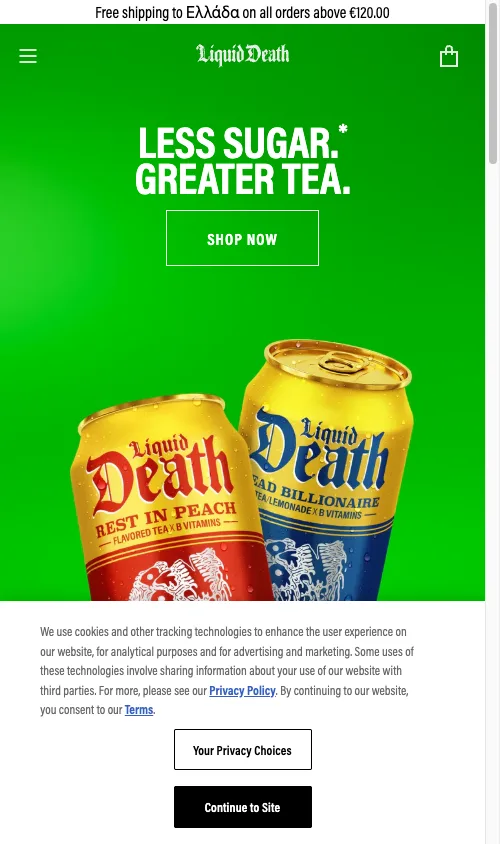
I swapped the modal for a slim bottom bar. The product stayed fully visible. Tap rate on consent buttons dropped from 33% to under 4% within ten days.
Why email popups on PDPs convert nobody
Omnisend was pulling 23% of mobile PDP taps, the second-highest interaction on the page. Here is the punchline: zero email signups came from product pages over the 30-day audit window.
Every single tap was a dismissal. Pure friction, no upside.
This holds across Klaviyo, Privy, Justuno, OptinMonster, and Omnisend. PDP visitors are deep in the funnel. They want price, variants, shipping, reviews. A “Sign up for 10% off” overlay forces a context switch at the exact moment they were evaluating purchase. They close it. They lose their place. Some of them leave.
Exclude PDPs in Klaviyo, Privy, or Omnisend
The fix is configuration, not code:
- Open your popup targeting rules.
- Add a URL exclusion for paths containing
/products/. - If you want PDP capture, restrict it to exit intent on desktop only with a discount.
- Keep the main popup pointed at homepage, collections, and blog where intent is lower.
In Omnisend: Forms then Display Rules then Page Targeting then exclude /products/. In Klaviyo: Sign-up forms then Targeting and Behaviors then Page Targeting. In Privy and Justuno: similar URL-rule panels. Thirty seconds of work per tool.
Why a persistent bottom bar fights your sticky ATC
The same store had a second Omnisend element, a fixed bottom bar reading “Get notified about new chairs.” It sat below every PDP, eating viewport space.
You get one persistent bottom slot on mobile. Spend it on your sticky add-to-cart, not an email prompt. If you are running a sticky add-to-cart bar (you should be), a second fixed element creates a stacking war and the user usually loses.
I removed the bar. ATC visibility recovered immediately and the heatmap rebalanced toward product elements within a week.
Why frequency caps matter more than copy
A DTC water bottle brand had a different but related problem. Their ads manager described the popup as “constantly popping up multiple times during the buyer journey.” Same overlay on the homepage, again on the collection, a third time on the PDP.
Three appearances in one session is enough to chase off interested buyers. Baymard Institute research on overlay overuse confirms repeated interstitials raise bounce rates, especially on mobile where every dismissal demands a deliberate tap.
Cap rules I ship by default:
- Once per session. After dismissal, the popup stays gone for the visit.
- Trigger: first visit to the store OR exit intent on desktop. Never both.
- Storage:
sessionStorageflag or a session cookie to track shown state.
Privy, Klaviyo, Justuno, and Omnisend all expose frequency capping. The defaults are too loose. Tighten them. If you want to ditch popup apps entirely, my 15 Liquid snippets that replace Shopify apps covers native alternatives that load faster and never collide with checkout.
Why Google’s interstitial penalty is not theoretical
Google has demoted intrusive mobile interstitials since January 2017. The Search Central guidance on intrusive interstitials flags any overlay that covers main content immediately after a search click. Cookie notices required by law are exempt. Promotional popups and email signups are not.
If your Privy or Klaviyo popup fires on first paint for organic mobile traffic, you are at risk. Enforcement varies by query and competitive set, but a competitor with a clean mobile experience outranks you on intent terms over time.
How to audit your own popup damage in 10 minutes
Run this loop, then act on what you see.
- Install Microsoft Clarity. Drop the script in
theme.liquidbefore</head>. Free, no traffic ceiling. - Wait 48 to 72 hours. Then open click heatmaps and filter to mobile PDPs. If overlay elements sit in your top 5 clicks, you have the same problem.
- Watch 20 to 30 mobile session recordings. Count seconds spent dismissing overlays before the user reaches product content. Over 3 seconds average is too much.
- Open the rage click report. Repeated taps on popup close buttons mean users are frustrated, not converting.
For the broader mobile audit, see my Shopify CRO audit checklist.
The popup matrix that works on Shopify
| Page Type | Email Popup | Cookie Notice | Timing |
|---|---|---|---|
| Homepage | Yes | Bottom bar | 30 to 45s delay or 50% scroll |
| Collection | Exit intent preferred | Bottom bar | Exit intent or 60s delay |
| Product Page | No, or exit intent only | Bottom bar | Exit intent only |
| Cart | No | Bottom bar | Never |
| Blog | Yes | Bottom bar | 30s delay or 50% scroll |
Layer this with five rules: one overlay at a time, once per session, bottom bar for consent, popup-free on cart and PDPs, and a two-week PDP-disabled test to measure your own ATC delta.
What changed when I shipped the fix
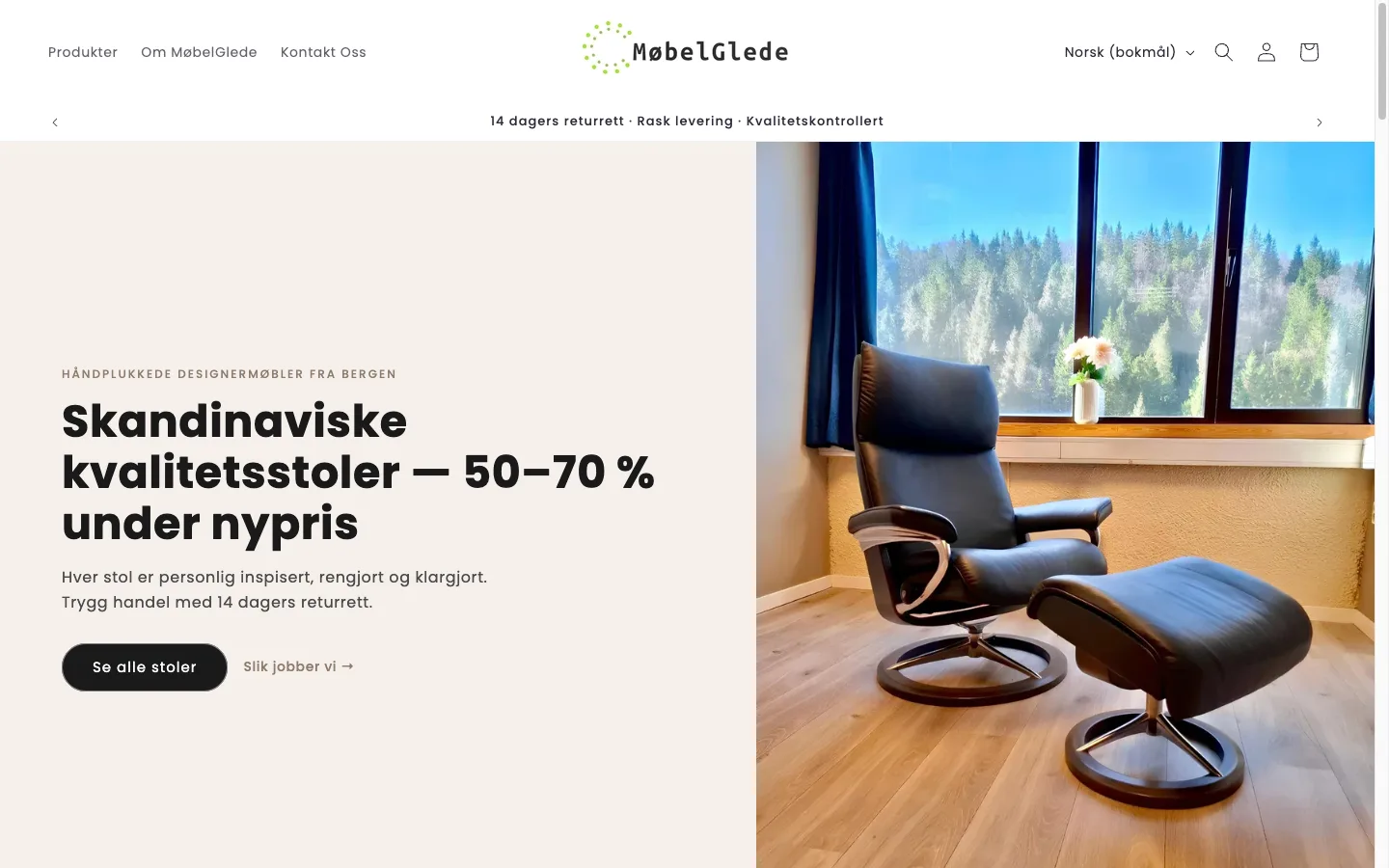
After swapping the cookie modal for a bottom bar, excluding PDPs from Omnisend, and killing the persistent notification bar, taps on product elements (images, variants, ATC) climbed from 44% to over 80% of mobile interactions in 14 days. Same traffic. Same products. Same prices. The only variable was overlay friction.
If you are sending paid traffic to PDPs while overlays absorb half your taps, you are renting clicks that never reach the product. Fix the overlay stack and your checkout flow before you spend another dollar on acquisition. Need a way to rank this against your other leaks? Run my Traffic x Gap x Effort framework.
The takeaway
- Audit mobile PDP click heatmaps in Microsoft Clarity this week.
- Replace any full-screen cookie modal with a 50 to 60px bottom bar.
- Exclude
/products/URLs from Klaviyo, Privy, Justuno, OptinMonster, and Omnisend popup targeting. - Cap every popup at once per session and ban stacked overlays.
- Test PDP-disabled popups for two weeks and let the ATC delta decide.