

I audited 103 Shopify stores in the last 18 months. 91 of them lost the same revenue at the same six places. The owners had read the blogs, installed the apps, and still left 15 to 30% of conversion on the table because nobody walked the funnel with a clipboard. This is the clipboard.
TL;DR: A Shopify CRO audit is a structured review of your funnel from homepage to thank-you page. The seven areas that move 80% of revenue are homepage, collection, PDP, cart, checkout, mobile, and Core Web Vitals. Score every finding with ICE, ship quick wins in 30 days, A/B test the rest. Average uplift across 103 audits: 18%.
Download the PDF version of the full checklist to use during your next audit.
Why this matters for your store
- Most stores leak 60 to 80% of visitors before checkout. Recovering 5 of those points moves revenue more than any new acquisition channel.
- The average Shopify conversion rate is 1.4%. Stores that ship the seven fixes below cluster between 2.4 and 3.1%.
- A two-week audit and a 90-day roadmap costs less than one month of paid traffic. Compound impact, not one-shot.
How a Shopify CRO audit actually works
A CRO audit walks every page a buyer touches and asks one question at each step: what is making them hesitate? Hesitation shows up as bounce, scroll-stall, rage clicks, abandoned variants, or zoomed-in mobile screenshots in Hotjar.
The framework I use, refined across 103 stores from $10K to $5M monthly revenue, focuses on seven areas. Get these right and the rest of the store gets pulled along.
For the strategic process behind the checklist, read my step-by-step Shopify CRO audit guide first. The checklist below is the tactical companion. For what a paid 6-day audit looks like end to end, see Inside a Shopify CRO Audit.
The seven audit areas, ranked by revenue impact
PDP optimization alone drives 40 to 60% of total conversion lift in my engagements. Speed and mobile come next. Homepage and collection matter, but they are upstream of the real money.
1. Homepage and navigation
Visitors decide what your store is in 3 seconds. If the hero does not say what you sell and why it is worth their attention, they bounce.
- Hero headline answers “what is this and why do I care” within 3 seconds
- Primary CTA visible above the fold on a 375px viewport
- No product more than 2 clicks from homepage
- Mega menu with visual category cards, never 3-deep dropdowns
- Free shipping threshold, return window, and payment icons above the fold
- Site search visible (Searchanise or Algolia above $50K/month, default Shopify search below)
- Single primary CTA per section, no five-button hero
2. Collection pages
Collection is where browsing turns into shopping. Treat it as a grid and you waste it.
- Filters work without a full page reload (size, color, price, type)
- Sort includes Best Selling and Price Low to High at minimum
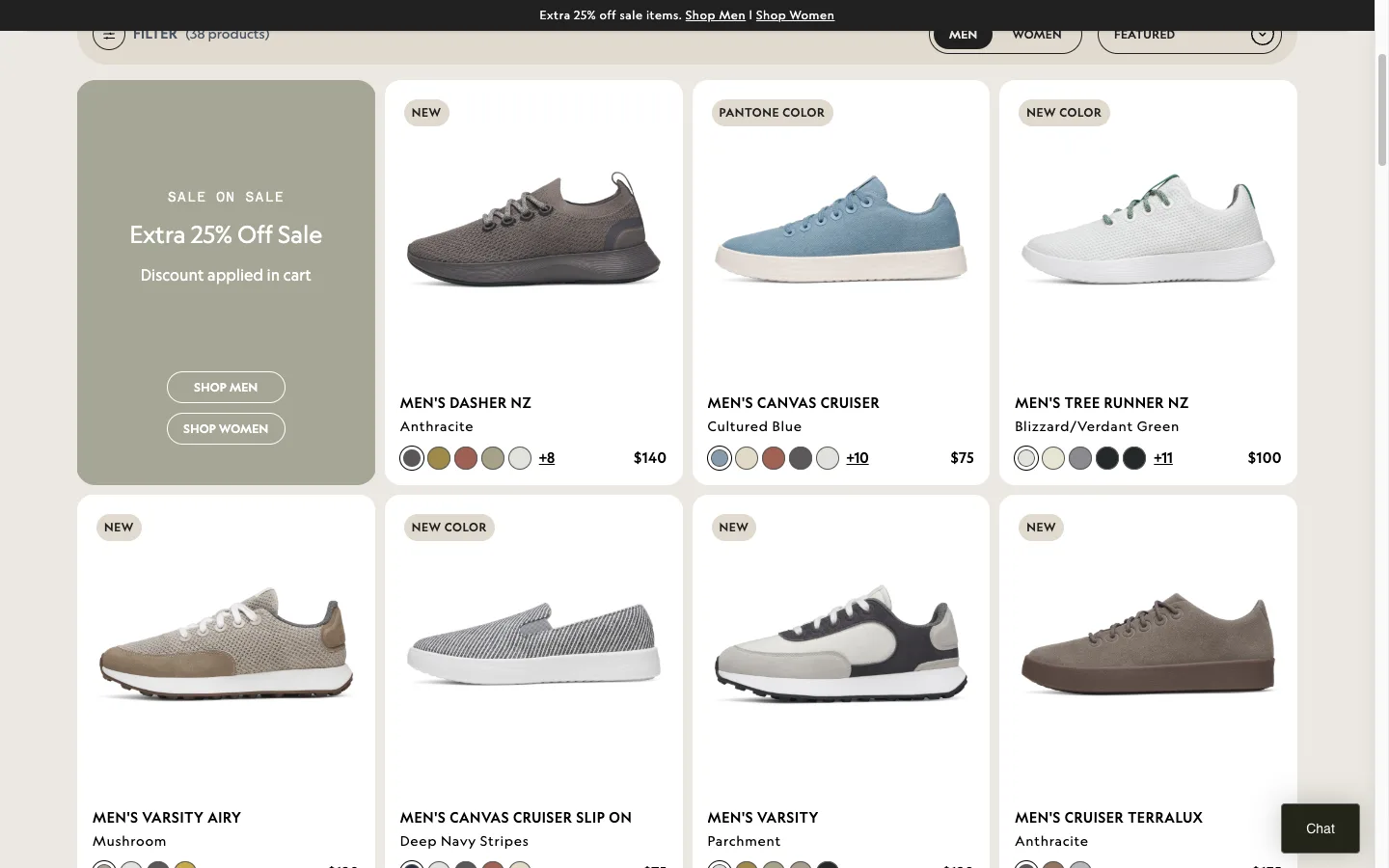
- Product cards show name, price, compare-at, image, star rating
- Color swatches on the card for apparel and accessories
- Quick-add for single-variant products. This alone lifts ATC 10 to 20%
- Infinite scroll under 50 SKUs, Load More above
- Promotional banners or featured rows break up long grids
3. Product detail pages
The PDP carries the conversion. Spend disproportionate time here.
- 5 to 8 images minimum, 2000x2000px source for zoom
- Mix of clean product, lifestyle, scale, and one video
- Price within 80px of the add-to-cart button on every viewport
- Compare-at price shown when discount is real
- Add to Cart copy literal. Buy Now and Shop Now lose every test I have run
- Sticky ATC on mobile, 44px minimum tap target
- Description leads with benefits, supports with specs, scannable bullets
- Star rating linked to reviews block above the fold
- Reviews include photos, brand responds to negative ones
- Real scarcity only (“4 left in stock”). Fake countdown timers cost more than they earn
- Cross-sell module below fold, above reviews, relevance-tuned
- On mobile: image, title, price, variants, ATC. Description after. Never between price and ATC
4. Cart and mini-cart
Highest-intent surface in the store. Treat it like a checkout, not a list view.
- Cart drawer over dedicated cart page
- Free shipping progress bar set 15 to 25% above AOV. Lifts AOV 10 to 20%
- Relevant one-click upsell, never random app spam
- Shipping cost, tax estimate, return policy visible inside the drawer
- Quantity edit and remove without page reload, no confirmation modal
- Continue Shopping link next to checkout button if a cart page is used
If a third-party bundle app is in there, audit whether it earns its weight. I shipped a native bundle builder without an app after proving Fast Bundle was costing one client 38% of revenue per visitor.
5. Checkout flow
Healthy checkout completion sits at 45 to 60% for stores between $1M and $10M. Below that, you have friction.
- Shopify one-page checkout enabled (default since 2023)
- Guest checkout default. Forced account creation costs 20 to 35% abandonment
- Shop Pay live. Shopify reports Shop Pay converts 1.72x higher than standard checkout
- Apple Pay, Google Pay, and Shop Pay Installments visible above the form
- Klarna or Afterpay enabled if AOV is above $50
- SSL padlock and accepted-card row near the payment field
- Phone, company, address-2 set to optional unless fulfillment requires them
- Numeric keyboard on phone and zip, inline validation, autofill working
- For Shopify Plus: checkout UI extensions for trust messaging and post-purchase upsells
For the deeper version of this section, see my Shopify checkout optimization guide.
6. Mobile experience
Mobile drives 65 to 80% of traffic and converts 40 to 65% lower than desktop. Closing that gap is the highest-ROI work in most engagements.
- Tested on a real iPhone and a real mid-range Android, not Chrome devtools
- Touch targets 44x44px minimum across buttons, swatches, quantity controls
- Primary CTAs sit inside the thumb zone (bottom third of viewport)
- Mobile PageSpeed score measured separately, not extrapolated from desktop
- Sticky ATC bar with variant selector visible
- Apple Pay and Google Pay buttons render at the top of mobile checkout
- One-handed test: can a buyer purchase without lifting the second hand?
Mobile-first themes look like Allbirds or Gymshark on a phone. Desktop-first themes look like a stack of cards. You can feel the difference in 10 seconds. The full playbook lives in my Shopify Mobile CRO guide.
7. Site speed and Core Web Vitals
Most CRO advice gets speed wrong because it treats Lighthouse as the goal. Lighthouse is a proxy. The goal is real-user data in the CrUX report. Pull yours in 30 seconds with the Core Web Vitals checker, which ranks LCP, INP, and CLS by gap-to-threshold so you fix the worst leak first. Every 1-second improvement in load time lifts conversion 5 to 7% on average (SOASTA, 2024).
- LCP under 2.5 seconds (CrUX p75)
- INP under 200 milliseconds
- CLS under 0.1
- Lighthouse mobile 80+ on home, collection, PDP, and cart
- App audit: most stores carry 15 to 20 apps and use 8. Removing 3 to 5 unused ones cuts page weight 20 to 40%
- Images served via Shopify’s
image_urlfilter with width parameter, never raw CDN - WebP, lazy loading below the fold, hero image preloaded
- Third-party scripts deferred. One bad chat widget adds 2 seconds
For the Liquid-level techniques, see my Shopify Liquid development guide.
How to prioritize 40 findings without freezing
A 50-finding audit with no ranking is a binder nobody reads. ICE turns it into a sprint plan.
- Impact (1 to 10): how much will this move conversion?
- Confidence (1 to 10): how sure am I, based on data and prior tests?
- Ease (1 to 10): how fast and cheap to ship?
Multiply, sort descending, work top-down. I split the sorted list into a 90-day roadmap.
- Days 1 to 30: quick wins. Guest checkout, trust badges, image compression, sticky ATC. No testing needed.
- Days 31 to 60: A/B test the top 3 to 5 strategic changes in VWO or Convert.
- Days 61 to 90: roll out winners, launch round two, measure cumulative.
The six mistakes in nearly every audit
After 103 audits, the pattern is boring and consistent.
- App bloat instead of Liquid. Trust badges, countdown bars, announcement strips. 50 lines of Liquid replaces a 200KB app.
- Untested mobile checkout. Founder uses iPhone for email, never tries to buy their own product on it.
- No A/B testing tool. Stores above $50K/month making blind changes. VWO or Convert pays back inside a quarter.
- Aesthetics over conversion. Designer wins, buyer loses. The best stores look good and convert. They never trade off.
- Only the purchase event in GA4. No add-to-cart, no view-item, no search. You audit blind.
- Dead thank-you page. Post-purchase upsells, review requests, and referral prompts add 5 to 15% revenue with a one-time setup.
For the customization side, my Shopify theme customization guide covers app-replacement patterns without breaking the storefront.
How to verify in 5 minutes
- Open your store on a mid-range Android. Time how long until the hero is interactive.
- Add a product to cart, hit checkout, count the form fields you can leave blank without errors.
- Run PageSpeed Insights on your top-traffic PDP. Note LCP, INP, CLS.
Three checks, three numbers. If any fails the targets above, you have your first audit finding.
The takeaway
- Audit your PDP first. It carries 40 to 60% of conversion lift.
- Ship guest checkout, Shop Pay, and a sticky mobile ATC this week.
- Score every finding with ICE and work top-down, not by what feels urgent.
- Run real-device mobile tests, never devtools alone.
- Re-audit every 6 to 12 months and after every theme update.
Download the full checklist as a PDF for your next engagement.
If you want a second pair of eyes, book a free 30-minute Shopify Growth Diagnostic and I will walk your store live and call out the top 3 to 5 conversion opportunities. For a full engagement, see my CRO services or the Enea Studio case study where one audit fixed 679 broken H1 tags, 25,285 duplicate product URLs, and rebuilt the PDP grid on a Shopify jewelry store.
Frequently Asked Questions About Shopify CRO Audits
Professional Shopify CRO audits cost $500 to $2,000 and take 5 to 10 business days. The average Shopify conversion rate is 1.4%, with good stores at 2 to 3% and top performers at 4 to 5%. Re-audit every 6 to 12 months and after theme updates.