

On June 30, Shopify turned off every Script still running. There was no error email and there is no banner in your admin. Shopify’s own docs now read: “Any Scripts that were still published on your store have been deactivated and no longer function.” If your Plus store used Scripts for discounts, shipping, or payment logic, that logic is gone and your checkout is running on defaults right now.
TL;DR: The Scripts sunset executed on June 30, 2026. Deactivated Scripts fail silently: checkout works, your custom logic does not. Verify what broke with one test cart today, copy your Script code out of the read-only Script Editor before it disappears on July 30, patch the simple cases with native discounts, and rebuild the rest as Shopify Functions.
Why this matters for your store
- A deactivated Script does not error, it just stops applying, so a tiered discount or shipping rule can be silently missing while orders keep flowing at wrong totals.
- Your original Script code is only readable until July 30, 2026. Miss that second deadline and you rebuild from memory instead of from the spec.
- Every day on default checkout behavior is margin leaking in one direction or the other: customers overpaying and churning, or discounts you meant to retire never getting rebuilt correctly.
What exactly happened to Shopify Scripts on June 30?
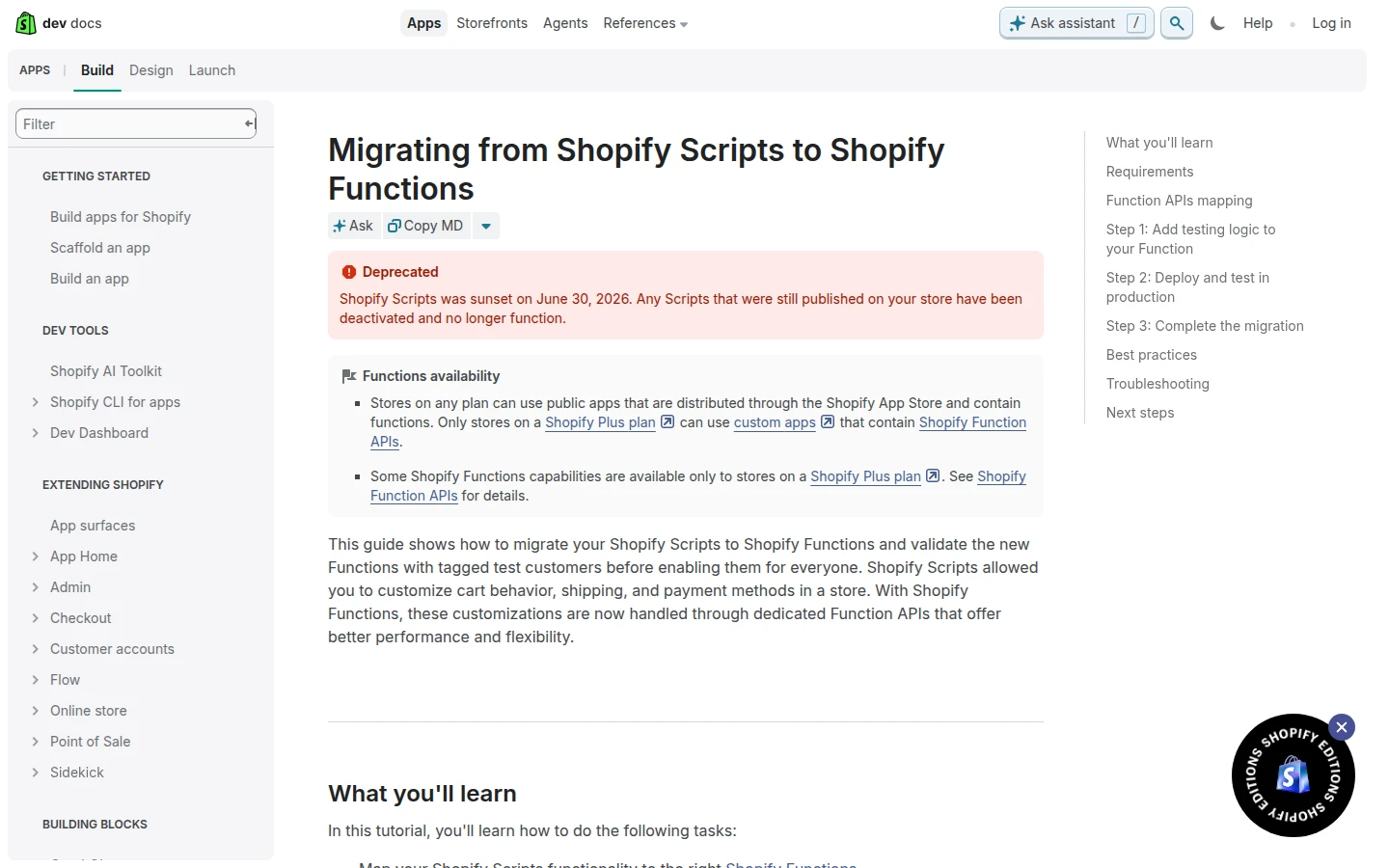
Shopify executed the sunset it had been promising for two years. The migration guide now carries a deprecation notice stating that Scripts still published on June 30, 2026 have been deactivated and no longer function. Editing had already been frozen since April 15, and the deadline that slipped twice (August 2024, then August 2025) held on the third date, exactly as flagged in the June 30 countdown.
The mechanic matters for your triage. Scripts were modifiers that ran inside checkout to adjust prices, shipping rates, and payment methods. Deactivation does not break checkout; it removes the modification. Your store sells normally, but the cart math, the rate list, and the payment order are whatever Shopify does by default. Shopify’s docs do not spell out a failure mode beyond “no longer function,” which is precisely why you verify on your own storefront rather than assume.
How do I know if my store is affected?
Five minutes, one test cart. Build the cart that used to trigger each Script and watch what happens.
- Discount logic. Add the items that earned the tiered price, the free gift, or the bundle discount. If the total is now full price, that Script is dead.
- Shipping logic. Go to shipping in checkout with a qualifying cart. Scripted free shipping, renamed rates, or hidden carriers revert to your base rate table.
- Payment logic. Check the payment step. Hidden or reordered payment methods reappear in default order.
The symptoms in your data look like this: AOV shifts without a campaign change, checkout abandonment ticks up on the shipping step, support tickets say “my discount is not working.” No error appears anywhere, which is the same silent failure pattern I flagged when the Spring ‘26 Edition confirmed the date.
The July 30 deadline nobody mentions: your Script code disappears next
Buried in Shopify’s migration guide is the second date that matters more than June 30 now: the Script Editor app stays available in read-only mode until July 30, 2026 so you can reference your original logic. After that, the code is gone.
Your old Scripts are the spec for the rebuild. Every threshold, every customer tag, every edge case your team tuned over the years is encoded there and probably nowhere else. So the single most urgent action today is not the rebuild, it is the backup: open the Script Editor, copy every Script (including disabled ones) into your repo or a document, and note what each one touched. Twenty minutes of copy-paste now saves a forensic reconstruction in August.
What is the fastest stopgap while you rebuild?
Most Scripts I audited over the years did simple things, and simple things have native replacements you can ship today without a developer.
Percentage and fixed-amount discounts, buy X get Y, and free shipping over a threshold are all native discounts in the admin now. Recreate those first and your most visible breakage is patched in minutes. While you are at it, hunt down every place your theme or marketing still promises the scripted behavior, because a banner advertising a discount the cart no longer applies is a checkout abandonment generator.
What cannot be patched natively: customer-tag B2B pricing, payment method gating by cart contents or country, complex tie-break logic. Those need Functions, which is the actual rebuild.
How do I rebuild each Script type in Functions?
Shopify’s official mapping is clean:
| Your old Script | Rebuild with | Typical use |
|---|---|---|
| Line item script | Discounts API | Tiered pricing, cart discounts |
| Line item script | Cart Transform API | Bundles, free gift in cart |
| Line item script | Cart and Checkout Validation API | Block checkout on conditions |
| Shipping script | Delivery Customization API + Discounts API | Hide, rename, reorder, or discount rates |
| Payment script | Payment Customization API | Hide or reorder payment methods |
Two paths to get there. Stores on any plan can install public App Store apps built on Functions. Custom apps using Function APIs directly require Plus, which most former Scripts users are on anyway. I walked through five production rebuilds line by line, with the input queries and the tie-break gotchas, in Scripts to Functions: 5 real migrations, and the wider checkout picture lives in the Plus checkout guide.
Shopify’s recommended rollout is the right one: deploy the Function, test it against tagged test customers in production, then enable it for everyone.
How to verify the fix in 5 minutes
- Rebuild the same test cart you used in the triage check and confirm the total, rates, and payment order match the old scripted behavior.
- Tag a test customer, run a real end-to-end order, and compare against an old order that had the Script applied.
- Watch AOV and shipping-step abandonment for two weeks. Those two numbers are where silent regressions hide.
The takeaway
- Test one qualifying cart today. Discounts, shipping step, payment step. That is your damage report.
- Copy every Script out of the read-only Script Editor before July 30, 2026. After that, your rebuild spec is gone.
- Patch simple discounts natively now. Percentage, amount, buy X get Y, and free shipping need no code.
- Rebuild the complex logic as Shopify Functions using the official API mapping, tested on tagged customers first.
- Kill any storefront copy promising dead Script behavior. A promised discount that never applies is worse than no discount.
Kaspian Fuad is a Shopify CRO consultant and Liquid developer who has shipped Scripts-to-Functions migrations for Plus stores. 12 years in ecommerce, 100+ stores, Shopify Select Partner and Top Rated Plus on Upwork. If your checkout logic went dark on June 30, book a free 30-minute call and I will help you triage it.