

Enea Studio
Ongoing engineering engagement for a luxury fine jewelry brand handcrafted in Athens. Technical SEO fixes, PDP grid redesign, variant image filtering on a metafield-merged product system, dynamic metal swap, and a Core Web Vitals sprint that brought all 5 metrics to passing green on real user data. The most recent milestone, a Mejuri-grade collection-page rebuild, is now live.
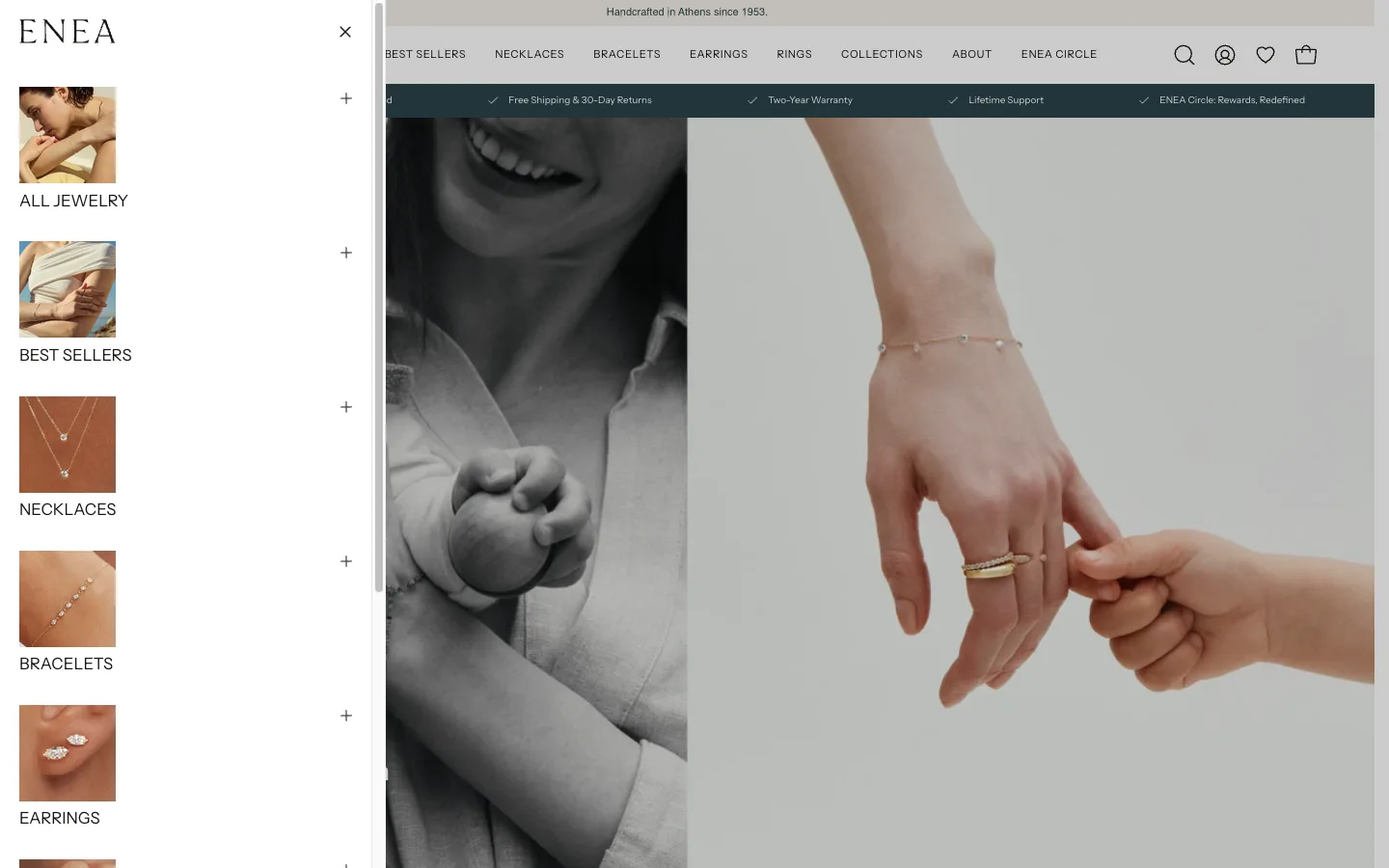
The Engagement
Enea Studio is a luxury fine jewelry brand based in Athens, running a Shopify 2.0 store on the Palo Alto theme. This is an ongoing engineering engagement. The first six sprints worked through a stack of technical issues flagged by Ahrefs SEO audits, client feedback from collaborator Voukolos Tasatzis, and PageSpeed audits: SEO fixes, PDP grid redesign, variant image filtering on a complex metafield-merged product system, dynamic metal swap text rendering for 18k gold variants, pixelated product image fixes, and a full PageSpeed optimization sprint.
By the end of that phase, all 5 Core Web Vitals were passing green on real user data: LCP 2.1s, INP 129ms, CLS 0.05, FCP 1.6s, TTFB 0.7s. The client explicitly approved deployment and called the work “exactly what was needed.” The engagement has kept going since; the most recent milestone, a full collection-page rebuild now live, is covered at the end of this write-up.
The Original Problem (Sprint 0)
The first audit covered 476 products across 191 collections. Desktop Core Web Vitals were failing in CrUX field data (LCP 2.6s, CLS 0.12), every single page had broken H1 heading hierarchy, collection pages had zero structured data for rich results, and the Liquid theme code was generating 25,285 collection-scoped duplicate product links that diluted crawl budget and created massive indexation bloat.
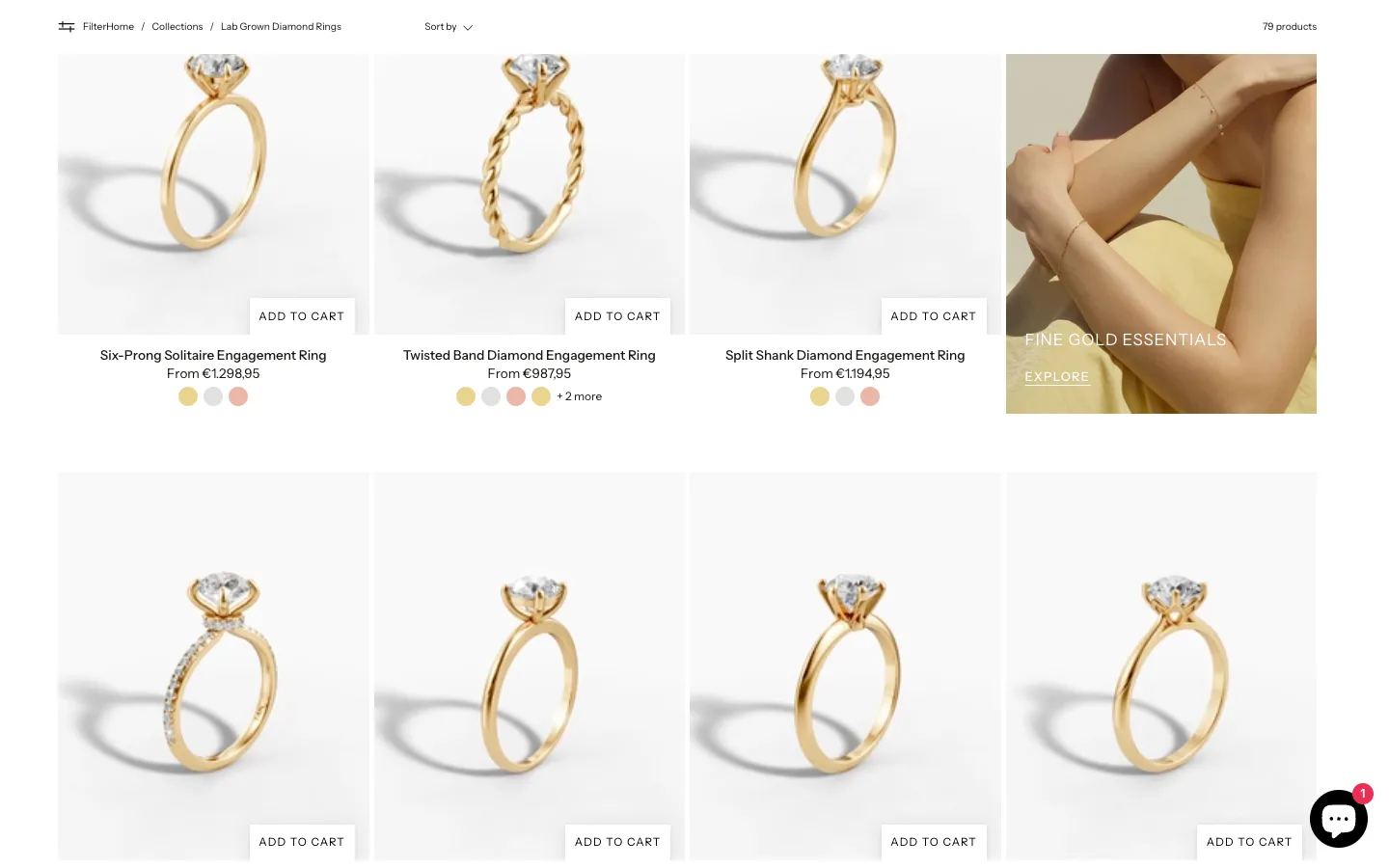
Step 1: Full-Site Crawl & Indexability Analysis
I ran a custom Python crawler against all 679 sitemap URLs to map the complete indexation landscape.
Crawl Results
| Metric | Value |
|---|---|
| Total URLs in Sitemap | 679 |
| 200 OK Responses | 679 (100%) |
| Products | 476 |
| Collections | 191 |
| Pages | 10 |
| Blog/Articles | 2 |
Critical Finding: Zero Meta Robots Tags
Not a single page across the entire site had a <meta name="robots"> tag. Filter URLs (?filter.p.product_type=, ?sort_by=) were completely open to Google’s crawler - no noindex, no crawl directives. While canonical tags correctly stripped filter parameters, canonicals are hints that Google can override. Without explicit noindex on filtered URLs, crawl budget was being wasted on thousands of parameter combinations.
The fix - conditional noindex injection in theme.liquid:
{% if request.path contains '/collections/' %}
  {% if current_tags or request.url contains 'filter.' or request.url contains 'sort_by' %}
    <meta name="robots" content="noindex, follow">
  {% endif %}
{% endif %}
Step 2: H1 Heading Hierarchy - 100% Broken
The crawl confirmed that 0 out of 679 pages had correct H1 hierarchy. Every page had between 2 and 4 H1 tags.
| H1 Count | Pages | Percentage | Pattern |
|---|---|---|---|
| 2 H1s | 483 | 71% | All products + some pages (logo H1 + page title H1) |
| 3 H1s | 196 | 29% | All collections + some pages (logo + title rendered twice, or logo + title + FAQ H1) |
Three Sources of H1 Breakage
1. Logo rendering as H1 on every page
The header section rendered the site logo inside an <h1> tag unconditionally. On the homepage this is correct - on every other page it creates a competing H1.
{%- comment -%} BEFORE: H1 on every page {%- endcomment -%}
<h1 class="header__heading">
  <a href="/">{{ shop.name }}</a>
</h1>

{%- comment -%} AFTER: Conditional heading tag {%- endcomment -%}
{% if template == 'index' %}
  <h1 class="header__heading">
    <a href="/">{{ shop.name }}</a>
  </h1>
{% else %}
  <div class="header__heading">
    <a href="/">{{ shop.name }}</a>
  </div>
{% endif %}
2. Announcement bar using H1
The “10% Off Your First Order” promo bar was rendering as an H1 element. Changed to <p> - promotional text is not a page heading.
3. Collection title rendered twice as H1
Every collection page rendered its title as H1 in two separate sections: once in a text banner section and again in the collection header. The duplicate H1 pattern showed “Diamond Rings | Diamond Rings” across all 191 collections. One instance was demoted to a <div>.
Additional H1 Bug: FAQ Content Leak
6 standard pages (Shipping, Privacy Policy, Warranty, Jewelry Care, Accessibility, Returns & Exchanges) had “Frequently Asked Questions” appearing as an extra H1 - a content block using the wrong heading level, leaking an H1 into pages where it didn’t belong.
Step 3: Duplicate Product URL Elimination
The Shopify Duplicate URL Problem
Shopify makes every product accessible via two URL patterns:
- Canonical:
/products/diamond-ring - Collection-scoped:
/collections/rings/products/diamond-ring
While canonical tags pointed correctly to /products/ paths, the theme’s Liquid code was generating collection-scoped links in product card snippets using the within: collection filter.
Scale of the Problem
| Metric | Value |
|---|---|
| Collection-scoped product links | 25,285 |
| Pages generating duplicate links | 191 (every collection) |
| Average duplicate links per collection | 132 |
| Worst offender | /collections/lab-grown-diamond-rings (195 links) |
The Liquid Code Fix
Found across 5 product card snippet files with 15 instances of the within: collection filter:
{%- comment -%} BEFORE: Generates /collections/rings/products/handle {%- endcomment -%}
<a href="{{ product.url | within: collection }}">

{%- comment -%} AFTER: Clean canonical product URL {%- endcomment -%}
<a href="/products/{{ product.handle }}">
This single Liquid change across 5 files eliminated all 25,285 duplicate internal links, consolidating link equity to canonical product URLs.
Step 4: Structured Data Implementation
Schema Audit Findings
| Page Type | Count | Schema Present | Missing |
|---|---|---|---|
| Products | 475 | Organization + Product | BreadcrumbList, materials, enriched offers |
| Products (outlier) | 1 | Organization + WebSite | Product schema entirely missing |
| Collections | 191 | Organization only | CollectionPage, ItemList, BreadcrumbList |
| Pages | 10 | Organization only | BreadcrumbList |
Collections had zero rich-results-eligible schema. Google Rich Results Test confirmed: no items detected on any collection page. This meant 191 pages - representing the primary category navigation - had no chance of appearing with enhanced SERP features. For a detailed walkthrough of implementing article and product schema in Liquid, see my article schema guide.
CollectionPage + ItemList Implementation
<script type="application/ld+json">
{
  "@context": "https://schema.org",
  "@type": "CollectionPage",
  "name": "{{ collection.title | escape }}",
  "url": "{{ shop.url }}{{ collection.url }}",
  "description": "{{ collection.description | strip_html | escape }}",
  "mainEntity": {
    "@type": "ItemList",
    "numberOfItems": {{ collection.products_count }},
    "itemListElement": [
      {%- for product in collection.products limit: 50 -%}
      {
        "@type": "ListItem",
        "position": {{ forloop.index }},
        "url": "{{ shop.url }}/products/{{ product.handle }}"
      }{%- unless forloop.last -%},{%- endunless -%}
      {%- endfor -%}
    ]
  }
}
</script>
BreadcrumbList Implementation
Added across product, collection, and page templates:
<script type="application/ld+json">
{
  "@context": "https://schema.org",
  "@type": "BreadcrumbList",
  "itemListElement": [
    {
      "@type": "ListItem",
      "position": 1,
      "name": "Home",
      "item": "{{ shop.url }}"
    },
    {
      "@type": "ListItem",
      "position": 2,
      "name": "{{ collection.title | escape }}",
      "item": "{{ shop.url }}{{ collection.url }}"
    }
    {%- if template contains 'product' -%}
    ,{
      "@type": "ListItem",
      "position": 3,
      "name": "{{ product.title | escape }}",
      "item": "{{ shop.url }}/products/{{ product.handle }}"
    }
    {%- endif -%}
  ]
}
</script>
Step 5: Core Web Vitals Diagnosis & Fixes
CrUX Field Data (Real Users, 28-Day)
| Metric | Desktop (p75) | Status | Mobile (p75) | Status |
|---|---|---|---|---|
| LCP | 2.6s | Needs Improvement | 1.9s | Good |
| INP | 62ms | Good | 130ms | Good |
| CLS | 0.12 | Needs Improvement | 0 | Good |
| FCP | 2.1s | Needs Improvement | 1.5s | Good |
| Overall CWV | FAILED | LCP + CLS failing | PASSED | All passing |
Desktop was the ranking bottleneck - failing on both LCP (threshold: 2.5s) and CLS (threshold: 0.1).
Lighthouse Lab Scores (Mobile)
| Page | Perf | LCP | TBT | CLS |
|---|---|---|---|---|
| Homepage | 49 | 4.4s | 1,110ms | 0.001 |
| Diamond Collection | 31 | 9.0s | 2,480ms | 0.009 |
| New Arrivals | 38 | 6.6s | 1,390ms | 0.016 |
| Product (canonical) | 38 | 18.3s | 720ms | 0.003 |
| Product (collection-scoped) | 24 | 6.1s | 1,740ms | 0.251 |
Desktop CLS Fix
The 0.12 desktop CLS was caused by:
- Images without explicit
widthandheightattributes causing layout reflow - Klarna On-Site Messaging widget injecting content after page load
- Font loading causing FOUT (Flash of Unstyled Text)
Performance Bottlenecks Identified
- 803KB to 1,118KB of unused JavaScript across all pages
- 62 to 64KB of unused CSS
- 67 to 78KB of legacy JavaScript that could be modernized
- Excessive preconnect hints (>4 connections) causing resource contention
- Collection-scoped product pages loading 18,439KB network payload (4x heavier than homepage)
- Klarna currency mismatch errors (configured EUR, shop currency USD) triggering console errors and unnecessary script execution
- SmartSize app loading size chart modal JavaScript on every page, not just product pages
Third-Party Script Triage
{%- comment -%} Conditional loading: only load SmartSize on product pages {%- endcomment -%}
{% if template contains 'product' %}
  {{ 'smartsize.js' | asset_url | script_tag }}
{% endif %}

{%- comment -%} Defer Klarna widget to after page load {%- endcomment -%}
<script defer src="https://js.klarna.com/web-sdk/v1/klarna.js"></script>
Step 6: Theme Code Inspection
Systematic review of the DPD theme codebase to map every issue to a specific file and line number:
| File | Issues Found |
|---|---|
theme.liquid |
Missing meta robots logic, no conditional noindex for filters/sorts, schema injection points needed |
header.liquid |
Unconditional H1 on logo, needs template-conditional heading tag |
product-card-*.liquid (5 files) |
15 instances of within: collection generating duplicate URLs |
collection-template.liquid |
Duplicate H1 rendering, missing CollectionPage + ItemList schema |
product-template.liquid |
Missing BreadcrumbList schema, Product schema missing materials field |
announcement-bar.liquid |
Promotional text incorrectly using H1 heading tag |
Deliverables
The audit report included:
- Full crawl data - 679 URLs with H1 counts, canonical tags, schema types, response codes, and page sizes exported to CSV
- Prioritized fix list - every issue scored by SEO impact (Critical / High / Medium) with estimated implementation hours
- File-by-file code change specifications - exact Liquid file names, line numbers, before/after code snippets
- Core Web Vitals baseline - Lighthouse lab data (5 pages × 2 devices) plus CrUX field data screenshots
- Rich Results Test validation - Google’s own validation showing zero collection page rich results
- Schema implementation templates - ready-to-paste JSON-LD for CollectionPage, ItemList, and BreadcrumbList
Sprint 1: Fixing Duplicate H1 Tags Flagged by Ahrefs
An Ahrefs SEO audit flagged duplicate H1 tags across three page types. The fix touched three files: sections/article.liquid (blog template), sections/main-page.liquid (generic page template), and sections/section-list-collection.liquid (collection list section). Each case required either demoting the duplicate to an H2 with the same styling or removing it entirely depending on semantic intent.
Multiple H1s on a single page is a known SEO issue. Search engines expect exactly one H1 per page, and duplicates dilute topical relevance. The Ahrefs audit flagged the issue across blog articles, generic pages, and the collection list section.
I cherry-picked the SEO commit and pushed it directly to the live theme via Shopify CLI, skipping staging because SEO fixes were time-sensitive and the PDP grid work on staging wasn’t ready to ship yet:
shopify theme push --only sections/article.liquid \
  --only sections/main-page.liquid \
  --only sections/section-list-collection.liquid \
  --theme 159293964541 \
  --store narcissusfinejewelry-393.myshopify.com \
  --allow-live --force
The Ahrefs re-audit came back clean on those pages. For more on safe Shopify theme editing, see my theme customization guide.
Sprint 2: PDP Grid Layout Redesign (4:5 Aspect Ratio)
The client wanted the PDP gallery converted from a carousel to a 2-column grid with a 4:5 aspect ratio matching reference sites like VRAI. The fix required updating the aspect-ratio CSS, broadening the object-fit selector to cover videos, iframes, model-viewer, and Plyr embeds (not just img tags), and handling odd-last image positioning with the :only-child pseudo-class.
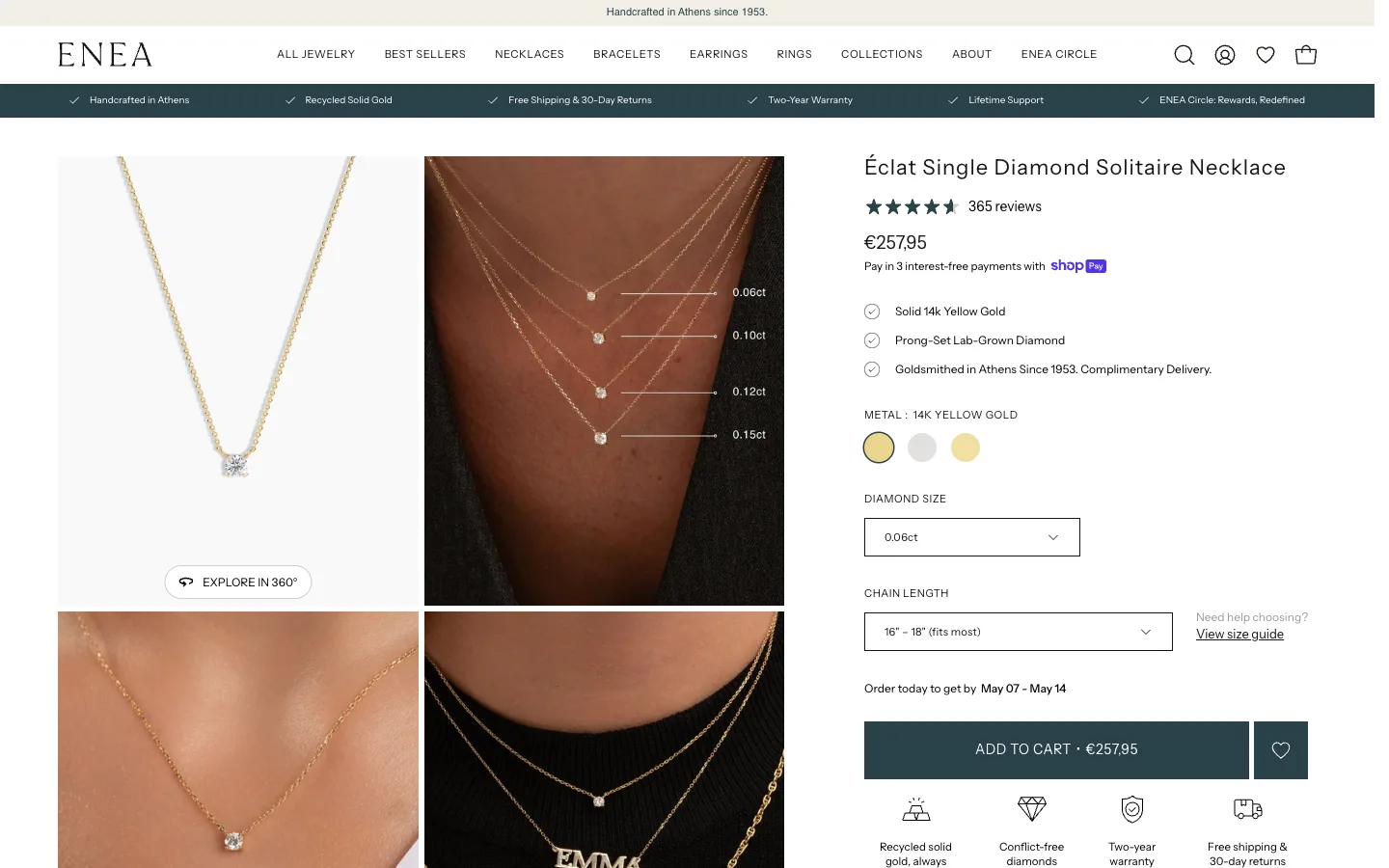
The original CSS only applied object-fit: cover to img tags. Videos and embeds were getting squashed into the new 4:5 container. The selector needed to cover every media type the gallery could render:
.shopify-section--product .product-single__wrapper--grid .product-gallery__media-slide {
  position: relative;
  width: calc(50% - 3px);
  aspect-ratio: 4 / 5;
  overflow: hidden;
}

.shopify-section--product .product-single__wrapper--grid .product-gallery__media img,
.shopify-section--product .product-single__wrapper--grid .product-gallery__media video,
.shopify-section--product .product-single__wrapper--grid .product-gallery__media iframe,
.shopify-section--product .product-single__wrapper--grid .product-gallery__media model-viewer,
.shopify-section--product .product-single__wrapper--grid .product-gallery__media .plyr,
.shopify-section--product .product-single__wrapper--grid .product-gallery__media .plyr__video-wrapper {
  position: absolute;
  top: 0;
  left: 0;
  width: 100%;
  height: 100%;
  object-fit: cover;
}
Single-image products needed an exception. The grid was showing a half-width cell with empty space next to it. The fix:
.shopify-section--product .product-single__wrapper--grid .product-gallery__media-slide:only-child {
  width: 100%;
}
During testing I noticed PDP images rendered tiny on Safari desktop. This turned out to be a pre-existing bug unrelated to my changes. I flagged it to the client rather than attempting a blind fix that might break the grid logic, and it was noted as a separate future task.
Sprint 3: Variant Image Filtering on Grid (The Hardest Bug)
Enea Studio uses a custom metafield system where each metal color (14k Yellow Gold, 18k White Gold) is a separate Shopify product, linked via custom.should_merge_variants and custom.variants metafields. The grid layout broke this filtering, showing all metal variants at once. The fix required passing an explicit is_current_product parameter into the media render snippet because Liquid scope isolation made the parent product variable nil inside renders. It took 6 attempts and one full wasted day to solve.
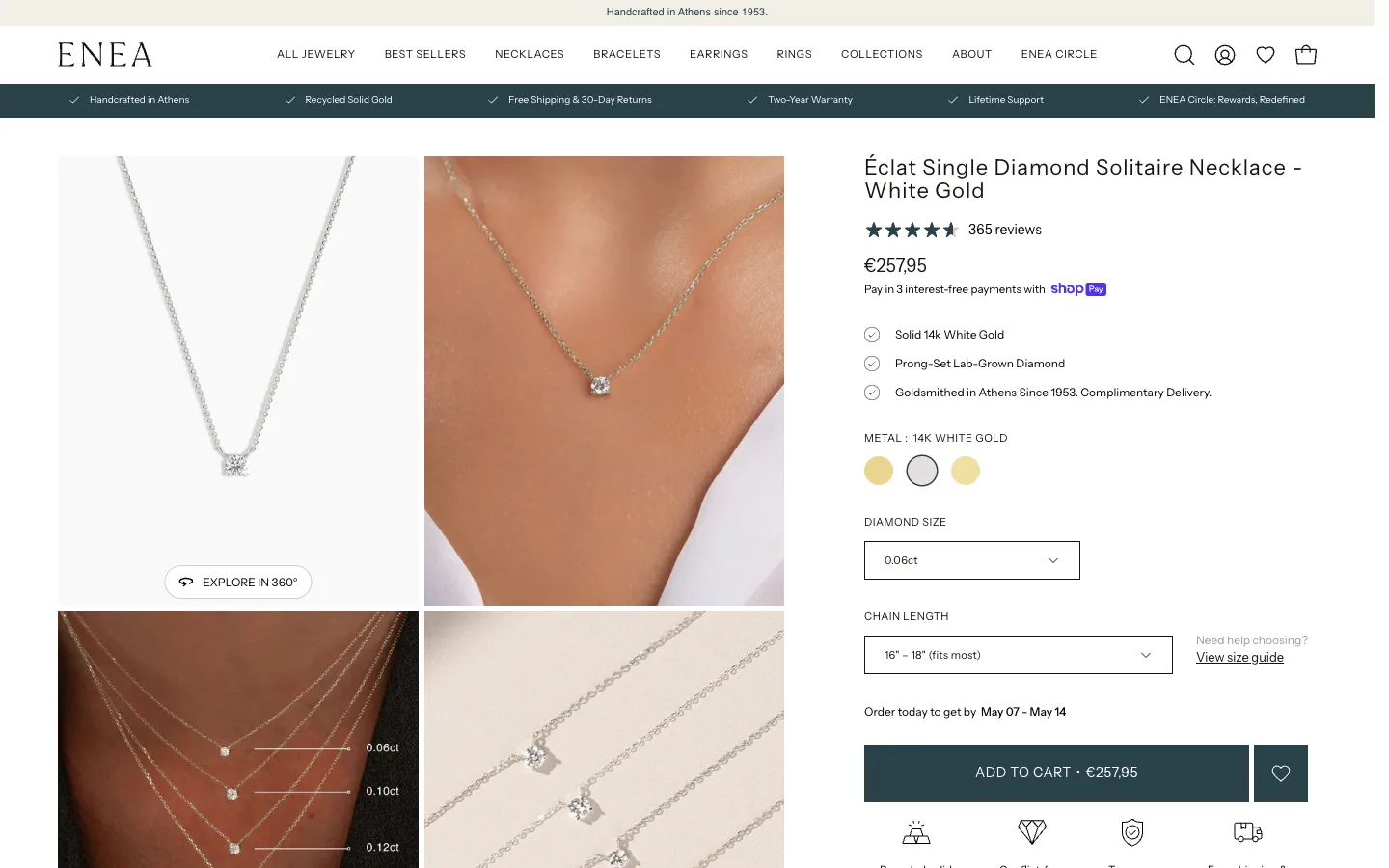
This was the hardest technical problem of the engagement. Enea doesn’t use Shopify’s native variant system for metal color. Instead, each metal variant is a separate Shopify product, linked via two metafields: custom.should_merge_variants (boolean flag) and custom.variants (list of related products).
The original carousel PDP correctly filtered which images to show based on which merged product was currently selected. When the client asked for the new grid layout, the filtering broke: the grid was showing product shots for all metal variants at once, with no way to filter.
Attempt 1: Shopify native featured_media (failed)
I built the initial filtering logic around variant.featured_media, Shopify’s built-in variant-to-image mapping. After implementation I discovered that every product in the store had featured_media: NONE. The store had never used this system. All variant image logic had to work via the metafield merge system instead. Wasted day. Lesson: check the data first, build the logic second.
Attempt 2: CSS hidden attribute (failed)
I tried using the hidden HTML attribute to mark non-selected variant slides. This hid every single slide including the current product’s, because media.liquid sets hidden on all slides regardless of which product is current. The product variable is nil inside a render scope due to Liquid scope isolation.
Attempt 3: is_current_product parameter (worked)
The cleanest fix. Pass an explicit boolean from the parent snippet into the render:
{%- render 'media',
    media: media,
    product_handle: product.handle,
    is_current_product: true,
    ... -%}
Then in media.liquid:
{% if product_handle %}
  data-product-handle="{{ product_handle }}"
  {% if is_current_product %}
    current-product-slide="true"
  {% else %}
    hidden
  {% endif %}
{% else %}
  current-product-slide="true"
{% endif %}
Attempt 4: Flickity re-init fix
Even after the Liquid side worked, Flickity kept breaking the grid on variant change. The reRenderSlider callback was calling initProductSlider() directly, which recreated Flickity’s inline styles and overrode my CSS. Fixed by routing re-render through checkSlider():
this.reRenderSlider = () => this.checkSlider();
Attempt 5: Init-time filtering for first page load
On first page load, even with the correct merge data, the grid showed all slides because JS hadn’t run yet. Added init-time filtering:
if (this.tallLayout && window.innerWidth >= theme.sizes.large) {
  const slider = this.container.querySelector(selectors$a.productMediaSlider);
  if (slider) {
    slider.querySelectorAll('[data-product-slide][hidden]').forEach((slide) => {
      slide.style.display = 'none';
    });
  }
}
Attempt 6: Non-merged products on grid
For non-merged products (single Shopify product with multiple color variants), separate logic was required. In updateProductImage() I added a block that collects all variants’ featured_media.id values into a Set, hides slides matching non-selected variants, and reorders the selected variant’s slide to first position:
if (!variant.product_handle && this.tallLayout && window.innerWidth >= theme.sizes.large && variant.featured_media) {
  const selectedMediaId = String(variant.featured_media.id);
  const allVariantMediaIds = new Set();
  this.productJSON.variants.forEach((v) => {
    if (v.featured_media && v.featured_media.id) {
      allVariantMediaIds.add(String(v.featured_media.id));
    }
  });

  if (allVariantMediaIds.size > 1) {
    const slider = this.container.querySelector(selectors$U.productMediaSlider);
    if (slider) {
      slider.querySelectorAll(selectors$U.productSlide).forEach((slide) => {
        const slideMediaId = slide.getAttribute('data-id');
        if (allVariantMediaIds.has(slideMediaId) && slideMediaId !== selectedMediaId) {
          slide.style.display = 'none';
        } else {
          slide.style.display = '';
        }
      });

      const selectedSlide = slider.querySelector(`[data-product-slide][data-id="${selectedMediaId}"]`);
      if (selectedSlide && selectedSlide !== slider.firstElementChild) {
        slider.insertBefore(selectedSlide, slider.firstElementChild);
      }
    }
  }
}
After testing on both merged products (Starburst Ring, Twisted Band Engagement Ring) and non-merged products, all variants filtered correctly.
The Verification Script
I gave the client a console diagnostic script so they could verify the filtering on their own products without my involvement:
const slider = document.querySelector('[data-product-single-media-slider]');
const slides = slider.querySelectorAll('[data-product-slide]');
console.log('Total slides:', slides.length);
slides.forEach(s => console.log(`data-id=${s.dataset.id} display=${s.style.display || 'visible'}`));
Pasting this into Chrome DevTools after selecting a variant immediately shows which slides are visible vs hidden, with their data IDs. Useful for spot-checking the filtering across the catalog.
Sprint 4: Dynamic Description Metal Swap for 18k Gold
Product descriptions contained placeholder text like “18k/Sterling Silver” that needed to be dynamically rewritten based on the selected metal variant. The existing swap supported 10k and 14k but had zero 18k support, left ugly artifacts like “18k/14k Solid White Gold” from partial replacements, and missed the “Solid 10k or 14k gold” paragraph text entirely. The fix updated both the Liquid render-time swap chain and the JavaScript variant-change swap chain in sync.
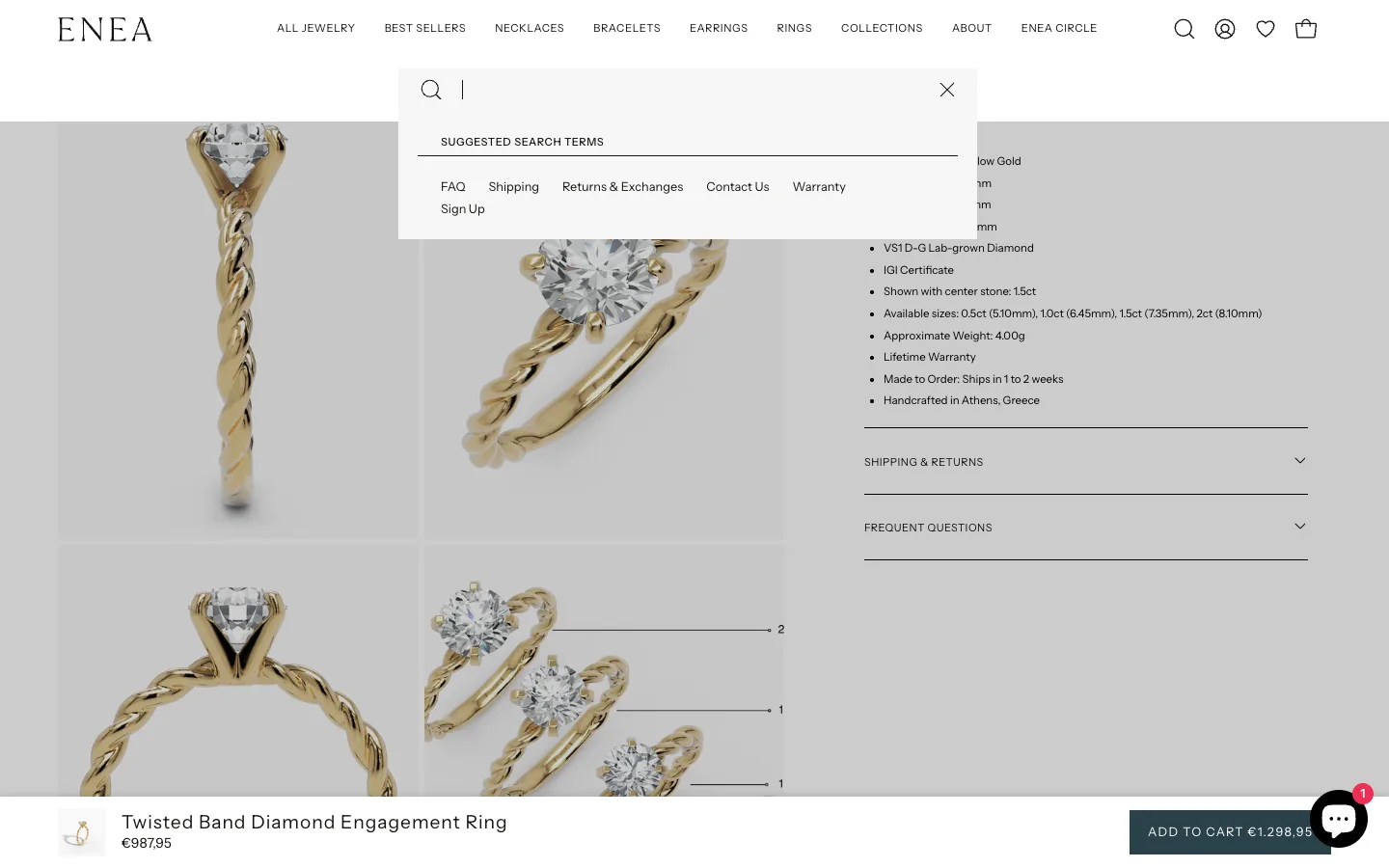
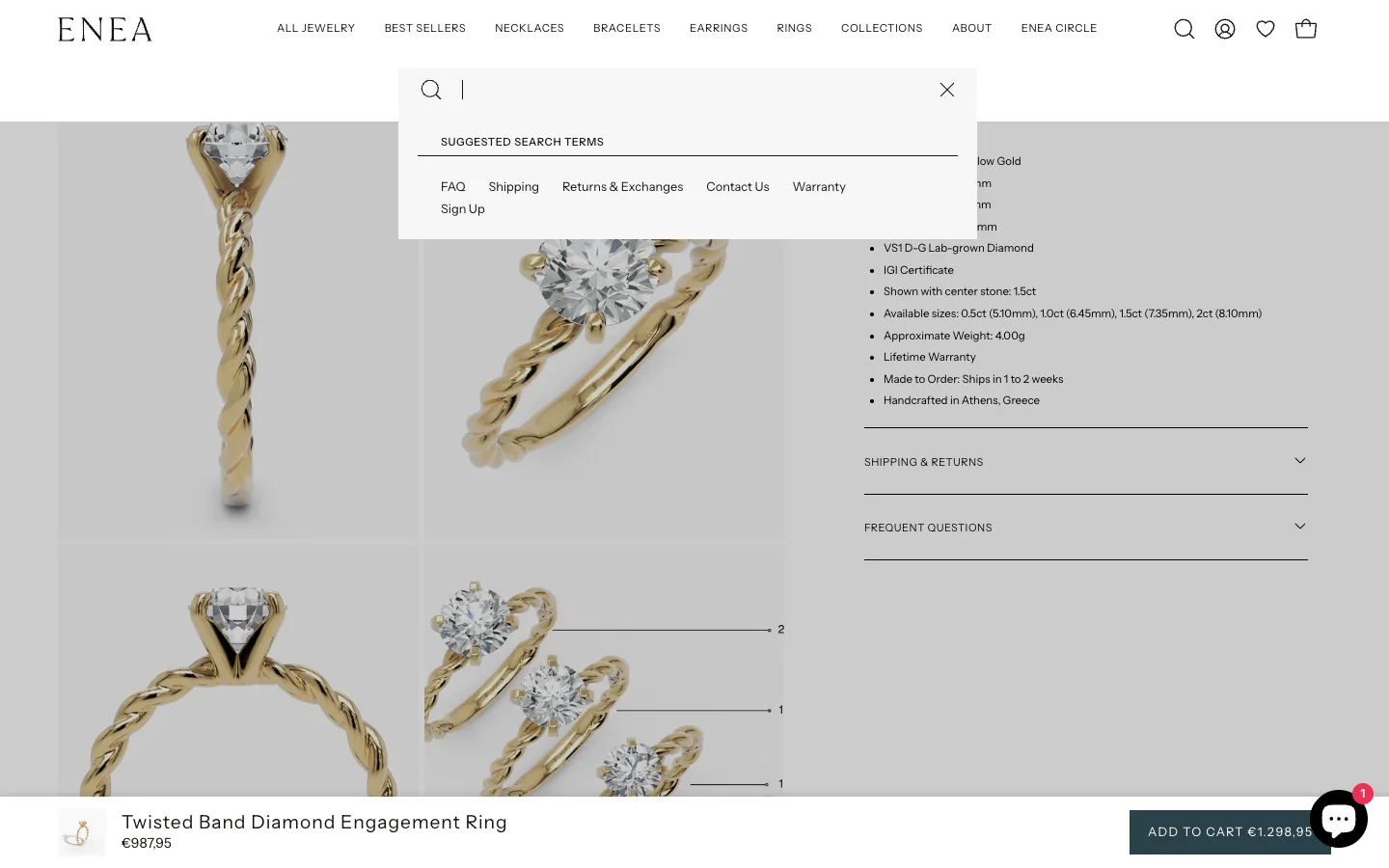
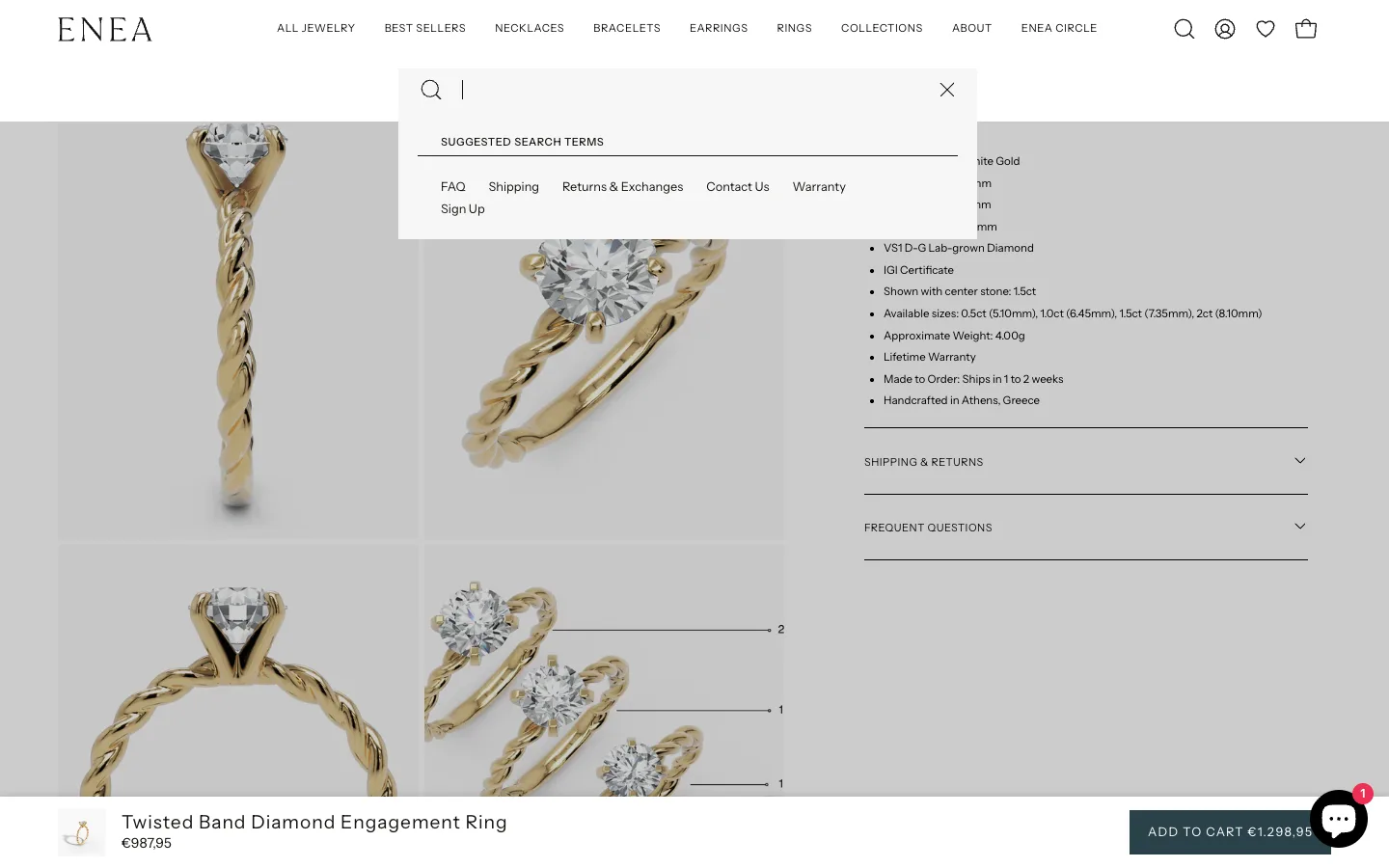
Product descriptions on Enea contained placeholder text like “Solid 10k or 14k gold” or “18k/Sterling Silver” meant to be dynamically rewritten based on selected metal variant. The theme had a basic swap system that worked for 10k and 14k variants but had four problems:
- Zero support for 18k gold (selecting 18k White Gold showed the raw
18k/Sterling Silverplaceholder) - Partial replacements left ugly artifacts (e.g.
18k/14k Solid White Goldbecause only “Sterling Silver” got swapped, leaving the18k/prefix) - “Solid 10k or 14k gold” paragraph text wasn’t in the swap chain at all
- “recycled” word duplication (the swap turned “solid recycled gold” into “14k Solid White Gold recycled”)
The swap runs in two places: Liquid (product-accordions.liquid) handles initial render, JavaScript (new-product.liquid) handles variant change after page load. Both chains had to be updated in sync.
The Liquid chain expansion
if metal_opt_lower contains 'silver'
  assign desc_metal = 'Sterling Silver'
elsif metal_opt_lower contains '18k yellow gold'
  assign desc_metal = '18k Solid Yellow Gold'
elsif metal_opt_lower contains '18k white gold'
  assign desc_metal = '18k Solid White Gold'
elsif metal_opt_lower contains '18k rose gold'
  assign desc_metal = '18k Solid Rose Gold'
elsif metal_opt_lower contains '14k yellow gold'
  assign desc_metal = '14k Solid Yellow Gold'
endif

assign content = content
  | replace: '18k/Sterling Silver', desc_metal
  | replace: 'Solid 10k or 14k gold', desc_metal
  | replace: '18k Solid Yellow Gold', desc_metal
  | replace: '18k Solid White Gold', desc_metal
  | replace: '18k Solid Rose Gold', desc_metal
  | replace: 'Sterling Silver', desc_metal
  | replace: 'Solid Gold', desc_metal

{%- comment -%} Cleanup leftover karat prefix {%- endcomment -%}
assign prefixed_18k = '18k/' | append: desc_metal
assign content = content | replace: prefixed_18k, desc_metal
The JavaScript chain (regex for case-insensitive matching)
el.innerHTML = el.dataset.m5Default
  .replace(/18k\/Sterling Silver/gi, descMetal)
  .replace(/Solid 10k or 14k gold/gi, descMetal)
  .replace(/18k Solid Yellow Gold/gi, descMetal)
  .replace(/Sterling Silver/gi, descMetal)
  .replace(/Solid Gold/gi, descMetal)
  .replace(/solid\s+\d+k\s+gold/gi, descMetal)
  .replace(new RegExp('\\d+k\\s*/\\s*' + descMetal.replace(/[.*+?^${}()|[\]\\]/g, '\\$&'), 'gi'), descMetal)
  .replace(new RegExp(descMetal.replace(/[.*+?^${}()|[\]\\]/g, '\\$&') + '\\s+recycled', 'gi'), descMetal);
The last two replacements are the critical cleanups: the \d+k\s*/\s* regex catches any leftover Nk/ prefix, and the descMetal + \s+recycled regex removes the duplicate “recycled” word. The client tested on the Twisted Band Diamond Engagement Ring and Astro Starburst Ring, and all variants now show the correct metal text.
Sprint 5: Fixing Pixelated PDP Images on High-DPI Displays
The client reported PDP product images looking blurry on high-resolution desktop screens. The images themselves were stored at high resolution, but the sizes attribute in the responsive image tag was lying about the display size. The grid was rendering images at ~490-590px CSS pixels, but sizes was telling the browser 303-369px. The browser picked the smaller image and stretched it, causing pixelation on 2x and 3x retina displays. Fix was a one-line update to image_size_desktop in new-product.liquid.
Voukolos sent a Slack message: “Is it possible to increase the resolution of these pictures? Look how pixelated they look on my PC.”
The PDP product images looked blurry on high-resolution desktop screens. But the images themselves were stored at plenty high resolution. Something was telling the browser to load a too-small version.
The investigation
Every responsive image needs two attributes: srcset (the list of available image sizes) and sizes (tells the browser how big the image will actually be displayed at each viewport). The sizes value for the grid layout was being calculated in new-product.liquid:
capture image_size_desktop
  case image_layout
    when 'grid'
      if section_width == 'wrapper--full-padded'
        case image_width
          when 'standard'
            echo 'calc(((100vw - 120px) / 2 - 30px) / 2 - 12px)'  # ≈ 303px
          when 'large'
            echo 'calc(((100vw - 120px) * 0.6 - 30px) / 2 - 12px)'  # ≈ 369px
        endcase
      else
        case image_width
          when 'standard'
            echo '303px'
          when 'large'
            echo '369px'
        endcase
      endif
These values were wrong for the new 4:5 grid layout. The grid images were actually rendering at ~490-590px CSS pixels, but the sizes attribute was lying and saying 303-369px. The browser trusted the lie, picked a 303-369px image from srcset, and stretched it.
The fix
Updated image_size_desktop to reflect the actual rendered size:
when 'grid'
  if section_width == 'wrapper--full-padded'
    case image_width
      when 'standard'
        echo 'calc((100vw - 40px) * 0.25)'
      when 'large'
        echo 'calc((100vw - 40px) * 0.3)'
    endcase
  else
    case image_width
      when 'standard'
        echo '490px'
      when 'large'
        echo '590px'
    endcase
  endif
Pixelation gone. Same image files, same srcset, just telling the browser the truth about display size so it picks a higher-resolution image for retina displays.
Sprint 6: PageSpeed Optimization (All 5 Core Web Vitals to Green)
The PageSpeed sprint moved real-user CrUX metrics from failing/needs-improvement to all 5 passing green. The biggest wins were broadening the collection grid srcset from 900-2400 to 180-2400 (saving ~280 KiB per page on mobile from 3x oversized images), removing a hardcoded loading=“lazy” on the LCP image of swipeable sliders, deferring Microsoft Clarity by 3 seconds after window.load, removing IE11 detection scripts, and disabling a loading overlay that was adding ~2,600ms to PDP element render delay.
Baseline (before)
| Metric | Mobile | Desktop |
|---|---|---|
| Performance Score | 47 | 66 |
| FCP | 3.0s | 1.8s |
| LCP | 6.5s | 3.4s |
| TBT | 620ms | 0ms |
| CLS | 0.041 | 0.029 |
| Speed Index | 15.0s | 6.4s |
| Unused JS | 1,123 KiB | 1,071 KiB |
Per-Page Lighthouse Lab Scores (Mobile, Before)
| Page | Performance | LCP | TBT | CLS |
|---|---|---|---|---|
| Homepage | 49 | 4.4s | 1,110ms | 0.001 |
| Diamond Collection | 31 | 9.0s | 2,480ms | 0.009 |
| New Arrivals | 38 | 6.6s | 1,390ms | 0.016 |
| Product (canonical) | 38 | 18.3s | 720ms | 0.003 |
| Product (collection-scoped) | 24 | 6.1s | 1,740ms | 0.251 |
The collection-scoped product variant scored worst on every metric, confirming the duplicate URL fix from Sprint 0 was also a performance fix. These per-page scores informed the priority order: collection page LCP first, then PDP, then homepage. For more on the relationship between mobile UX and Core Web Vitals, see my Shopify mobile CRO guide.
Before touching any code, I wrote a scope document separating in-scope theme fixes from out-of-scope app/platform issues. Setting realistic expectations upfront (Mobile target 60-70, Desktop 80-85) prevented frustration later when the lab score couldn’t climb higher due to app bloat.
In-scope fixes delivered
theme.liquid cleanup:
- Removed
loading.svgpreload (it was competing with the hero LCP image for bandwidth priority) - Removed IE11 detection script (IE11 has been dead since 2022)
- Deferred Microsoft Clarity analytics by 3 seconds after
window.load - Moved 3 inline scripts from after
</body>to inside<body>(~260 lines of invalid post-body JavaScript) - Added a max-attempt limit (20) to
editPaymentTermssetInterval (was polling forever) - Disabled the loading overlay with client approval (eliminated ~2,600ms element render delay on PDP)
Collection grid srcset (the biggest single win):
# BEFORE
assign custom_widths = '900, 1200, 1500, 1800, 2400'

# AFTER
assign custom_widths = '180, 260, 360, 480, 600, 720, 900, 1200, 1500, 1800, 2400'
The minimum srcset width was 900px. Mobile grid cells rendered at ~154 CSS pixels, so even on 3x retina the browser only needed ~462px. It was forced to pick 900px, 3x oversized. With the new widths, the browser correctly picks 180-360px on mobile depending on device pixel ratio. ~280 KiB saved per page on mobile. For more on Liquid performance patterns, see my Liquid loop optimization guide.
Swipeable slider widths: Separate from the grid srcset fix, the hover-swipeable slider on product cards had its own hardcoded width list:
# BEFORE
'200,300,400,500,600,700,800,1000,1200,1400,1600,1800'

# AFTER
'150,180,260,300,360,480,600,800,1000,1200,1400,1600,1800'
Smaller minimum widths meant the browser could pick correctly-sized images for the small hover preview cells instead of being forced into 200px+ as the floor.
Collection LCP fix: The Lighthouse LCP breakdown showed a 4,960ms resource load delay on collection pages. The LCP image had loading="lazy" hardcoded in the swipeable slider:
{%- assign slider_loading = loading | default: 'lazy' -%}
{{- product.featured_media | image_url: width: product.featured_media.width
   | image_tag: loading: slider_loading, fetchpriority: slider_fetchpriority, ... -}}
This picked up the loading = 'eager' assignment from earlier in the snippet (for the first two rows), fixing the LCP on collection pages while still defaulting to lazy for related products sections.
Grid eager loading condition broadened:
# BEFORE
if template.name == 'collection' and item_index < limit

# AFTER
if item_index != blank and item_index < limit
Some section-based collection layouts (like the homepage featured collection) don’t match template.name == 'collection', so eager loading was never kicking in. Broadening the condition fixed that for every section that passes item_index.
Sticky ATC image dimensions: Added explicit width="100" height="100" to the sticky add-to-cart product image in sections/sticky-ATC.liquid for CLS prevention. The image was rendering without dimensions, causing minor layout shift on PDP scroll past the main ATC button.
PDP “As Featured In” logos: Press logos for Brides, Vogue, Harper’s Bazaar, and The Zoe Report were rendered with img_url: 'master', loading 2000x500px PNGs for display at ~100x26px. Changed to img_url: '300x'. Visually identical, ~120 KiB saved per PDP load.
Trust icon CLS fix: SVGs without width/height attributes caused 0.038 CLS. Final fix matched the actual visual size: width="14" height="14".
Failed attempts (and what I learned)
Failed: Deferring jQuery 3.7.1. Intent: unblock rendering by deferring jQuery. Result: broke the related products carousel because trust-icons.liquid loads its own synchronous jQuery 3.4.1 + Slick inside <body>. The deferred jQuery 3.7.1 loaded after that and overwrote the global $, destroying the Slick prototype. Reverted. Lesson: you can’t defer jQuery while another copy is loaded synchronously with a plugin attached.
Failed: Removing “unused” preconnect to fonts.shopifycdn.com. Lighthouse flagged it as unused. Removing it caused the related products section to render blank. Something downstream was implicitly depending on that preconnect. Reverted immediately. Lesson: “Unused” per Lighthouse isn’t always unused.
Failed: Batched commits. I tried to batch two small fixes into one commit. When it broke the “Matches Perfectly With” section, I couldn’t tell which one caused it without reverting both. After that, strict one change per commit.
Out of scope: app JavaScript bloat
The remaining performance bottleneck was third-party apps, flagged clearly in the scope document:
| App | Issue | Impact |
|---|---|---|
| Klaviyo popup | Loads Google Fonts via CSS, creates 14-second critical request chain | Biggest single offender |
| Smile.io rewards | 41 KiB of legacy JavaScript polyfills | Legacy JS waste |
| Wishlist (Appmate) | 8-9 second JS loading chain | Render delay |
| Shopify Chat widget | 19 KiB of unused legacy code | Bundle bloat |
| Customizery | 41 KiB of polyfills | Bundle bloat |
Together: ~60% of total JavaScript payload and 1,526 KiB of unused JS. None fixable from theme code, only by app removal, replacement, or delayed initialization.
Final Results: All Core Web Vitals Green
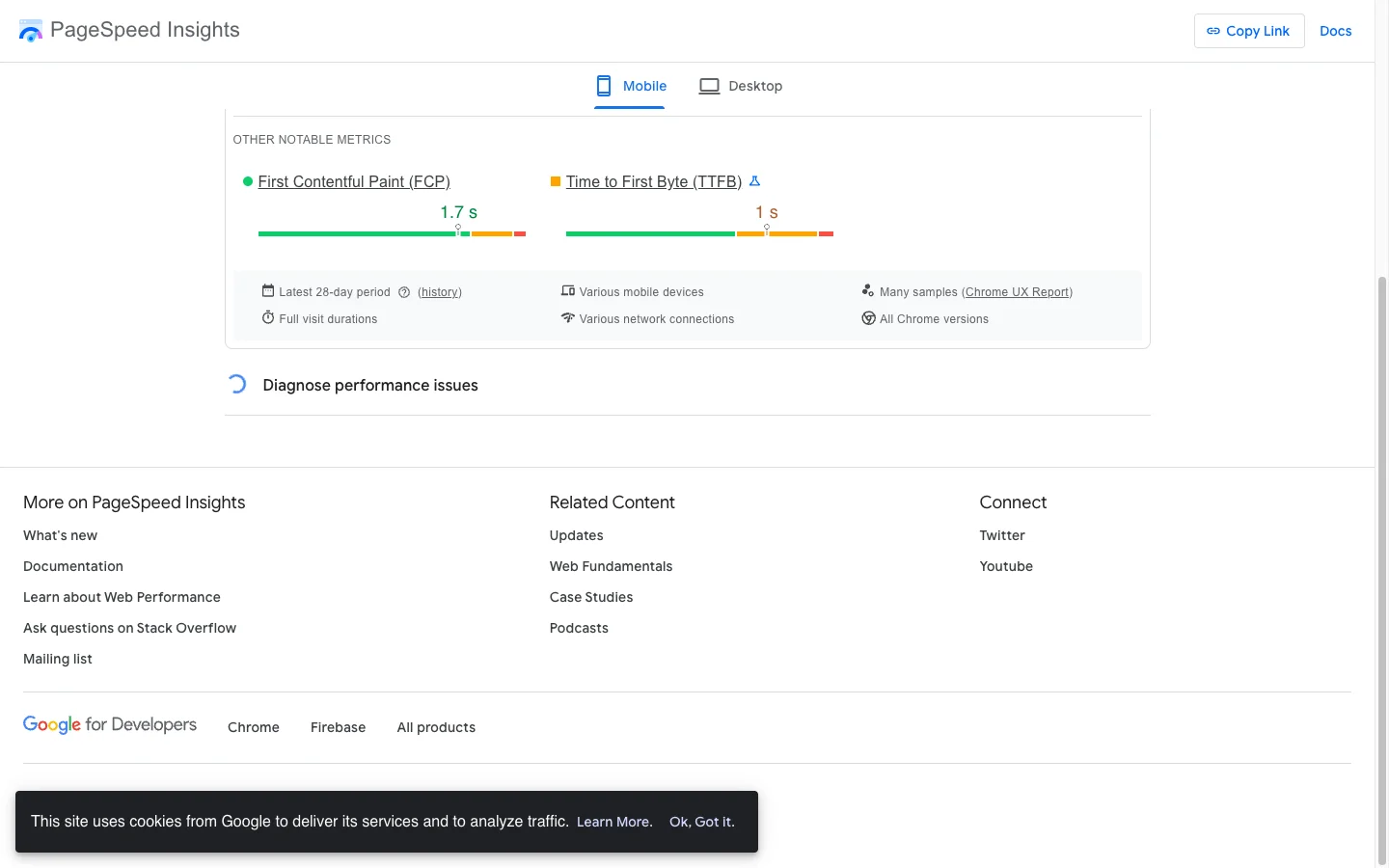
| Metric | Value | Threshold | Status |
|---|---|---|---|
| LCP | 2.1s | <=2.5s | GOOD |
| INP | 129ms | <=200ms | GOOD |
| CLS | 0.05 | <=0.1 | GOOD |
| FCP | 1.6s | <=1.8s | GOOD |
| TTFB | 0.7s | <=0.8s | GOOD |
Every single Core Web Vital is passing green on real user data. These are the metrics Google actually ranks on. For the broader CRO framework that catches issues like these in audits, see my Shopify CRO audit checklist.
Client quote
“Great work on the theme-level optimizations. I’ve reviewed the PageSpeed Insights results for the PDP page and here’s the summary: Real User Data (Core Web Vitals / CrUX): All metrics are passing green. LCP 2.1s, INP 129ms, CLS 0.05, FCP 1.6s, TTFB 0.7s. This is what Google actually uses for ranking, so we’re in good shape. The Lighthouse lab score (23 on mobile) is low, but as you correctly identified, it’s almost entirely driven by third-party app scripts (Klaviyo popup, Smile.io, Wishlist/Appmate, Shopify Chat, Customizery) which account for roughly 60% of the JavaScript payload and 1,526 KiB of unused JS. That’s outside the theme scope and your optimizations there are solid. Your theme work covers exactly what needed to be done.”
Voukolos Tasatzis, Enea Studio
The Engagement Continues: A Mejuri-Grade Collection Rebuild
The Core Web Vitals sprint was a milestone, not the end. The most recent work was a full rebuild of the collection page to a Mejuri-grade grid. It is now live, after the client reviewed the header and the cards and approved the push.
The collection card and grid were rebuilt to match Mejuri: an 8px mobile gap, an edge-to-edge full-bleed grid, and a fixed card-title height so rows never go ragged. I tested it across collection, homepage, search and product pages and found zero ragged rows, and confirmed all five main collections load to the end with no duplicate cards (Rings 175, Necklaces 171, Earrings 124, Bracelets 96, Best Sellers 63).
Infinite scroll that survives the back button
The hardest part was the return journey. Tapping a card fifty deep into the rings collection and pressing back rebuilds the full grid, all 96 loaded cards rather than the first 24, and lands on the exact scroll position it left, 8,838px down with the card 151px from the top of the screen. It also recovers when the lazy-load library never starts, not only when it dies mid-scroll.
Moving the metal off the visible title, the accessible way
To match the Mejuri look, the metal name came out of the visible card title. It stays in the link and the aria-label, and the raw HTML the server sends still carries the complete product names, so a crawler’s first read is the full title. I confirmed it on the raw rings HTML: 24 complete titles, metal included, before any JavaScript runs. Product pages were left untouched.
Two drafts that had split, merged file by file
The real go-live blocker was that the client’s own Collections work and the milestone card work had drifted into two separate drafts, and publishing either would have lost the other. I pulled both themes in full, compared them file by file, merged them, and tested each piece afterward rather than assuming it. The client’s Smile.io block removal alone takes roughly 390KB and two seconds of processing off a collection page, the wishlist now saves the exact metal a shopper picked, and the header dropdown product cards line up with the menu column at zero offset.
Nothing shipped until the client had checked the header and the cards on his own devices and signed off. That is the standard on this engagement: staging first, his own testing, then live.
Lessons Learned
1. Always read the data before writing the code. The variant image filtering project wasted a full day because I assumed the store used Shopify’s native featured_media system. It didn’t. If I’d checked a single product’s JSON first, I’d have saved hours.
2. One commit per change. No exceptions. Batching two “small” fixes is how you end up not knowing which of them broke things. The moment I switched to strict one-commit-per-change, debugging became trivial.
3. Lighthouse lab scores are noise. CrUX is signal. Lighthouse on Shopify preview URLs swings ±15 points between runs of the same unchanged page. CrUX reflects what real users experience and what Google ranks on.
4. “Unused” is not always unused. Lighthouse flagged fonts.shopifycdn.com as an unused preconnect. Removing it broke a section. Trust the DOM, not the audit tool.
5. Be honest about what’s out of scope. The scope document I wrote before starting explicitly called out app JavaScript as out-of-scope. When the client asked “can we get this lower?” during the sprint, I could point back to the scope doc. That honesty paid off, and the client came back saying the work was “exactly what was needed” instead of feeling short-changed by the lab score.
6. Test every change visually, not just programmatically. The trust icon dimensions passed “logic review” but visually only 14x14 matched. You can’t test that without actually looking at the rendered page.
Key Takeaway
Technical SEO on Shopify is a code problem. Every issue - broken H1s, duplicate URLs, missing schema, CWV failures - traces back to specific Liquid template code. My Shopify Liquid development guide covers the fundamentals of working with these template files. A crawl-first approach that maps every URL before touching any code ensures nothing gets missed, and file-level code specifications mean fixes can be implemented precisely without guesswork.
The 6-sprint engagement also proved a broader point: technical SEO and PageSpeed work compound when done in sequence. The initial audit found the structural issues (H1s, duplicate URLs, missing schema). Sprint 2-5 fixed the customer-facing experience (PDP grid, variant filtering, metal swap, image resolution). Sprint 6 closed the loop with PageSpeed work that took advantage of the cleaner codebase. The result is a store where every Core Web Vital passes green on real user data, which is what Google actually ranks on.
For comparable engineering-led engagements, see the Factory Direct Blinds 7-sprint case study covering CRO, Core Web Vitals, and a full builder rebuild, or the Everly Shopify Markets fix where 38 hardcoded prices and 90 lines of JS were replaced with Liquid money filters to drop CLS from 0.11 to 0.00.
Seeing similar technical SEO issues on your Shopify store? Book a free strategy call and I’ll run a quick diagnostic on your site’s indexation, heading hierarchy, and structured data.