

I audited a Shopify store last quarter where the blog drove 50,000+ clicks across 230+ URLs. Zero Article schema on any of them. Their strongest content type, invisible to Google as a recognised article.
That client was leaving rich results, author attribution, and Discover eligibility on the table because their theme shipped without one Liquid snippet.
TL;DR: Shopify themes do not output BlogPosting schema by default. Drop a single snippet at snippets/article-schema-jsonld.liquid, render it from your article template, and every post ships valid JSON-LD that passes Google’s Rich Results Test. 15 minute job, zero recurring cost, no app.
Why your Shopify blog is invisible to Google as an article
Three numbers a founder cares about:
- CTR. Article rich results show headline, author, date, and thumbnail. Plain blue links lose to that every time.
- Discover traffic. Article schema is a prerequisite for Google Discover, which can outscale organic search on mobile.
- AI Overview citations. ChatGPT, Perplexity, and Google’s AI Overviews cite content with clear schema at higher rates (Princeton GEO 2024).
Shopify’s default structured-data.liquid covers Product schema. Blog content gets nothing. No BlogPosting, no datePublished, no author. Google guesses. Often wrong.
What Article schema actually unlocks
Four signals stack the moment you ship the snippet.
Article rich results. Google is allowed to render headline styling, the author name, a published date, and the thumbnail in SERPs. The visual real estate alone moves CTR.
E-E-A-T author attribution. The author field connects each post to a named Person. For consultants and freelancers, that compounds. Every post you publish reinforces the same authored entity.
Date freshness. datePublished and dateModified tell Google when content shipped and when it was last touched. That decides whether you appear in Top Stories and time-sensitive queries.
Discover eligibility. No Article schema, no Discover surface. It is a hard prerequisite, not a recommendation.
How do I add BlogPosting schema to a Shopify theme?
Create one new file in your theme. Add one render call in your article template. That is the entire build.
snippets/article-schema-jsonld.liquid:
{% if request.page_type == 'article' %}
<script type="application/ld+json">
{
  "@context": "https://schema.org",
  "@type": "BlogPosting",
  "headline": {{ article.title | json }},
  "description": {{ article.excerpt_or_content | strip_html | truncate: 160 | json }},
  "url": "{{ shop.url }}{{ article.url }}",
  "datePublished": "{{ article.published_at | date: '%Y-%m-%dT%H:%M:%S%z' }}",
  "dateModified": "{{ article.updated_at | date: '%Y-%m-%dT%H:%M:%S%z' }}",
  "wordCount": {{ article.content | strip_html | split: ' ' | size }},
  "author": { "@type": "Person", "name": {{ article.author | json }} },
  "publisher": { "@type": "Organization", "name": {{ shop.name | json }}, "url": "{{ shop.url }}" },
  "mainEntityOfPage": { "@type": "WebPage", "@id": "{{ shop.url }}{{ article.url }}" }
}
</script>
{% endif %}
The two lines that matter: the request.page_type guard (line 1) stops the snippet leaking onto cart, product, or collection routes, and the | json filter on every dynamic value (lines 5, 6, 11) escapes quotes, backslashes, and unicode that would otherwise silently invalidate the entire block.
Full snippet with image, keywords, articleSection, and language
{% comment %}
  BlogPosting schema for article pages.
  Renders JSON-LD for Google rich results.
{% endcomment %}

{% if request.page_type == 'article' %}
<script type="application/ld+json">
{
  "@context": "https://schema.org",
  "@type": "BlogPosting",
  "headline": {{ article.title | json }},
  "description": {{ article.excerpt_or_content | strip_html | truncate: 160 | json }},
  "url": "{{ shop.url }}{{ article.url }}",
  "datePublished": "{{ article.published_at | date: '%Y-%m-%dT%H:%M:%S%z' }}",
  "dateModified": "{{ article.updated_at | date: '%Y-%m-%dT%H:%M:%S%z' }}",
  "wordCount": {{ article.content | strip_html | split: ' ' | size }},
  "inLanguage": "{{ request.locale.iso_code }}",
  "author": { "@type": "Person", "name": {{ article.author | json }} },
  "publisher": {
    "@type": "Organization",
    "name": {{ shop.name | json }},
    "url": "{{ shop.url }}"{% if article.image %},
    "logo": { "@type": "ImageObject", "url": "https:{{ article.image | image_url: width: 600 }}" }{% endif %}
  },
  "mainEntityOfPage": { "@type": "WebPage", "@id": "{{ shop.url }}{{ article.url }}" }{% if article.image %},
  "image": { "@type": "ImageObject", "url": "https:{{ article.image | image_url: width: 1200 }}", "width": 1200 }{% endif %}{% if article.tags.size > 0 %},
  "keywords": {{ article.tags | join: ', ' | json }}{% endif %},
  "articleSection": {{ blog.title | json }}
}
</script>
{% endif %}
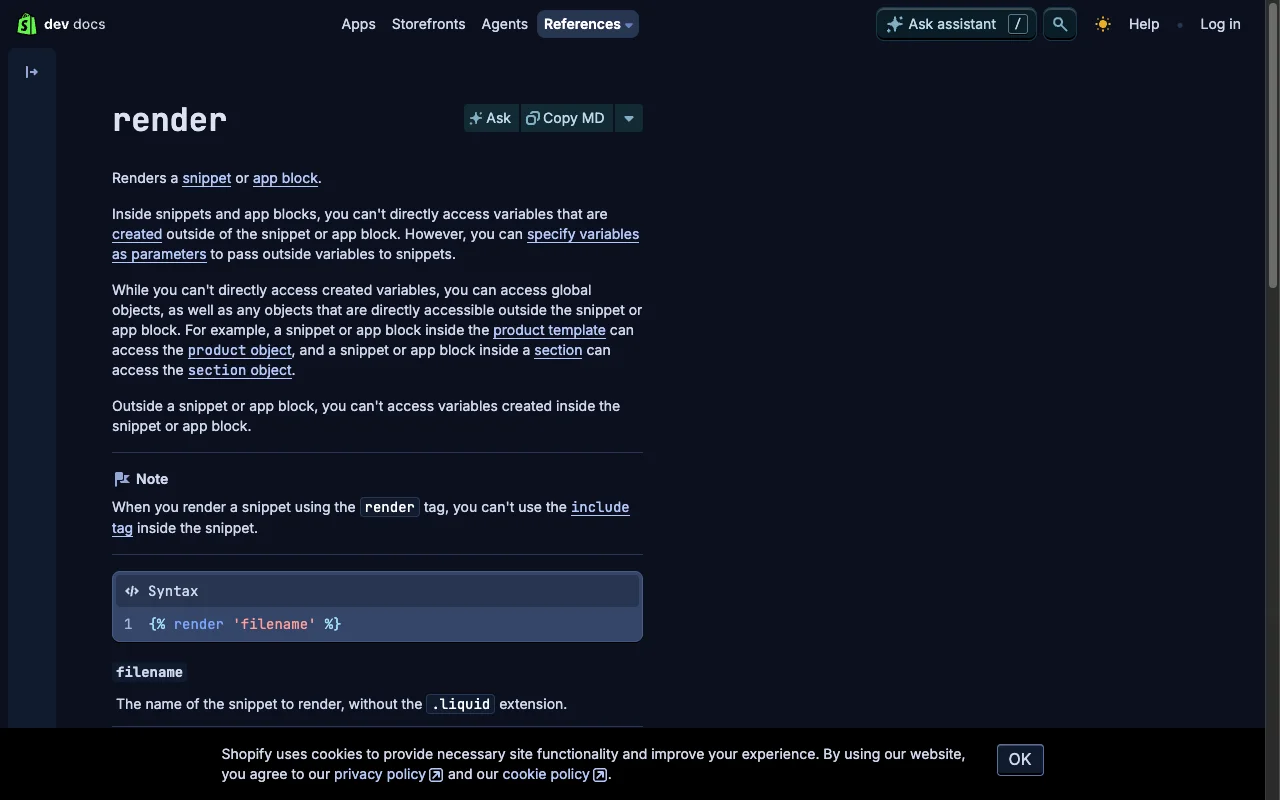
Then open sections/article-template.liquid (or templates/article.liquid on vintage themes) and add one line.
sections/article-template.liquid:
{% render 'article-schema-jsonld' %}
Position is irrelevant. Google reads structured data from anywhere in the document.
The fields that decide whether Google trusts your schema
Most field choices in this snippet exist because of a real failure mode I have hit on client builds.
@type: BlogPosting. A subtype of Article. Both validate, but BlogPosting tells Google the content is editorial, not a news flash or research paper. For case studies, swap to Article.
headline with | json. Maps to article.title. The filter is non-negotiable. One unescaped apostrophe in a title like How to Fix 'Broken' Liquid Loops invalidates the whole block. Google ignores it silently. No error in the admin, no email, just zero rich results.
datePublished and dateModified. Use the format %Y-%m-%dT%H:%M:%S%z. That is ISO 8601 with timezone offset. Schema.org rejects anything else.
author. Pulled from article.author (the byline set in Shopify admin). For E-E-A-T compounding, link it to a sitewide Person entity by @id (covered below).
image. Conditionally included. Google asks for at least 1200px wide. The image_url filter sizes it cleanly. If the article has no featured image, the field is omitted entirely. Empty strings trigger validation warnings.
keywords and articleSection. Pulled from article.tags and blog.title. Free signal, zero maintenance.
The contrarian case for inline JSON-LD over an SEO app
Most CRO advice points you at JSON-LD for SEO ($14.99/month) or Schema Plus ($14.99/month). Here is the trade. The app injects JavaScript into every page. Liquid renders server-side as static markup. App schema costs $180/year per store. Liquid schema costs the 15 minutes you spent reading this. On 30 stores I have audited in the last 18 months, every single one shipped faster Lighthouse scores after replacing schema apps with native Liquid snippets.
If your blog drives any organic traffic, this is the highest-ROI technical SEO change you can ship this week.
How do I link Article schema to a sitewide Person entity?
If you publish under your own name (consultants, freelancers, founder-led brands), connect each post to a single Person entity by @id. That tells Google every article is authored by the same verified individual. Authority compounds across the whole archive.
layout/theme.liquid:
"author": { "@id": "{{ shop.url }}/#person" }
Add the matching Person block once in your theme layout with "@id": "{{ shop.url }}/#person". Every article now references it. Zero duplication, one source of truth. Same pattern works for Organization if you run a brand rather than a personal shop.
How do I verify Article schema is live and valid?
A 5-minute check, three steps.
- Open Google Rich Results Test.
- Paste a live published blog post URL. Not preview, not password-protected staging. Public.
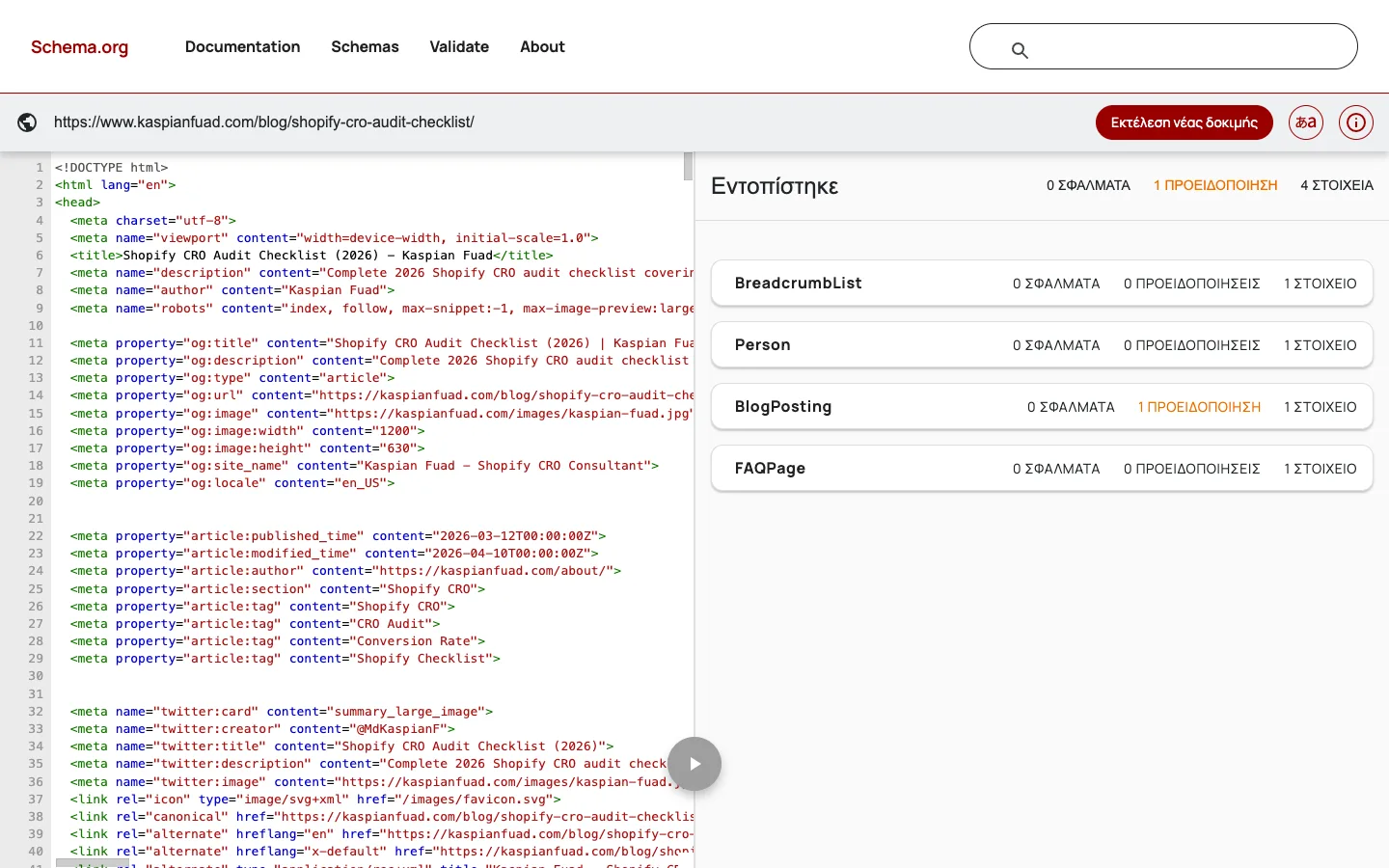
- Confirm: zero errors (red), zero warnings (yellow), and
BlogPostingappears under detected items.
Test three articles at minimum. One with an image, one without, one with an apostrophe or ampersand in the title. That covers every edge case the snippet handles.
If you see a missing image warning on an imageless post, that is expected behaviour. Either upload a featured image in Shopify admin or accept the warning. The field is intentionally omitted, not broken.
The four mistakes that silently break this snippet
I have debugged each of these on client themes in the last six months.
- Hardcoded values. Author or blog title pasted as a string instead of pulled from
{{ article.author }}. Schema goes stale the moment the merchant edits the post. - Missing
| jsonfilter. The top cause of invalid schema in the wild. Looks fine in the editor, breaks on the first apostrophe. - Duplicate publisher entity. Many themes already output an
Organizationblock inlayout/theme.liquid. Two copies on the same page triggers a duplicate-entity warning. Reference by@idinstead. - Testing on a password-protected theme. Rich Results Test cannot fetch a locked URL. Push to live or use a public preview.
The takeaway
- Ship
snippets/article-schema-jsonld.liquidand one render call. 15 minutes total. - Filter every dynamic value with
| json. Skipping this silently kills the schema. - Test three articles in Google Rich Results Test: one imaged, one not, one with special characters.
- Reference a sitewide Person entity by
@idto compound author authority across every post. - Audit your theme for existing schema before shipping. Duplicate Organization blocks waste the win.
For broader Shopify structured data coverage (Product, Collection, FAQ, Breadcrumb), see my Shopify Liquid development guide. For more snippets that replace paid apps, read 15 Liquid Snippets That Replace Expensive Apps and the companion Liquid loop optimization guide.