

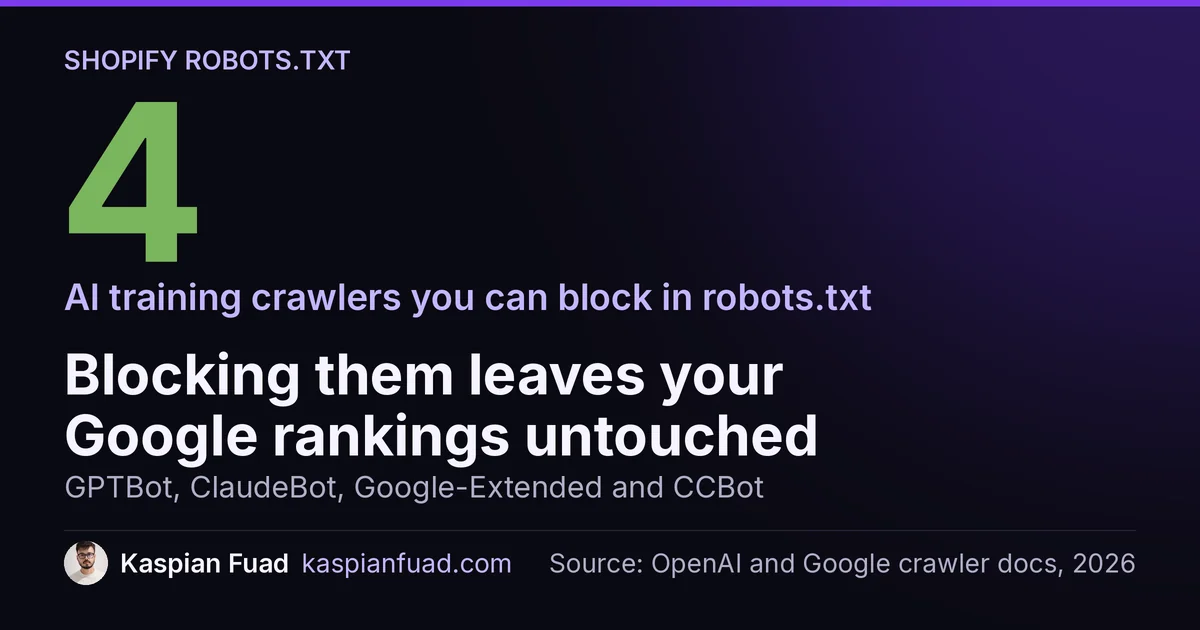
TL;DR: GPTBot, ClaudeBot, PerplexityBot, and Google-Extended crawl your Shopify store by default. To block them, add a robots.txt.liquid template to your theme, render Shopify’s default rules, then append a Disallow: / block for each AI crawler user-agent you want out. Block the training bots (GPTBot, ClaudeBot, Google-Extended, CCBot) with zero SEO downside; think twice before blocking the answer bots (OAI-SearchBot, PerplexityBot), because that removes you from AI answers. Then verify with a robots.txt checker.
Right now, a dozen AI crawlers are reading your Shopify store to train models on your product copy, your photos, and your descriptions. If you never decided to let them, you decided by default, because the default on every Shopify store is open. Some merchants are fine with that; a growing number are not. Here is how to take back control, and, just as important, which crawlers you should leave alone.
Why block AI crawlers from your Shopify store?
Three reasons come up in my audits. First, content protection: your product descriptions and lifestyle photos are original work, and training crawlers ingest them to power tools you do not control. Second, competitive: some of these bots feed shopping and comparison features that can summarize your catalogue without sending you the click. Third, principle: many owners simply want to opt out of model training on their brand’s words and images.
There is a real counter-argument, and I cover it in the sibling post on allowing AI crawlers for citation: letting the answer bots in is how you get cited in ChatGPT and Perplexity, where more buyers now start their search. This post is the other half of that decision. Blocking is a lever, not a default virtue, so pull it deliberately.
Which AI crawlers should you block?
Not all AI bots do the same job, and the user-agent name tells you which is which. Split them into two buckets.
Training crawlers feed model training. Blocking these has no effect on search:
- GPTBot (OpenAI training)
- Google-Extended (Google’s AI training and Gemini grounding, separate from Googlebot)
- CCBot (Common Crawl, feeds many models)
- ClaudeBot (Anthropic training)
- Bytespider (ByteDance)
Answer and search crawlers fetch pages to cite in live AI answers. Blocking these protects content but removes you from those answers:
- OAI-SearchBot and ChatGPT-User (OpenAI search and browsing)
- Claude-SearchBot and Claude-User (Anthropic search and user fetches)
- PerplexityBot (Perplexity)
The clean default for most stores: block the training bucket, keep the answer bucket. You protect your work from training while staying visible where buyers ask.
How do I block AI crawlers on Shopify?
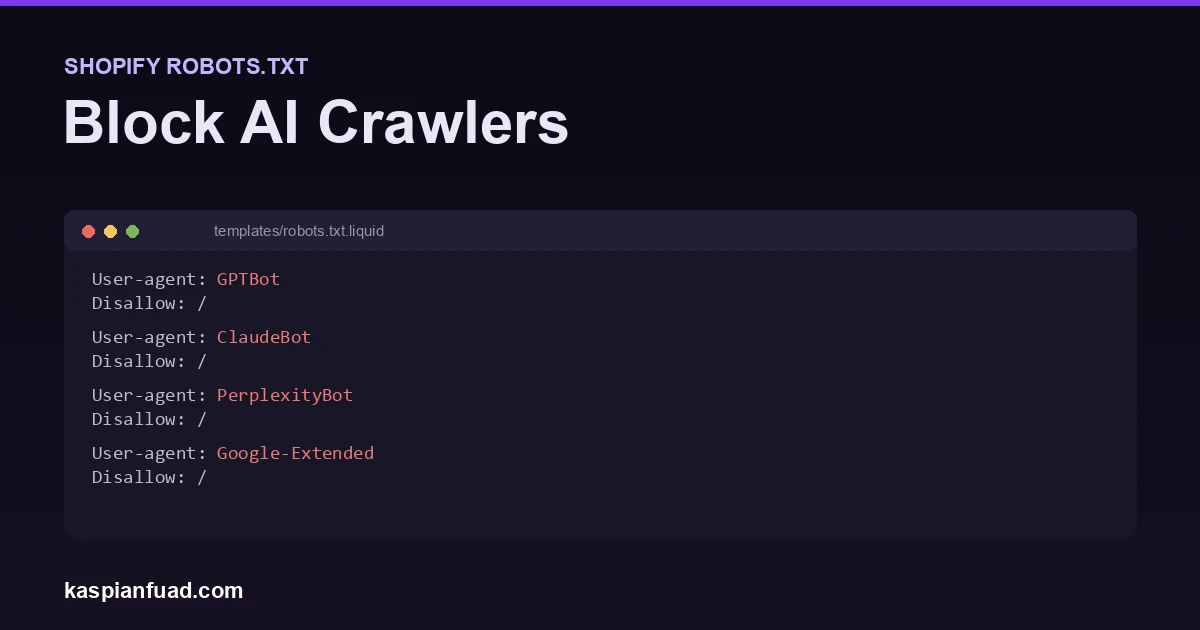
You cannot upload a static robots.txt to Shopify, but since 2021 you can customize the auto-generated one with a robots.txt.liquid template. Add the template to your theme, render Shopify’s defaults, then append your block rules.
{% comment %} templates/robots.txt.liquid {% endcomment %}
{% for group in robots.default_groups %}
  {{- group.user_agent }}
  {% for rule in group.rules %}{{ rule }}
  {% endfor %}
  {%- if group.sitemap != blank %}{{ group.sitemap }}{% endif %}
{% endfor %}

User-agent: GPTBot
Disallow: /

User-agent: Google-Extended
Disallow: /
The loop keeps every default Shopify rule and your sitemap intact; the lines after it add your blocks. Add a User-agent / Disallow: / pair for each crawler you want out, using the exact agent names above. Edit this on a duplicate theme first, because a robots.txt mistake can deindex you, and publish only once it renders correctly. Shopify’s robots.txt.liquid reference documents the object.
Does robots.txt actually stop AI crawlers?
Only the ones that agree to obey it. Robots.txt is a request, not a firewall. The good news is that the major crawlers document that they respect it: OpenAI’s GPTBot, Google-Extended, ClaudeBot, and PerplexityBot all honor a correct Disallow. So for the named, reputable bots, this works.
What robots.txt does not stop is a scraper that ignores it or disguises itself as a browser. If your goal is hard enforcement, not a polite request, you need server-level blocking: a Cloudflare WAF rule or bot-management setting that drops the request before it reaches your store. Use robots.txt for the honest bots and a firewall for the rest.
Will blocking AI crawlers hurt your SEO?
No, as long as you block the AI-specific agents and not the search engines. This is the mistake I see most: someone adds User-agent: * with a broad disallow and quietly deindexes the store. Google-Extended is not Googlebot. Blocking Google-Extended stops AI training and Gemini grounding while your Google Search ranking is completely untouched, because Googlebot is a different agent. Same logic for OpenAI: blocking GPTBot does nothing to Bing or Google. Name the AI agents explicitly and leave Googlebot and Bingbot alone.
How to verify the block worked
Never assume a robots.txt edit did what you meant. After you publish, paste your live robots.txt into a Shopify robots.txt and AI crawler checker and confirm each bot you targeted shows as blocked and each one you kept shows as allowed. It reads the exact rules the way the crawlers do, so you catch a typo’d user-agent or a rule in the wrong group before it costs you.
Check which crawlers your robots.txt blocks
The other side of this, whether you should be inviting AI crawlers in for GEO and AI citation, and whether an llms.txt file is worth adding, are decisions worth making at the same time. Control is the point: decide who reads your store, then verify it.
The takeaway:
- Shopify is open to AI crawlers by default; blocking is an opt-in you set in
robots.txt.liquid. - Split the bots: block the training crawlers (GPTBot, ClaudeBot, Google-Extended, CCBot) freely; think before blocking the answer bots (OAI-SearchBot, PerplexityBot), which removes you from AI answers.
- Google-Extended is not Googlebot. Blocking AI training has zero effect on Google Search.
- Robots.txt only stops honest bots. For scrapers that ignore it, use a Cloudflare or firewall rule.
- Verify after every edit with a robots.txt checker, a typo’d user-agent silently does nothing.
Kaspian Fuad is a Shopify developer and CRO consultant who builds, audits, and ships themes for DTC brands. 12 years in ecommerce, 100+ stores, Top Rated Plus on Upwork. See a recent theme and performance build, or book a free 30-minute call if you want a second pair of eyes on your store.