

Every few months a new file format arrives and someone asks whether Shopify stores need to implement it immediately. llms.txt is the latest. Over the last six weeks I have had this question from a dozen merchants in almost identical terms: “I keep seeing llms.txt mentioned alongside robots.txt. What is it and do I need one?”
TL;DR: llms.txt is an unofficial Markdown file placed at your domain root that tells AI crawlers which pages are worth reading. Shopify’s hosted infrastructure makes serving it at /llms.txt awkward but not impossible. The file is not required by any AI platform, but adding one gives you a small, low-effort signal over competitors who have not thought about it. Your robots.txt, product schema, and content quality still matter far more right now.
Why this matters for your store
- AI shopping agents from ChatGPT, Perplexity, and Google AIO are now sending referral traffic to Shopify stores, and that traffic closes at higher intent than cold paid search.
- llms.txt lets you prioritise your best product and collection pages without waiting for an AI platform to work out what matters on your 12,000-SKU catalogue.
- Getting the robots.txt and llms.txt relationship wrong can mean your best pages are accessible but never cited, or cited but never crawled.
What is llms.txt and how is it different from robots.txt?
robots.txt is a machine-readable file at yourdomain.com/robots.txt. It tells any compliant crawler which URLs it may or may not fetch. The syntax is narrow on purpose: User-agent, Allow, Disallow, Crawl-delay. Google’s robots.txt introduction covers the full spec. Shopify generates a default robots.txt for every store and lets you modify it in Liquid via templates/robots.txt.liquid.
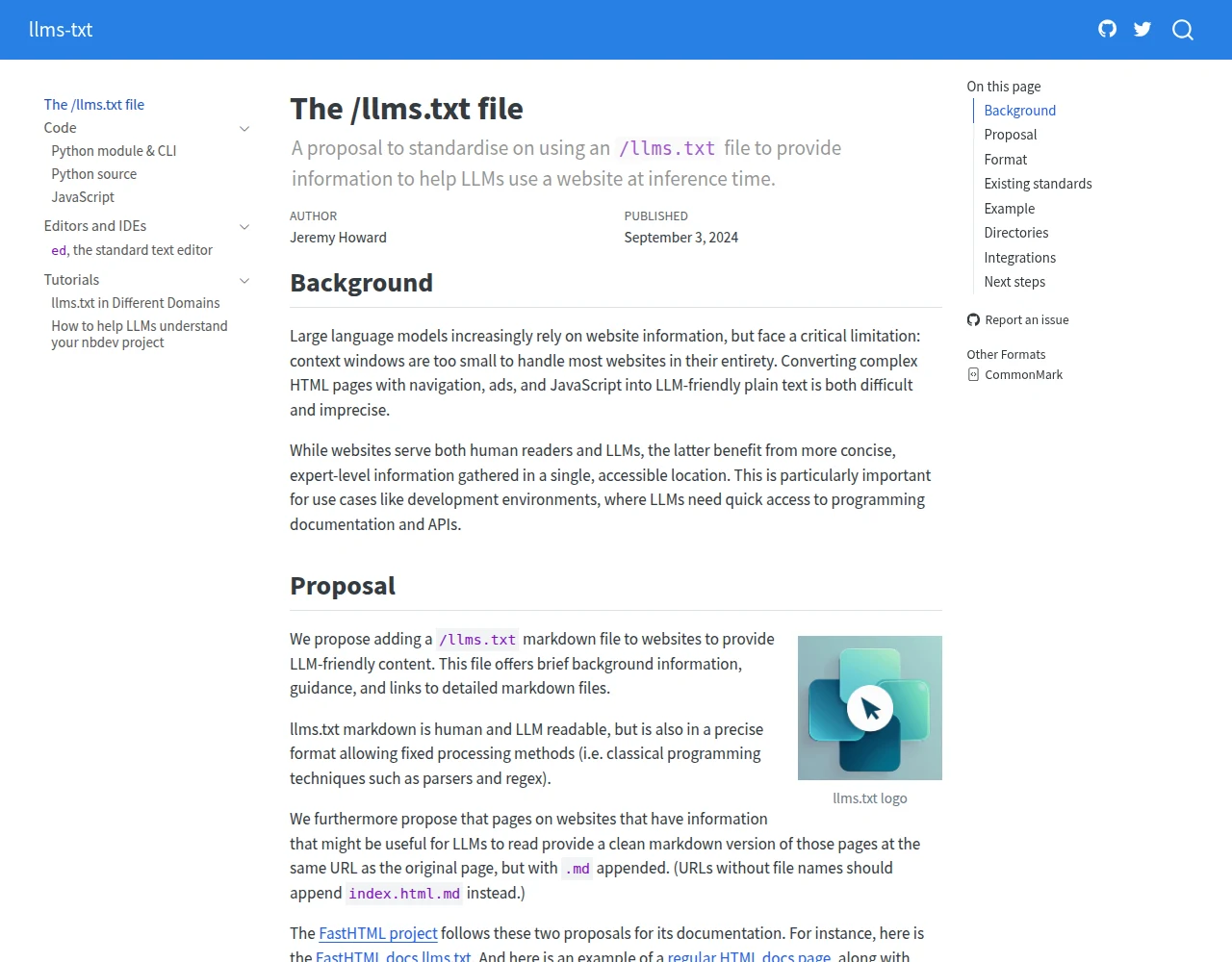
llms.txt is a different animal entirely. The llmstxt.org specification proposes placing a Markdown file at yourdomain.com/llms.txt. Its purpose is not access control. It is attribution guidance: a plain-language description of your site plus a curated list of URLs that an AI agent should prioritise when summarising or citing your content.
A minimal llms.txt looks like this:
# Acme Store

> Shopify store selling handmade ceramic cookware, shipped from Portland, Oregon.

## Key pages

- [Shop all cookware](https://acme.com/collections/cookware): Full catalogue, 340 products
- [Best sellers](https://acme.com/collections/best-sellers): Top 20 by units
- [About](https://acme.com/pages/about): Brand story and craft process
- [Sitemap](https://acme.com/sitemap.xml)
That is it. No syntax to deny access. No directives. Just a human-readable map that helps an AI agent skip your cart page and focus on the pages with actual product information.
The key distinction: robots.txt controls whether a bot can enter. llms.txt tells it where to go once it is inside.
Do AI crawlers actually read llms.txt yet?
This is where honest reporting matters. As of June 2026, llms.txt is a community proposal, not a ratified standard. llmstxt.org tracks adoption and early tooling, but none of the major AI platforms have officially announced llms.txt support in a documented way.
What I can confirm from the stores I audit: GPTBot, PerplexityBot, ClaudeBot, and Google’s extended crawlers are active and following robots.txt rules. They are pulling product and collection pages. They are citing stores in AI Overviews and Perplexity answer cards. That traffic is real in 2026.
Whether those bots are parsing llms.txt today is not confirmed by any platform. What is clear is that the format has momentum: developer-tooling and documentation sites have already published llms.txt files, and the spec is being discussed in the same breath as robots.txt. The investment is low. Placing a text file and setting up one URL rewrite takes under an hour.
The parallel to robots.txt is instructive. robots.txt has existed since 1994 and was still ignored by some crawlers more than a decade later. Shopify merchants who implemented it cleanly got better indexing signals anyway. llms.txt is likely a year or two behind that maturity curve.
Can I even put an llms.txt at the root of a Shopify store?
This is the practical blocker, and it is worth being direct about it.
On a standard hosted Shopify store, you cannot serve arbitrary files at the domain root. Shopify controls what lives at /robots.txt, /sitemap.xml, and /favicon.ico. You cannot drop a file at /llms.txt the way you would on a self-hosted server.
There are three workable options:
Option 1: Cloudflare Worker (cleanest). If your domain routes through Cloudflare, add a Worker that responds to yourdomain.com/llms.txt with your file content directly, sent as text/plain. You keep the canonical text in the Worker or a Cloudflare KV value you edit, so no Shopify theme HTML wraps it. If you already run AI crawler rules through Cloudflare, as I cover in my robots.txt for AI crawlers guide, this slots into the same setup. It only works if your store actually proxies through Cloudflare, which not every Shopify store does.
Option 2: Shopify URL redirect to a page. Without Cloudflare, the only native lever is a URL redirect (Online Store, Navigation, URL Redirects) from /llms.txt to a page like /pages/llms-txt. The catch: that page renders as a full HTML document inside your theme, not plain Markdown, and a 301 redirect is something some parsers will not follow. It is a weak fallback, not a clean implementation.
Option 3: Shopify Hydrogen or Oxygen. If your store runs on Shopify Hydrogen with a custom server layer, you can serve /llms.txt as a static file or a route handler directly. This is the native solution, but it applies to a small fraction of stores.
For most merchants, Option 1 is the right answer. It keeps the file at the canonical URL, serves it as plain text, and requires no changes to your Shopify theme.
What should a Shopify store’s llms.txt contain?
Keep it factual and short. AI agents do not need marketing language. They need URLs and context.
A production-ready Shopify llms.txt should include:
- A one-line title matching your store name or brand.
- A blockquote description of what you sell and who you sell it to. Two sentences, no adjectives that do not differentiate you.
- Your sitemap URL. Every AI agent that reads llms.txt can crawl from there.
- Your top 5-10 collection pages with a brief label per URL (“men’s running shoes, 180 products”).
- Your top 10-20 product pages if you have a short catalogue. For large catalogues, list your best-selling or highest-margin products instead of a full dump.
- One or two editorial pages that establish authority: an About page, a materials page, or a sizing guide.
Exclude: cart (/cart), account (/account), checkout (/checkouts), policy pages, and any paginated collection variants (?page=2). These pages add noise without citation value.
Here is a template for a mid-size Shopify store:
# [Store Name]

> [Store Name] sells [product category] to [target customer], shipped from [location].
> Founded [year]. [One differentiating fact: e.g. "All products are B Corp certified."]

## Sitemap

- [Full sitemap](https://yourdomain.com/sitemap.xml)

## Collections

- [All products](https://yourdomain.com/collections/all): Full catalogue
- [Best sellers](https://yourdomain.com/collections/best-sellers): Top products by sales
- [New arrivals](https://yourdomain.com/collections/new-arrivals): Added in last 30 days

## Featured products

- [Product name](https://yourdomain.com/products/handle): Short description
- [Product name](https://yourdomain.com/products/handle): Short description

## About

- [About us](https://yourdomain.com/pages/about)
- [Shipping and returns](https://yourdomain.com/pages/shipping)
Keep the file under 500 lines. Anything longer and you risk the agent truncating it before reaching your product URLs.
How does llms.txt fit with my existing robots.txt and GEO setup?
Think of them as three layers, each with a distinct job:
robots.txt controls access. If GPTBot is blocked in robots.txt, it never reaches your pages regardless of what llms.txt says. If you have not audited your robots.txt for AI crawlers, use my Shopify robots crawler checker tool to see which bots your current config is blocking or allowing.
llms.txt signals priority. Once a bot is allowed in, llms.txt tells it which URLs deserve attention. Think of it as a recommended reading list you hand to a researcher on the way through the door.
Product schema and content quality determine whether you get cited. This is the layer that matters most today. An AI agent that reaches your product page and finds clean Product schema with accurate price, availability, and description data is far more likely to surface your product in a response than one that finds a page with missing or broken structured data. My GEO optimization guide covers the full citation stack in detail, and the Microsoft Clarity guide for AI visibility shows how to measure whether AI referrals are converting once they arrive.
The ordering matters. Fix your robots.txt first. Fix your schema second. Add llms.txt third.
Is llms.txt worth it, or is it premature for most stores?
Most CRO or SEO changes I recommend have a clear return I can point to. A broken schema fix on a product page that costs two hours and adds citations in Perplexity is easy to justify. llms.txt is in a different category right now.
The honest position: the file is worth adding because the implementation cost is low (one Shopify page, one Cloudflare rule, under an hour) and the downside is zero. It signals that you are paying attention to AI-era indexing. If llms.txt achieves broader support over the next 12-18 months, you will have been early rather than scrambling to catch up.
What it is not is a substitute for the foundational work. On the stores I audit in mid-2026, the gap between getting cited and getting skipped by AI agents almost always comes down to schema errors, missing structured data, or robots.txt rules that block the wrong bots. Fix those first. Then add llms.txt as the last five minutes of the project.
What to do this week
Three steps, in order:
- Check your robots.txt with the Shopify robots crawler checker and confirm GPTBot, PerplexityBot, and ClaudeBot are allowed. If they are blocked, no other AI-visibility work matters.
- Validate your product schema on your five best-selling product pages using Google’s Rich Results Test. Missing or broken schema is the most common reason products get found but never cited.
- If your store proxies through Cloudflare, add a Worker that serves your content at
/llms.txtas plain text, using the template above with your real URLs. Test by visitingyourdomain.com/llms.txtin a browser and confirming it returns plain text, not your theme’s HTML.
The takeaway
- Confirm robots.txt allows AI crawlers before touching llms.txt, because access control precedes everything.
- Fix product schema errors on your top product pages first. That is where citation decisions are made.
- Add llms.txt as a Shopify page plus a Cloudflare rewrite. The implementation takes under an hour.
- Keep the file under 500 lines, list real URLs with brief labels, and exclude cart, checkout, and account pages.
- Treat llms.txt as an early-adopter signal, not a silver bullet. The foundational AI-visibility work is in your schema and content.
Kaspian Fuad is a Shopify CRO specialist and Liquid developer. 12 years in ecommerce, 100+ DTC stores, Top Rated Plus on Upwork.