

I audited 14 Shopify themes last quarter for speed. 11 of them blamed apps. None of them had touched Liquid loop count, capture-in-loop allocations, or image output. After optimizing 100+ Shopify stores over 12 years, I can tell you the code-level patterns in your theme files account for 40-60% of total render time. Apps and images matter. The template layer is where the compounding problems live.

TL;DR: Inefficient Liquid bloats Time to First Byte and burns 16% of your LCP budget before the browser sees a byte. Cap collection loops, drop capture from loops, output images with image_tag plus srcset and explicit dimensions, preload the hero, fetch dynamic content via the Section Rendering API. On one client store, those Liquid-only changes moved mobile PageSpeed from 38 to 81 without removing a single app.
If you are still learning Liquid fundamentals, start with my Shopify Liquid development guide first. This post assumes you can read and edit theme files. If you want the broader diagnosis first, apps and images before code, start with how to speed up your Shopify store.
Why this matters for your store
- A 400ms server render adds 16% to your LCP budget before the browser starts work, costing roughly 7% of mobile revenue per second slower (Google + Deloitte 37-brand study).
- DOM size over 1,500 nodes is a Lighthouse flag and an INP risk. Most theme audits I run show 3,000+ nodes from unpaginated collection loops alone.
- A
captureinside a 48-product loop is 48 string allocations per page. On a category page with 5 cards, that is 240 wasted allocations per pageview.
Why Liquid code performance decides your Core Web Vitals
Liquid is server-side. Every visit, Shopify parses your files, runs every loop and conditional, generates HTML, and only then sends a byte to the browser. Inefficient Liquid inflates Time to First Byte (TTFB), which directly delays Largest Contentful Paint (LCP).
Google’s Core Web Vitals thresholds are clear. LCP under 2.5s. INP under 200ms. CLS under 0.1. When Liquid takes 400ms server-side, you have already burned 16% of your LCP budget before CSS or images load.
I covered the full Core Web Vitals framework in my Shopify Core Web Vitals optimization guide. This post focuses on the Liquid patterns that feed into those metrics.
You cannot PageSpeed your way to a fast store with 800ms of server render time. Apps and images matter. The template layer is where the compounding problems live.
When to use assign and when to use capture
This is the most misunderstood area of Liquid performance. Both store values. Both have very different costs.
assign stores a single value or the result of a filter chain. Lightweight: Liquid evaluates the expression once and stores the result.
capture stores a rendered block of content as a string. Heavy: Liquid renders everything between the capture tags, including any Liquid logic inside, then stores the entire output.
The slow pattern most themes ship with:
{% comment %} sections/collection-grid.liquid {% endcomment %}
{% for product in collection.products %}
  {% capture product_card %}
    <div class="product-card">
      <h3>{{ product.title }}</h3>
      <p>{{ product.price | money }}</p>
      {% if product.compare_at_price > product.price %}
        <span class="badge">Sale</span>
      {% endif %}
    </div>
  {% endcapture %}
  {{ product_card }}
{% endfor %}
A new string allocation on every iteration. On a 48-product collection, that is 48 string allocations for zero benefit. The card outputs immediately.
The fast version:
{% comment %} sections/collection-grid.liquid {% endcomment %}
{% for product in collection.products %}
  <div class="product-card">
    <h3>{{ product.title }}</h3>
    <p>{{ product.price | money }}</p>
    {% if product.compare_at_price > product.price %}
      <span class="badge">Sale</span>
    {% endif %}
  </div>
{% endfor %}
Output directly. No capture. Same visual result, faster render.
When capture earns its keep: a block you build once and output in a different location, or a value you build before a loop and reuse inside it. Schema JSON captured at the top of a section and printed at the bottom. A badge string built once and reused per card. Outside those cases, prefer assign.
{% assign on_sale = false %}
{% if product.compare_at_price > product.price %}
  {% assign on_sale = true %}
  {% assign savings = product.compare_at_price | minus: product.price | money %}
{% endif %}
The pattern: assign for values, capture only when you need a reusable HTML block. My Liquid snippets that replace expensive apps post shows several patterns where assign eliminates the need for capture entirely.
How do I cut nested loops without losing functionality?
Loops are the single biggest source of Liquid render time problems. The full breakdown is in my Shopify Liquid loop optimization guide. The speed-focused summary follows.
The worst pattern I see in audits is triple-nested: collections, products, then variants or images.
The slow version:
{% comment %} sections/featured-collections.liquid {% endcomment %}
{% for collection in collections %}
  {% for product in collection.products %}
    {% for image in product.images %}
      <img src="{{ image | image_url: width: 300 }}" alt="{{ image.alt }}">
    {% endfor %}
  {% endfor %}
{% endfor %}
10 collections, 50 products each, 5 images per product = 2,500 iterations. Server render time on that loop alone: 600 to 900ms.
The fast version:
{% comment %} sections/featured-collections.liquid {% endcomment %}
{% for collection in collections limit: 4 %}
  {% for product in collection.products limit: 8 %}
    {% if product.featured_image %}
      <img src="{{ product.featured_image | image_url: width: 300 }}"
           alt="{{ product.featured_image.alt | default: product.title }}"
           width="300" height="300" loading="lazy">
    {% endif %}
  {% endfor %}
{% endfor %}
Iterations: 4 x 8 = 32. Down from 2,500. Use featured_image instead of looping every image. Add limit on both loops. Include loading="lazy" and explicit dimensions for CLS prevention.
When you need the first N matches, use {% break %} to stop iterating once you have them:
{% assign sale_count = 0 %}
{% for product in collection.products %}
  {% if sale_count >= 6 %}{% break %}{% endif %}
  {% if product.compare_at_price > product.price %}
    <div class="sale-item">
      <h3>{{ product.title }}</h3>
      <p><s>{{ product.compare_at_price | money }}</s> {{ product.price | money }}</p>
    </div>
    {% assign sale_count = sale_count | plus: 1 %}
  {% endif %}
{% endfor %}
Use {% continue %} to skip non-matching items without a nested if:
{% for product in collection.products limit: 24 %}
  {% unless product.available %}{% continue %}{% endunless %}
  <div class="product-card">{{ product.title }}</div>
{% endfor %}
Both patterns reduce the effective work Liquid does per page load.
Render only the version the visitor actually sees
Not every section needs to render for every visitor. Conditional rendering lets you skip expensive Liquid blocks based on context.
The slow pattern: render mobile and desktop versions, hide one with CSS. Both still cost server render time.
<div class="desktop-only">
  {% render 'mega-menu-desktop' %}
</div>
<div class="mobile-only">
  {% render 'mega-menu-mobile' %}
</div>
The fast pattern: render the desktop version (covers the LCP viewport on most screens), load the mobile menu via the Section Rendering API only when the hamburger icon is tapped:
{% render 'mega-menu-desktop' %}

<div id="mobile-menu-placeholder"
     data-section-url="{{ 'mega-menu-mobile' | section_url }}"></div>
Zero server cost for the mobile menu on desktop visits, which is 30-50% of traffic on most DTC stores.
For sections that only matter on certain templates, wrap them:
{% if template == 'product' %}
  {% render 'product-recommendations' %}
{% endif %}
Sounds obvious. I have audited stores where product-recommendations was rendering inside a global section on every page (homepage, collection, cart, about). 100 to 200ms of wasted render time on pages where it outputs nothing.
How do I output images so they help LCP instead of hurting it?
Images are usually the largest element on any Shopify page. How you output them in Liquid decides whether they help or hurt your LCP score.
The slow pattern:
<img src="{{ product.featured_image | image_url: width: 800 }}">
No srcset. No sizes. No dimensions. No lazy loading. No alt text. The browser downloads a single 800px image regardless of viewport, has no idea how large the image will be (CLS), and loads it eagerly even below the fold.
The fast pattern uses image_tag:
{% if product.featured_image %}
  {{ product.featured_image | image_url: width: 800 | image_tag:
    srcset: "200,400,600,800",
    sizes: "(max-width: 768px) 100vw, 400px",
    loading: "lazy",
    decoding: "async",
    alt: product.featured_image.alt | default: product.title,
    width: 800,
    height: 800,
    class: "product-img"
  }}
{% endif %}
The browser gets multiple source sizes to pick the right one for the viewport, explicit dimensions to prevent layout shift, lazy loading for below-fold images, and async decoding to avoid blocking the main thread.
Critical exception: your hero image and first visible product image should NOT use loading="lazy". These are your LCP candidates. Set them to loading="eager" or omit the attribute. Lazy-loading your LCP element is one of the most common speed mistakes I see on audits.
To conditionally eager-load the first few images in a grid:
{% for product in collection.products limit: 24 %}
  {% if forloop.index <= 4 %}
    {% assign img_loading = "eager" %}
  {% else %}
    {% assign img_loading = "lazy" %}
  {% endif %}
  {{ product.featured_image | image_url: width: 600 | image_tag:
    srcset: "200,400,600",
    sizes: "(max-width: 768px) 50vw, 300px",
    loading: img_loading,
    width: 600,
    height: 600,
    alt: product.featured_image.alt | default: product.title
  }}
{% endfor %}
The first 4 images load eagerly (above the fold on most grids). Everything after loads lazily. This single change can improve LCP by 500ms+ on collection pages.
Preload the right resources in theme.liquid
Your theme.liquid controls what the browser prioritizes. Preloading the right resources shaves hundreds of milliseconds off LCP.
{% comment %} layout/theme.liquid head {% endcomment %}
{% if template == 'index' %}
  {% assign hero_image = section.settings.hero_image %}
  {% if hero_image %}
    <link rel="preload" as="image"
          href="{{ hero_image | image_url: width: 1200 }}"
          imagesrcset="{{ hero_image | image_url: width: 600 }} 600w, {{ hero_image | image_url: width: 1200 }} 1200w"
          imagesizes="100vw">
  {% endif %}
{% endif %}
For fonts, only preload weights that render above-the-fold text. Preloading 4 weights when 2 are visible on first paint wastes bandwidth and delays more important resources.
<link rel="preload" as="font" type="font/woff2"
      href="{{ 'your-heading-font.woff2' | asset_url }}" crossorigin>
For third-party origins, use preconnect for what the page definitely fetches and dns-prefetch for conditional features:
<link rel="preconnect" href="https://cdn.shopify.com" crossorigin>
<link rel="preconnect" href="https://fonts.shopifycdn.com" crossorigin>
{% if settings.enable_reviews %}
  <link rel="dns-prefetch" href="https://api.judge.me">
{% endif %}
The conditional wrapper around the reviews preconnect means you do not waste a connection on pages without reviews enabled.
Should I use the Section Rendering API for speed optimization?
Yes. The Section Rendering API is one of Shopify’s most underused performance tools. Instead of reloading the entire page to update one section, fetch just that section’s HTML.
The slow pattern is a full page reload:
// User clicks a filter, full page reloads
window.location.href = newUrl;
This re-renders every section in theme.liquid, re-downloads CSS and JS, repaints the entire DOM.
The fast pattern fetches only the changed section:
async function updateCollection(url) {
  const sectionId = 'collection-grid';
  const response = await fetch(`${url}?sections=${sectionId}`);
  const data = await response.json();
  document.getElementById(sectionId).innerHTML = data[sectionId];
}
The server renders only the collection grid section. Response size drops from 100KB+ to 5-15KB. Perceived load time drops from 2-3 seconds to 200-400ms.
Good candidates: collection grid filtering, cart drawer updates, product recommendations, quick-view modals, and any content that changes based on user interaction without needing full navigation.
How to keep DOM size under the Lighthouse 1,500-node ceiling
Google flags pages with more than 1,500 DOM elements. Shopify themes regularly exceed this because loops output more HTML than necessary.
Pagination caps your DOM output at a predictable size:
{% paginate collection.products by 24 %}
  {% for product in collection.products %}
    {% render 'product-card', product: product, index: forloop.index %}
  {% endfor %}
  {% if paginate.pages > 1 %}
    {% render 'pagination', paginate: paginate %}
  {% endif %}
{% endpaginate %}
Without it, a 500-product collection dumps 500 product cards into one page, easily 3,000+ DOM nodes from that section alone.
Defer non-critical content. Instead of rendering product tabs (description, reviews, shipping info) in three full blocks on page load, render only the active tab and load others on click:
<div class="product-tabs">
  <div class="tab-content active" id="tab-description">
    {{ product.description }}
  </div>
  <div class="tab-content" id="tab-reviews" data-section-id="product-reviews"></div>
  <div class="tab-content" id="tab-shipping" data-section-id="product-shipping"></div>
</div>
The reviews and shipping tabs start empty. JavaScript fetches their section HTML when the tab is clicked. Initial DOM stays small. The server only renders what the visitor actually views.
Real before-and-after numbers from client stores
UTV accessories store (WD Electronics)
41/100 Lighthouse, 9.3s mobile LCP, collection page iterating every product variant and image in nested loops.
Liquid changes shipped: paginated collections at 24 per page, replaced nested variant loops with a JavaScript selector, moved metafield badge rendering to a single batched Storefront API call, added proper srcset and sizes to all image output.
| Metric | Before | After |
|---|---|---|
| Mobile LCP | 9.3s | 3.1s |
| Lighthouse Score | 41 | 72 |
| DOM Elements | 4,200+ | 1,100 |
| Liquid Render Time | 680ms | 85ms |
Window coverings store (Factory Direct Blinds)
Mobile PageSpeed 38, collection pages rendering 200+ products in nested loops producing 4,800 iterations per page.
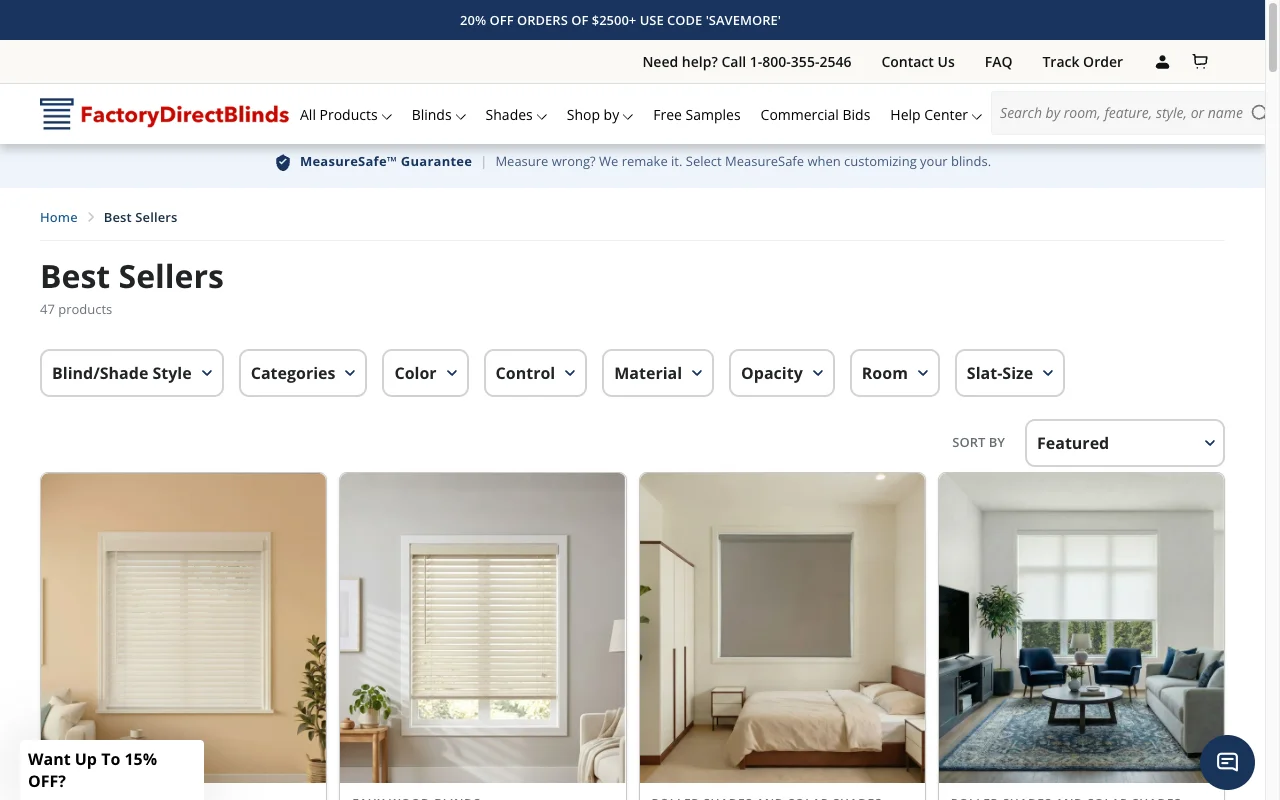
Liquid changes shipped: pagination at 24, eliminated nested variant loops, lazy loaded all below-fold images, preloaded hero image and primary font, conditionally rendered mobile menu via Section Rendering API.
| Metric | Before | After |
|---|---|---|
| Mobile PageSpeed | 38 | 81 |
| Collection Iterations | 4,800 | 216 |
| LCP | 22.0s | 2.7s |
| Total Liquid Render | 840ms | 65ms |
Both stores saw measurable conversion improvements within 30 days of deploying the speed fixes. Speed is not a vanity metric. It directly affects revenue.
How to verify the fix in 5 minutes
- Install the Shopify Theme Inspector Chrome extension. Open DevTools, go to the Shopify tab, reload your slowest collection page. Total Liquid render time should be under 100ms. Anything over 200ms means a section is bleeding render budget.
- Open PageSpeed Insights on Mobile. Read the Field Data block first. That is real Chrome users, the metric Google ranks on. Look for LCP under 2.5s, INP under 200ms, CLS under 0.1. To watch the cold first load frame by frame and see blocking time attributed app by app, run a Shopify speed test.
- Open Search Console, click Experience > Core Web Vitals, note which URL groups are flagged Poor. That tells you which template to fix next. For a Liquid-aware version of this audit that maps each issue to the snippet to ship, paste your URL into the Core Web Vitals checker.
The takeaway
- Audit your slowest collection page in Shopify Theme Inspector this week. Anything over 200ms total Liquid render time is the post-rewrite candidate.
- Cap every collection loop with
limit:or{% paginate %}. Cut nested loops below 2 levels. Aim for under 200 iterations per page. - Replace every
<img src=...>withimage_tagcarrying srcset, sizes, width, height, and the rightloadingvalue. First 4 images eager, rest lazy. - Preload the hero image and one critical font in
theme.liquid. Wrap third-party preconnects in conditionals so they only fire when the feature is enabled. - Push dynamic content (filters, cart drawer, tabs, recommendations) onto the Section Rendering API so the server stops re-rendering the whole page.
If you want a professional audit of your theme’s Liquid performance, I run a speed-focused CRO audit that covers every pattern above plus the JavaScript and third-party script layer. The audit ships with code recommendations specific to your theme, not generic advice. Book a free 30-minute strategy call and I will walk through the three highest-impact speed fixes for your store, live on the call.