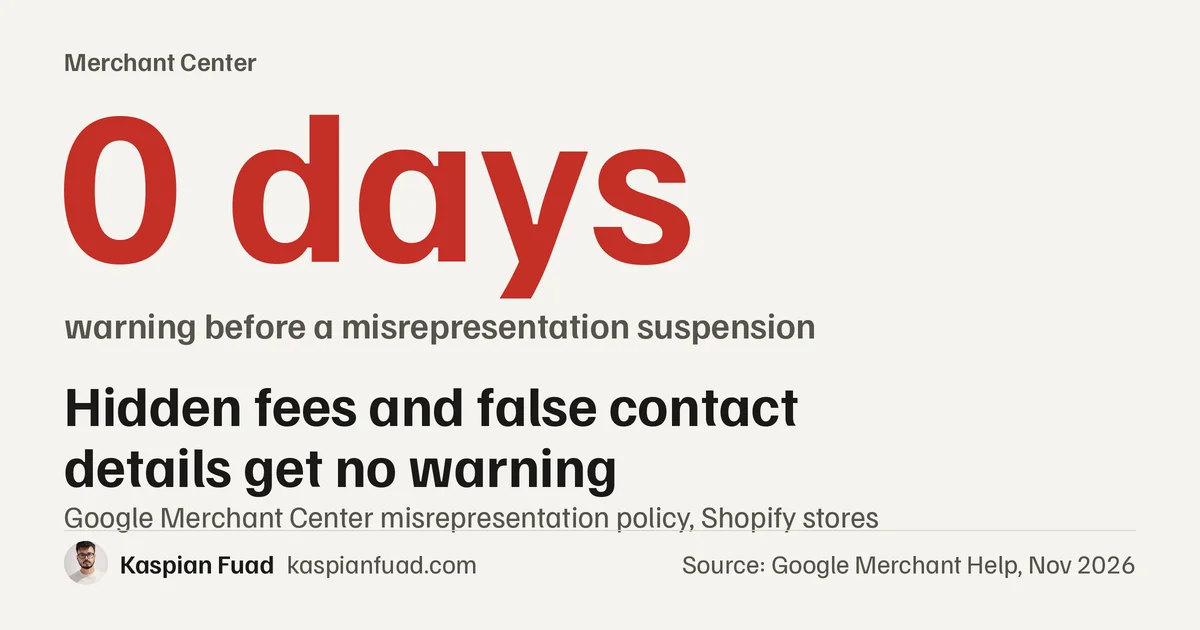
TL;DR: A Merchant Center misrepresentation suspension means Google doesn’t trust what your Shopify store says about who you are, what things cost or what you’ll deliver. Hidden fees and a false business identity get 0 days of warning. Fix identity, policies, total price and offer claims across the whole store, complete merchant verification, then request one careful review.
The suspension email says “Misrepresentation” and names no page, no product and no sentence. Put Google’s examples next to a typical Shopify app stack and the overlap is uncomfortable: a sale that never ends, a timer that resets for each visitor, a “ships in 2 days” badge on a product the supplier needs a week to send.
If you run Shopping ads or free listings, the suspension stops every product at once. You also get a limited number of review attempts before Google can grey out the review button for a week, so the order of work matters more than speed. Below, each of Google’s examples is mapped to the Shopify page, setting or app that usually trips it. One honest limit: nobody can promise reinstatement, and Google says accounts come back only in “compelling circumstances.” If you’d rather hand the store check off, my conversion audit walks the same pages a reviewer reads.
Download the misrepresentation fix checklist (PDF)
Why this matters for your store
- A suspended account stops your products from serving in Shopping ads and free listings, not just one listing.
- Google can suspend for hidden fees or a false business identity with no warning at all.
- A second failed review can start a one-week cool down, and Google support can’t shorten it.
What does misrepresentation mean in Merchant Center?
Misrepresentation means Google thinks your listings or your site hide relevant information or mislead shoppers about your products or your business. Google’s misrepresentation policy says it may review “your listing, website, accounts, and third-party sources,” so customer complaints elsewhere can count against you too.
The policy has six categories. Four of them matter to a normal Shopify store, and they don’t carry the same risk:
| Category | Google’s example | Usual Shopify source | Warning first? |
|---|---|---|---|
| Unacceptable business practices | False identity, business name or contact info | Store details, footer, policy pages | No, suspended on detection |
| Dishonest pricing and transaction conditions | Total price, fees or billing interval not disclosed | Shipping text, add-on fees, subscription widgets | No, suspended on detection |
| Unavailable offers | Offers or stock you can’t fulfill | Oversold inventory, fake sales, shipping origin | At least 7 days |
| Unreliable claims | Improbable results as the likely outcome | Supplement and beauty product copy | At least 7 days |
The first two are the ones to fix before anything else. Google calls them egregious and says it suspends “upon detection and without prior warning.”
Which Shopify setups trigger a misrepresentation flag?
Seven Shopify setups cause most misrepresentation flags: a business identity that doesn’t match, missing or contradictory policies, a total price that only appears at checkout, hidden subscription terms, delivery promises the small print takes back, offers you can’t fulfill, and claims you can’t prove. These are the seven I check, in this order, and a store can have more than one.
1. Your business identity doesn’t match
One of Google’s examples is presenting “a false identity, business name, or contact information.” On Shopify that usually means four places disagree: the business info in Merchant Center, Settings > Store details, the footer and the contact page.
Shopify’s own requirements for the Google & YouTube channel ask for at least one contact method, such as an email, phone number, mailing address or contact form. Give Google more than the minimum, and make every copy name the same business.
2. Your policies are missing or contradict the product page
Shopify’s Google channel requires a Refund Policy and Terms of Service, and they must be linked in your footer menu. You write them in Settings > Policies, where Shopify’s store policies help page offers templates and automated versions.
The template isn’t the risk. The contradiction is. A product page promising “30-day returns” over a policy that says 14 days, or an international return window that starts on the purchase date, is the kind of hidden condition Google lists. Google’s Merchant Center guidelines say to state your return policy explicitly even if you don’t offer returns.
3. The total price only appears at checkout
Google’s dishonest pricing examples include “not disclosing the total price, including all taxes, fees, and surcharges” and not disclosing all shipping costs. A product page that says only “Shipping calculated at checkout,” with no rates in the shipping policy, gives the shopper nothing to go on.
Add a shipping table to the policy and to the product page, and drop any pre-ticked add-on fee. My guide to replacing the “calculated at checkout” line covers the theme side.
A product-level price mismatch is a different, smaller problem with its own Merchant Center price mismatch causes.
4. Subscriptions hide the billing interval
“Omitting recurring costs and the billing interval” is a named example. A subscription widget that preselects subscribe-and-save, with the renewal terms in small grey text, is the Shopify version of it. The subscription disclosure checklist shows what the widget has to say before the shopper clicks buy.
5. Delivery promises in big type, delays in small print
Google describes this one almost word for word: “claiming a delivery time in conspicuous text while hiding a longer order processing or handling delays in less visible secondary text.” A “Fast US shipping” badge on items that ship from an overseas supplier also fits its example about concealing where products ship from.
Put the real handling time next to the delivery estimate, in the same size text.
6. Offers and stock you can’t fulfill
Google bans “promising products or promotional offers that aren’t available” and listing items as available when you can’t fulfill them. Shopify’s Continue selling when out of stock setting is the quiet source here, left on for products you can’t restock.
Google’s policy doesn’t mention countdown timers. My reading is that a timer resetting for each visitor, or a compare-at price that never goes away, promises an offer that doesn’t exist, so I remove both before a review. Real scarcity is fine. On the Mobelglede marketplace I built a “Kun 1 igjen” (only 1 left) label that shows only when inventory is exactly 1, which is true for every one-of-a-kind piece there.
7. Claims and badges you can’t back up
Unreliable claims cover results that are improbable as the likely outcome, such as miracle cures and extreme weight loss. Unacceptable business practices also cover “falsely implying affiliation with, or endorsement by” another brand. “As seen on” logos, “official retailer” lines and certification badges you can’t document all fall here. Delete what you can’t prove.
What should I fix before requesting a review?
Fix the whole store before the first request, not the one page you suspect, because each failed attempt brings you closer to a week-long lockout. Google reviews the site, the account and outside sources together, so a clean product page won’t pass if the footer or the checkout still contradicts it. This is the order I use:
- Complete merchant verification first. Google’s request a review page says the review button can depend on it, and it can ask for ID or business documents.
- Match the business name, address, phone and email across Merchant Center, Store details, the footer, the contact page and every policy.
- Walk one purchase as a new visitor in your target country, from product page to the payment step, and write down every price that changes.
- Remove fake timers, permanent sales, unproven badges and oversold products.
- Request the review with “I fixed the issue,” then wait.
Google says reviews may take up to 7 business days, and the same page also says up to 2 weeks. During a 7 or 28 day warning period you get one courtesy review, and you may only get one chance to disagree. If your issues aren’t resolved by the second attempt, a one-week cool down may begin, and it can grow with each failed review.
Who can fix it, and what does it cost?
Google decides the review, but nearly every fix above lives in your Shopify theme, policy pages and app settings. That’s developer and CRO work more than feed work, so hire someone who reads the whole purchase path, not only the product feed.
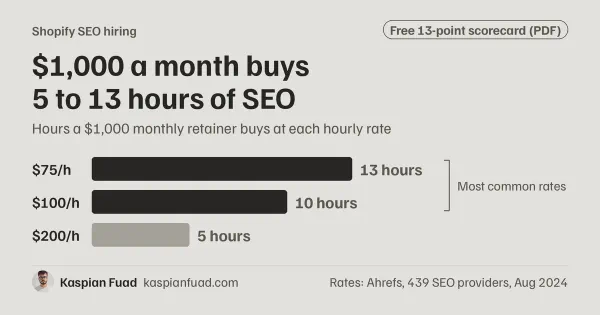
My closest Merchant Center work is product-level, not a lifted suspension. On Mobelglede, the Phase 2 plan scoped a Google Ads and Merchant Center audit with 33 flagged products to fix, 25 limited and 8 not approved. I charge $500 for a fixed-price audit delivered in 2 to 3 days and from $750 a week for a fix sprint. My Shopify expert cost guide compares agency and freelancer rates. Anyone promising guaranteed reinstatement is selling something Google doesn’t offer.
How do I know the fixes will hold?
- Recheck the Needs attention tab weekly for new warnings while the review runs.
- Rerun the purchase walk after any new app install or theme update.
- Search your brand name plus “reviews” and “scam” monthly, because Google may read third-party sources too.
The takeaway
- Fix dishonest pricing and identity problems first, because they get no warning.
- Match your business details across Merchant Center, Shopify and every policy page.
- Show shipping costs, fees and billing intervals before checkout.
- Remove fake urgency, permanent sales and badges you can’t prove.
- Request one review only after the whole store passes, to stay clear of the cool down.
I’m Kaspian Fuad, a Shopify developer and CRO consultant. If your Merchant Center account was suspended for misrepresentation, send me your store URL and I’ll tell you which of the seven setups it has.