

A countdown timer app costs $7 to $15 a month and injects its banner after first paint, which is how a conversion widget ends up causing the layout shift that hurts conversion. The entire feature is one section file: about 60 lines of Liquid, CSS, and vanilla JavaScript.
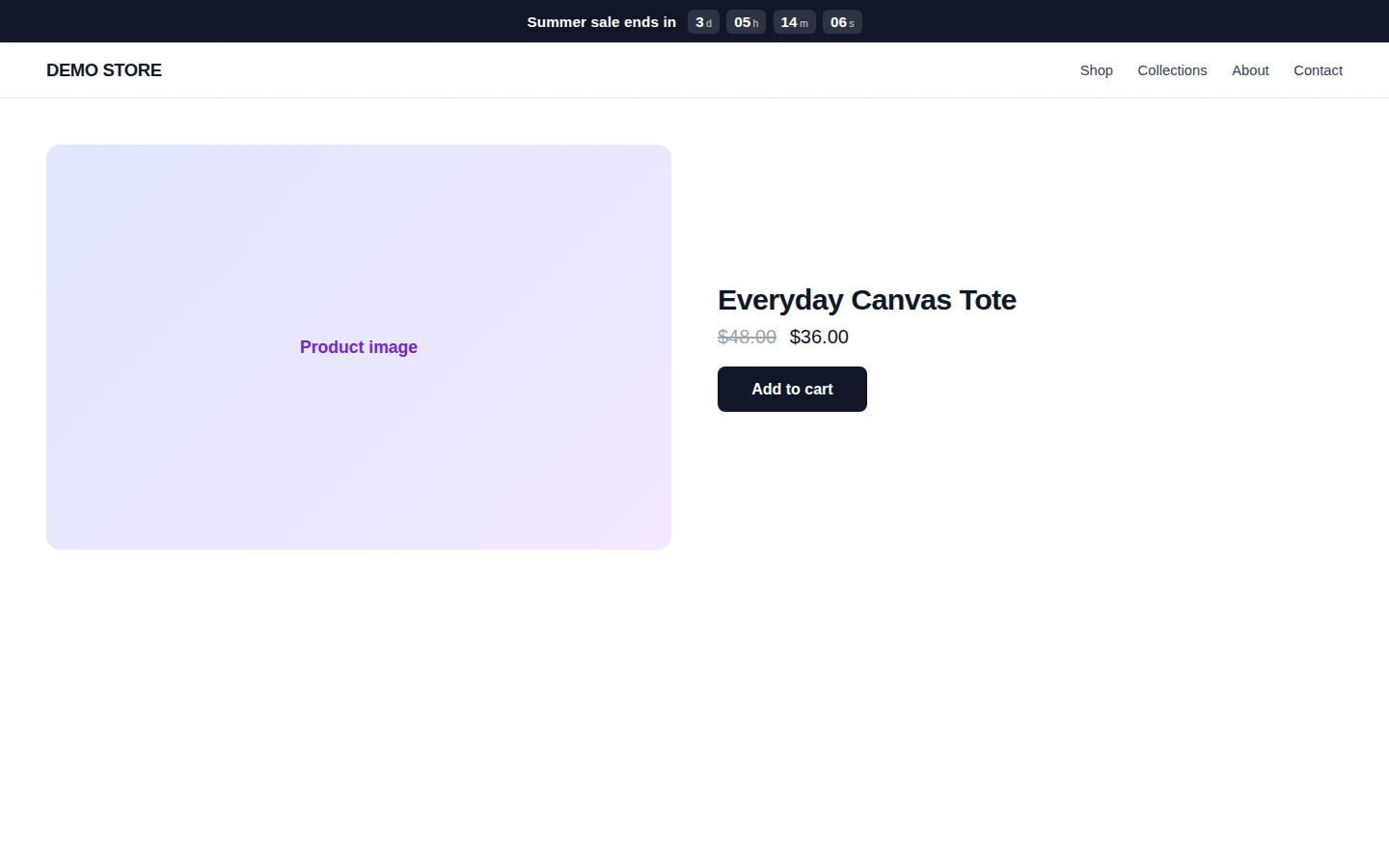
TL;DR: Paste one section file into your theme, add it in the theme editor, set an ISO end date. The bar below has a fixed height (zero CLS), ticks in tabular numerals (no jitter), hides itself at zero, and works on the password page too. Copy the four blocks below and you are done in ten minutes, minus one app subscription.
Why this matters for your store
- A real deadline made visible lifts action rates, and a sale that ends invisibly leaves the urgency you paid for in your marketing on the table.
- Countdown apps charge $84 to $180 a year for a feature that is one static section, and their injected banners are a recurring layout shift source on the exact page you are trying to convert.
- One section file in your repo means no third-party script, no app permissions, and no surprise banner redesign the week of your biggest sale.
How do I add a countdown timer to Shopify without an app?
Three steps. Create sections/countdown-timer.liquid in your theme code editor, paste the four blocks below into it in order (markup, CSS, JavaScript, schema), then open the theme editor and add the Countdown timer section wherever you want the bar. Set the end date in the section settings and save.
It works on any OS 2.0 theme because it is a standard section with a standard schema, the same pattern as every section your theme already ships. If sections and schema are new territory, my section schema reference covers every setting type used here.
The copy-paste countdown timer code
The markup. Liquid fills the label and end date from section settings, and the role="timer" keeps screen readers from announcing every tick:
{% comment %} sections/countdown-timer.liquid, block 1 of 4 {% endcomment %}
<div class="countdown-bar" id="CountdownBar-{{ section.id }}"
  data-countdown-end="{{ section.settings.end_date | escape }}"
  style="background: {{ section.settings.bg }}; color: {{ section.settings.text }};">
  <span class="countdown-bar__label">{{ section.settings.heading | escape }}</span>
  <span class="countdown-bar__units" role="timer">
    <span class="countdown-bar__unit"><span data-cd-d>0</span><small>d</small></span>
    <span class="countdown-bar__unit"><span data-cd-h>0</span><small>h</small></span>
    <span class="countdown-bar__unit"><span data-cd-m>0</span><small>m</small></span>
    <span class="countdown-bar__unit"><span data-cd-s>0</span><small>s</small></span>
  </span>
</div>
The CSS. The fixed height is the line that matters: it reserves the bar’s space before JavaScript runs, so the timer adds zero CLS. tabular-nums stops the digits jittering as they tick:
<style>
  .countdown-bar {
    height: 44px;
    display: flex; align-items: center; justify-content: center;
    gap: 0.75rem; font-size: 0.95rem; padding: 0 1rem;
  }
  .countdown-bar__label { font-weight: 600; }
  .countdown-bar__units { display: inline-flex; gap: 0.45rem; }
  .countdown-bar__unit {
    display: inline-flex; align-items: baseline; gap: 0.15rem;
    background: rgba(255, 255, 255, 0.12); border-radius: 6px;
    padding: 0.25rem 0.5rem; font-variant-numeric: tabular-nums; font-weight: 700;
  }
  .countdown-bar__unit small { font-weight: 400; opacity: 0.75; font-size: 0.7em; }
  .countdown-bar[data-expired] { display: none; }
</style>
The JavaScript. Vanilla, scoped to the section, self-guarding against double init, and it hides the bar the second the deadline passes:
<script>
  (function () {
    var bar = document.getElementById('CountdownBar-{{ section.id }}');
    if (!bar || bar.dataset.cdInit) return;
    bar.dataset.cdInit = '1';
    var end = new Date(bar.dataset.countdownEnd).getTime();
    if (isNaN(end)) return;
    function q(s) { return bar.querySelector(s); }
    var f = { d: q('[data-cd-d]'), h: q('[data-cd-h]'), m: q('[data-cd-m]'), s: q('[data-cd-s]') };
    function tick() {
      var left = end - Date.now();
      if (left <= 0) { bar.setAttribute('data-expired', ''); clearInterval(t); return; }
      f.d.textContent = Math.floor(left / 864e5);
      f.h.textContent = String(Math.floor(left / 36e5) % 24).padStart(2, '0');
      f.m.textContent = String(Math.floor(left / 6e4) % 60).padStart(2, '0');
      f.s.textContent = String(Math.floor(left / 1e3) % 60).padStart(2, '0');
    }
    tick();
    var t = setInterval(tick, 1000);
  })();
</script>
The schema, which gives the merchant the settings panel in the theme editor:
{% schema %}
{
  "name": "Countdown timer",
  "settings": [
    { "type": "text", "id": "heading", "label": "Label", "default": "Sale ends in" },
    { "type": "text", "id": "end_date", "label": "End date (ISO)",
      "info": "Example: 2026-07-05T23:59:00. Add a UTC offset like -05:00 to pin the store timezone." },
    { "type": "color", "id": "bg", "label": "Background", "default": "#111827" },
    { "type": "color", "id": "text", "label": "Text", "default": "#ffffff" }
  ],
  "presets": [{ "name": "Countdown timer" }]
}
{% endschema %}
The hero image above is this exact code rendering, not a mockup. One timezone note: an end date without an offset counts down to the visitor’s local time, which is usually what you want for a global sale. To pin it to your store’s clock, append the offset as shown in the schema hint.
Can I put a countdown timer on the Shopify password page?
Yes, and it is the classic launch pattern. On OS 2.0 themes the password page is a sectioned template like any other, so in the theme editor open the template selector, switch to Password, and add the Countdown timer section pointing at your launch time. Older password.liquid themes need the code pasted into that template directly.
Countdown timer app vs code: what does an app actually add?
An honest comparison, because apps are not useless here. An app buys you recurring schedules (every Friday sale), per-visitor evergreen timers, and built-in analytics. If you run complex recurring promotions, that scheduling is real value.
What the app does not buy you is a better timer. It renders the same bar, except injected by third-party JavaScript after first paint, on a subscription. For the standard case, a sale with one real end date, the section above does the whole job, the same way one Liquid snippet replaces a surprising number of apps. And if you want to prove the timer earns its place, Shopify’s native A/B testing can now split-test the section on and off without another app.
When a countdown timer helps, and when it kills trust
The timer is a claim: this deadline is real. Honor it and urgency works. A cart that watches “2h 14m” tick toward a sale end moves; that is decades-old behavioral ground truth, the same friction psychology behind a sticky add to cart button.
Break the claim and it works in reverse. Evergreen timers that reset per visitor are the fastest trust destroyer in DTC, because your best customers are repeat visitors and they see the same “last chance” twice. My rule on client stores: the timer counts to something that actually happens (sale end, launch, shipping cutoff for a delivery date), and when it hits zero, the thing happens. If you cannot name what expires, you do not need a timer, you need an offer worth a deadline.
How to verify the timer in 5 minutes
- Set the end date two minutes out, watch the bar tick down on a real phone, and confirm it disappears at zero.
- Reload the page mid-countdown and confirm nothing shifts: the bar space is reserved by the fixed height.
- Set your real deadline, check it once in an incognito window, and check the label copy for anything the deadline does not actually deliver.
The takeaway
- One section file replaces the countdown app: markup, CSS, JS, and schema above, about ten minutes to ship.
- The fixed 44px height is non-negotiable. That single line is why this bar adds zero layout shift.
- Use ISO end dates, and pin the timezone with an offset when the deadline must match your store clock.
- The password page takes the same section via the template selector, which is the cleanest launch-countdown setup.
- Only count down to real deadlines. A timer that lies is a conversion tool working against you.
Kaspian Fuad is a Shopify CRO consultant and Liquid developer who replaces app subscriptions with theme code for DTC brands. 12 years in ecommerce, 100+ stores, Shopify Select Partner and Top Rated Plus on Upwork. Book a free 30-minute call if you want your app stack audited for what Liquid can replace.