

I audited 100+ Shopify stores over the last 9 years. 87 of them had the same five problems in the same order. The stores that fixed them in that order saw the largest revenue jumps. The ones that started with a redesign saw nothing.
TL;DR: A Shopify CRO audit runs in five steps: GA4 funnel review, checkout analysis, PDP evaluation, Core Web Vitals, and a real-phone mobile pass. Start in the data, not the design. Find the step with the largest percentage drop-off, then work outward. The output is a ranked list of fixes by projected revenue, not a wish list.
Why this matters for your store
- The wrong starting point wastes 4-6 weeks of dev time and zero of the actual leak gets fixed.
- Mobile converts 40-60% lower than desktop on most stores I audit. Closing half that gap usually moves total revenue 8-15%.
- One missing accelerated payment method (Shop Pay or Apple Pay) costs 1.72x checkout completion versus the default flow, per Shopify’s own data.
If you want a one-page version to print and check off, grab the Shopify CRO audit checklist. This piece is the long-form playbook behind it. For the consultant-side process (6-day timeline, deliverables, what a paid audit actually contains), see Inside a Shopify CRO Audit. For the speed and app-stack parts, my free Shopify Core Web Vitals checker and App Bloat Index run them in two clicks.
What does a Shopify CRO audit actually include?
A Shopify CRO audit is a structured review of seven funnel stages that decide revenue: GA4 funnel data, checkout flow, product detail pages, collection pages, site speed, mobile experience, and trust signals. Every audit I ship for a Shopify store covers all seven, in that order, because skipping ahead is the most common reason a CRO audit shopify owners pay for fails to move the number.
The output is a ranked list of fixes by projected revenue and effort, not a wish list of changes to ship. Most stores I audit have 30 to 60 findings. Six to ten of them carry 80 percent of the upside.
Where 100+ store audits actually start
Every audit I run starts in GA4 Funnel Exploration, not on a product page. Most founders skip this step and jump straight into PDP redesigns. That order is backwards. The data tells you which page is bleeding before you touch a single line of Liquid.
Build the funnel: session_start to view_item to add_to_cart to begin_checkout to purchase. Set the visualization to standard funnel, not trended. Apply a device segment so mobile and desktop sit side by side.
Here is one HelloSips audit, anonymized client B in my notes, from Q4 2026:
- 4,490 sessions
- 1,769 product views (39.4%)
- 236 add-to-cart events (13.3% of viewers)
- 60 begin checkout (25.4% of ATC)
- 31 purchases (51.7% of checkouts)
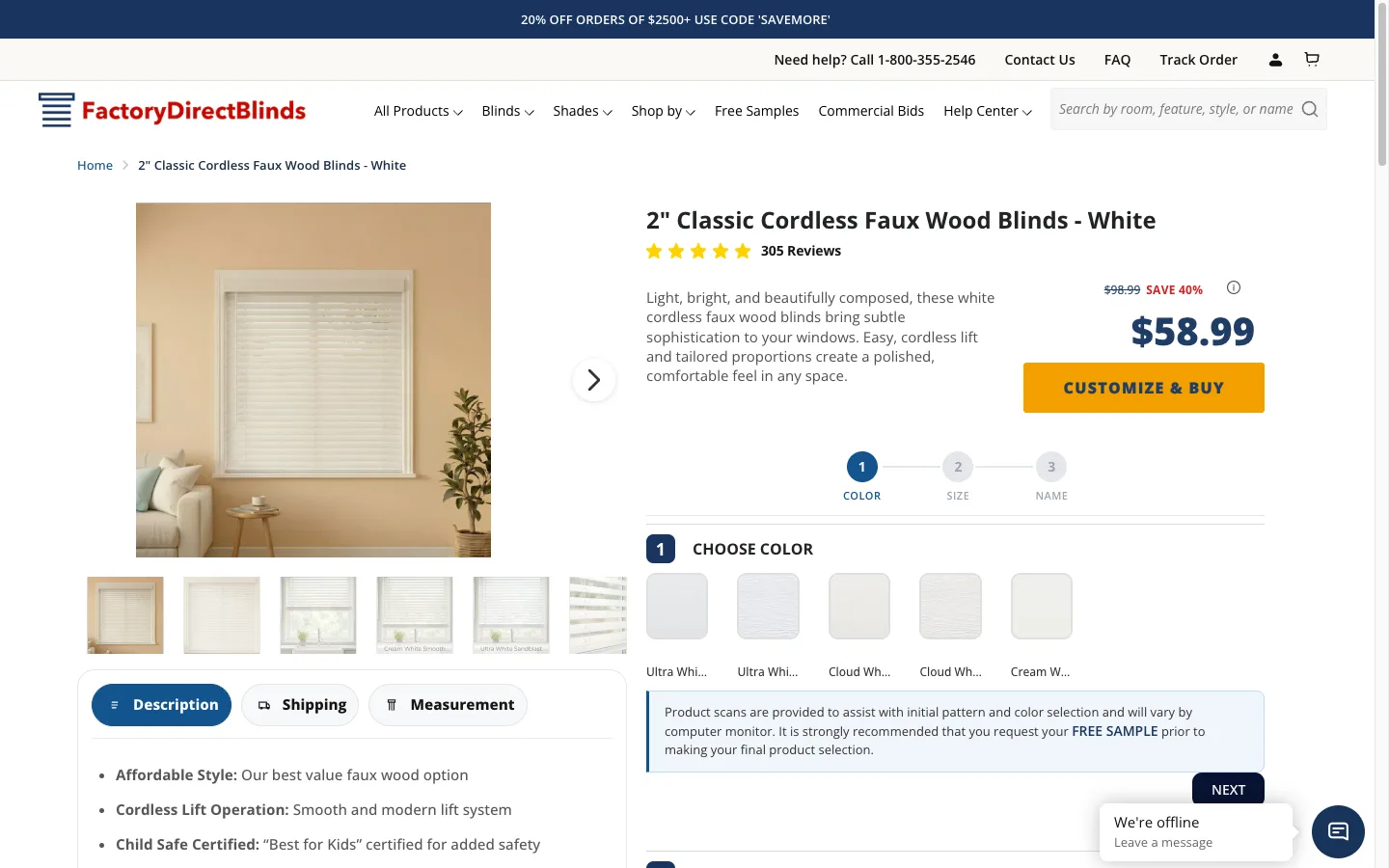
86.7% of product viewers walked away before adding to cart. That single number told me exactly where to focus. Not the homepage. Not the checkout. The product page. We shipped four PDP fixes in 11 days and ATC moved from 13.3% to 19.1%.

Read your own funnel the same way. The largest percentage drop-off is your bottleneck. Always.
Then check the device split. A mobile-to-desktop conversion gap above 50% means mobile-specific friction, not general site quality. If your GA4 numbers look strange before you start, fix GA4 tracking first. Decisions on bad data cost more than no decisions at all.
Is your checkout the leak, or is it upstream?
A healthy Shopify checkout completion rate (begin_checkout to purchase) sits between 45% and 60% for stores doing $1M to $10M annually. If yours is under 40%, the checkout itself is broken. If it is over 50%, your real problem lives upstream on PDPs or collections.
Run this six-point pass in 20 minutes. I cover the deeper version in my Shopify checkout optimization guide. Plus stores migrating off checkout.liquid before the August 26 2026 cutoff need Shopify Plus checkout optimization and the Scripts deprecation migration plan.
- Step count. Each extra step costs 5-15% of remaining buyers. Cart, contact, shipping, payment, confirm. That is the ceiling.
- Guest checkout. Open Shopify admin, Settings, Checkout, and confirm Accounts is set to “Optional”. Forced accounts are a top-three abandonment driver in every Baymard study since 2017.
- Shop Pay, Apple Pay, Google Pay. All three on. Shop Pay alone converts at 1.72x baseline. On 9 of every 10 audits I run, at least one is silently disabled or misconfigured.
- Surprise costs. Shipping or tax that only appears on the final step is the biggest single abandonment cause Baymard tracks. Show shipping on the cart drawer or PDP.
- Form fields. Phone number, company, and “how did you hear about us” all add friction. Move them post-purchase if you actually need them.
- Mobile checkout speed. Test on a real iPhone and a real Android. Browser responsive mode hides slow checkout payment steps and flaky Apple Pay sheets.
The HelloSips funnel I quoted earlier had 51.7% checkout completion. Solid. The leak was the PDP, so we left checkout alone. Discipline matters here. A “fine” checkout you keep poking at burns hours that should go to the broken page.
The PDP test that finds 70% of leaks in 10 minutes
Pull your top 5 products by traffic volume, not by revenue. High-traffic, low-converting pages hide the largest opportunity. A page printing money does not need your attention this week.
For each, run this check on a real phone:
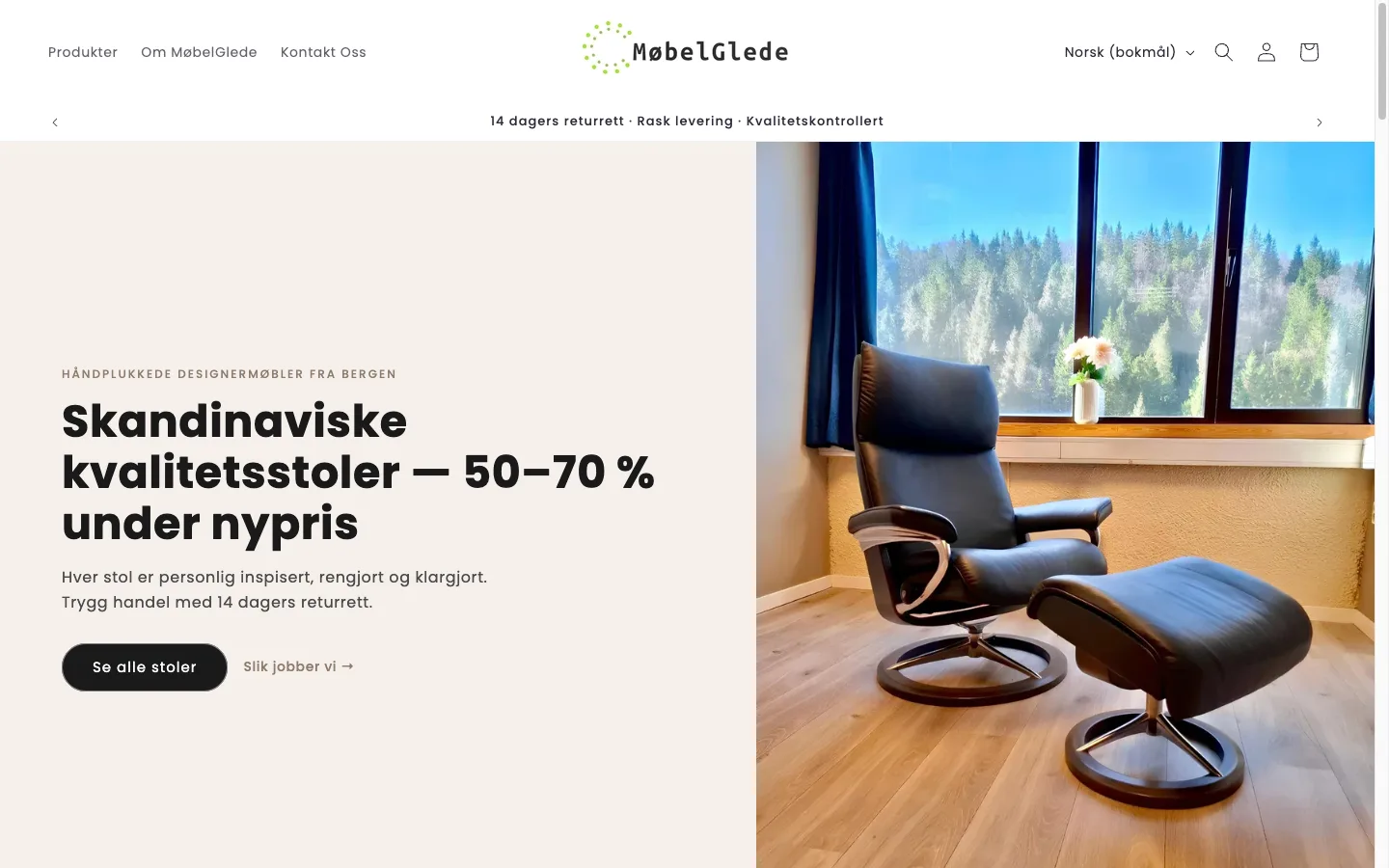
Above-the-fold. Can a stranger see the product, the price, and a buy button without scrolling? On Mobelglede.no, a Scandinavian furniture marketplace I audited, Microsoft Clarity scroll-depth heatmaps showed 21% of mobile visitors left the PDP before reaching ATC. Mobile ATC sat at 1.6%, against a healthy furniture benchmark of 5-10%. Total mobile CVR was 0.11%. The fix was visibility, not redesign. For category-specific benchmarks (apparel, electronics, beauty, home goods) the Shopify Statistics 2026 tool loads 60+ sourced 2026 stats filterable by revenue tier and CVR so the comparison matches your category rather than the platform-wide median.
Review count and star rating. I worked with a teeth whitening DTC brand whose hero product had 4 reviews. Their direct competitors had 7,500+. No PDP polish closes that trust gap. If your review count is in single digits, run a Klaviyo post-purchase review flow before any other PDP work. Volume first, then optimization.

Photography weight. Use Shopify’s image_url filter with width parameters. Raw CDN URLs and 4MB hero images are the number one cause of slow PDPs in my Lighthouse runs.
Trust block placement. Shipping, returns, and payment-security copy should sit within one scroll of the ATC. Anxiety reduction at the moment of decision.
Sticky ATC. If your buy button sits below two carousels and a 600-word description, you lose people. A sticky add-to-cart bar keeps the action permanently reachable.
For diagnosis, I install Microsoft Clarity (free, ships in 5 minutes) and let it collect 7 days of data. Watch session recordings, filter for mobile, sort by rage clicks. Hotjar is the paid alternative and adds on-site surveys if you want qualitative input.
How fast is fast enough on Shopify in 2026?
Run PageSpeed Insights on three pages: homepage, your top-traffic PDP, one collection page. Targets, mobile: LCP under 2.5s, CLS under 0.1, INP under 200ms. Every additional second of mobile load time costs 7-12% of conversions across studies from Google, Akamai, and Portent.
For a Shopify-aware version that pulls field data plus a Liquid fix list, use my check your real-user Core Web Vitals; to see the cold, uncached load a first-time visitor’s phone actually renders, frame by frame, run a Shopify speed test. To find which apps eat your speed budget, run the app detector, which scans for 192 known apps and ranks them by Total Blocking Time. The full LCP, INP, and CLS fix sequence with copy-paste Liquid lives in my Shopify Core Web Vitals guide.
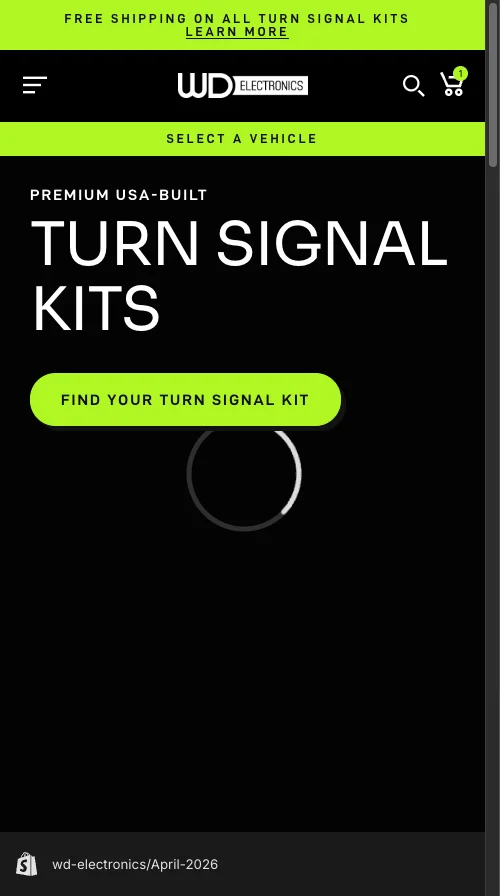
WD Electronics, a UTV accessories Shopify Plus store I audited in March, had a 9.3-second mobile LCP. More than half of mobile visitors left before the page rendered. Anything above 4 seconds is an emergency, full stop.
The four speed killers I see on every audit, in order of frequency:
- App bloat. One project went from PageSpeed 38 to 81 on mobile through systematic app removal alone. No theme rebuild.
- Unoptimized images. Use the Liquid
image_urlfilter with width and srcset. Never raw CDN URLs. - Heavy Liquid. Nested loops and over-fetched objects. Shopify’s Theme Inspector Chrome extension shows you the slow sections. Patch them inside the safe workflow in my theme customization guide.
- Synchronous tracking. GA4, Klaviyo onsite, Meta Pixel. Defer or async every one. Verify with the Network panel in Chrome DevTools.
For context on where you sit, here are the mobile PageSpeed bands I see:
- Unoptimized: 25-45
- Average: 45-65
- Optimized: 65-85
- Top tier: 85+
Below 50 on mobile? Speed jumps to the top of the priority list, regardless of what the funnel said.
What only a real phone reveals
60-80% of your traffic is mobile. Browser responsive mode misses every issue that actually matters: real touch behavior, real keyboard types, real Apple Pay sheets, real network throttling. Use a real iPhone (Safari) and a mid-range Android (Chrome). Those two devices cover 90%+ of your visitors.
Walk the full path: home, search, collection, PDP, cart, checkout, confirmation. Note every friction point. The pattern interrupts I check on every audit:
- Search. Type the queries your customers actually type. On WD Electronics, Shopify search returned wrong products for specific part numbers and vehicle models. Bad search is invisible in GA4. Visitors leave, you see a bounce, you never know why.
- Filters. Mobile filters need easy apply and easy clear. A 50-option modal that requires a finger marathon is friction, not functionality.
- Sticky ATC. Appears on scroll past the main button, never blocks content, tap target 44x44 minimum.
- Popups. Time-delayed, scroll-triggered, big visible close button. Aggressive popups blow up mobile sessions inside 3 seconds.
- Keyboard types. Phone field opens numeric keypad. Email field opens email keyboard. Autocomplete attributes set so iOS autofill works.
For real-device testing without owning every phone, BrowserStack and LambdaTest both work. Microsoft Clarity again, filtered to mobile, surfaces issues you will never find on your own device.
How to verify the audit found the right leak
Three checks, under five minutes each:
- Reopen GA4 Funnel Exploration two weeks after shipping the fix. The drop-off step you targeted should be measurably tighter. If it has not moved at least 2 percentage points, your diagnosis missed.
- Pull a fresh Microsoft Clarity recording set, mobile only, sort by session length. Watch 10 sessions on the page you fixed. Look for the same friction. If it is gone, you shipped the right fix.
- Compare 30-day revenue against the 30 days before the change, segmented by device. Net revenue per session is the only number that survives a board meeting.
CRO is a loop, not a deliverable. The stores that grow fastest audit, ship, measure, and repeat on a monthly cadence. Your first audit catches the obvious. The third uncovers the compounders.
Want this run on your store? Hire a Shopify CRO consultant
The takeaway
- Audit the data first, never the design. GA4 funnel before any page rebuild.
- Treat the largest percentage drop-off as your single starting point.
- Verify Shop Pay, Apple Pay, and Google Pay are live before touching anything else.
- Test the full purchase flow on a real iPhone and a real Android, every audit.
- Schedule the next audit before you ship the fixes from this one.
Need a second pair of eyes on your funnel? Get in touch for a free initial review or see the full Shopify CRO services.
Kaspian Fuad is a Shopify CRO specialist and Liquid developer. 12 years in ecommerce, 100+ DTC audits shipped, Top Rated Plus on Upwork.