

Horizon is not an upgrade button. It is a rebuild. The merchants who message me asking whether to “switch from Dawn to Horizon” almost always picture a one-click theme swap that modernises their store over a weekend. There is no such button, and treating the move like one is the fastest way to ship a store that converts worse than the one you started with.
TL;DR: Horizon is Shopify’s blocks-first flagship theme family, launched May 2025, with theme blocks that nest up to eight levels. There is no automatic migration from Dawn. Moving is a full rebuild on a different architecture, which makes it a layout-shift and conversion risk for a mature, customised store, not a free speed win. Migrate if you are starting fresh or your Dawn build is a mess. Stay on Dawn if it is customised, green on Core Web Vitals, and converting.

Why this matters for your store
- A re-theme touches every template at once, so the downside is not a bug here or there. It is a conversion-rate change across the whole store, and it can move the wrong way.
- Theme architecture sets a performance ceiling, but it does not guarantee the result, so a Horizon rebuild can easily land slower than a tuned Dawn store if the rebuild is careless.
- The migrate-or-stay call is a budget decision in disguise: a real rebuild is tens of hours of work, and that money competes with every other CRO project on your list.
What Horizon actually is, and how it differs from Dawn
Dawn is Shopify’s Online Store 2.0 reference theme. It is organised around sections, it has been the baseline since 2021, and it is the theme most existing stores and most tutorials assume. It is mature, fast when built well, and documented to death.
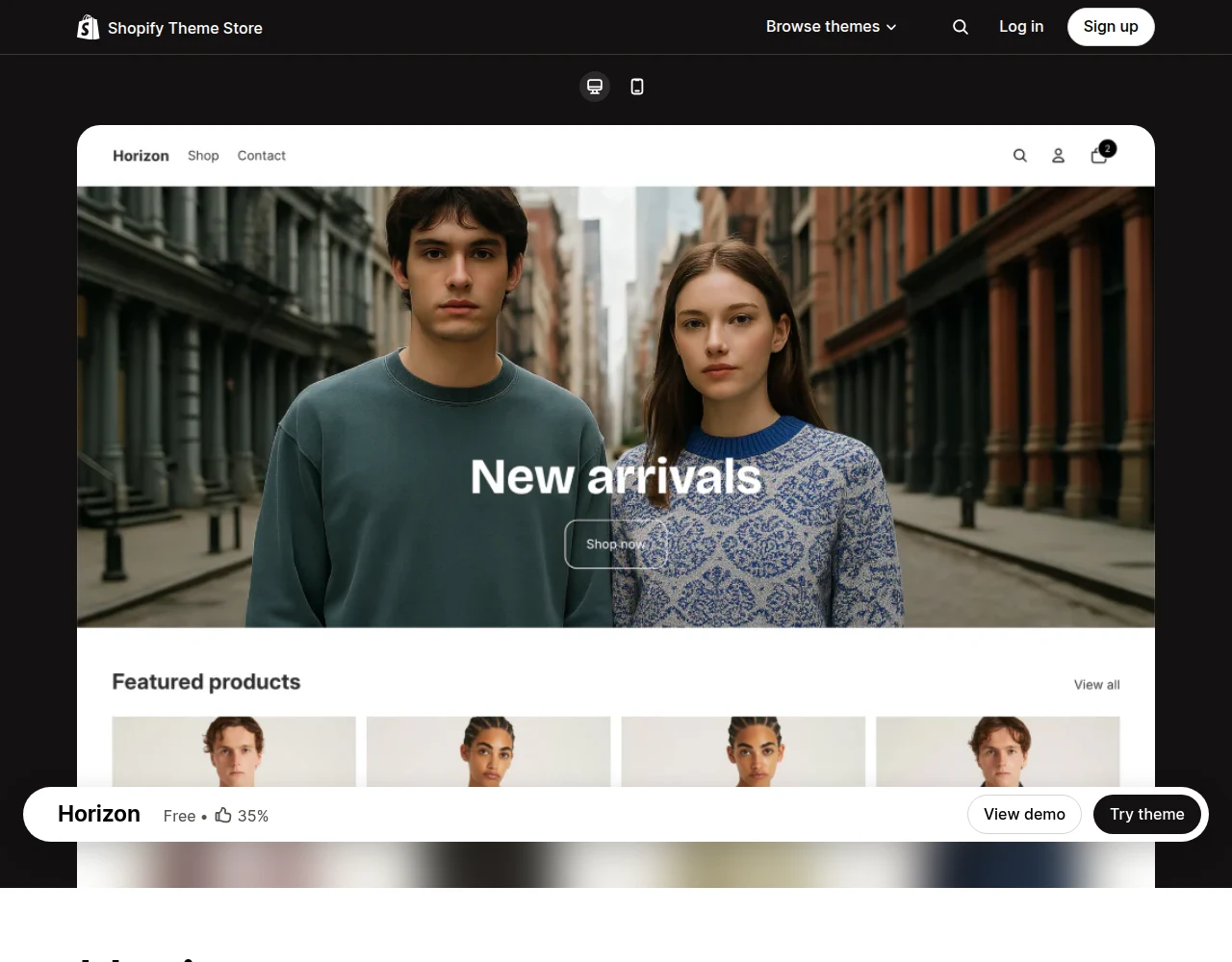
Horizon is the newer model. Shopify introduced the Horizon family of free themes in May 2025, ten of them, built around theme blocks rather than monolithic sections. The headline capability is nesting: a block can contain other blocks, up to eight levels deep. That is what lets a merchant compose a layout in the editor that, on Dawn, would have needed custom Liquid.
The practical difference is where the work lives. On Dawn, flexibility comes from a developer writing custom sections. On Horizon, a lot of that flexibility moves into the editor through nested blocks and presets. That is genuinely useful. It is also a different mental model, which is exactly why you cannot pour a Dawn theme into it.
Why there is no migrate button
This is the part the feature-comparison posts skip. There is no automatic Dawn-to-Horizon migration, and there is no technical reason to expect one. The two themes do not share a template structure. Your Dawn sections, your custom Liquid, your settings schema, your metafield wiring: none of it transfers cleanly into Horizon’s block tree.
Moving means rebuilding. You start from a Horizon theme, recreate your templates as block layouts, port your custom code into the new structure, and re-test everything. On a Horizon rebuild I scoped this quarter for a store with real custom sections, the realistic range was 25 to 40 hours of build and QA. A simple catalogue store is less. A store with a configurator, a custom PDP, and a stack of bespoke sections is more.
Treat any “just switch to Horizon” advice that ignores this as a tell that the person giving it has not done one.
The CRO risk nobody mentions: layout shift during a re-theme
Here is the failure mode I worry about most, because it is silent. You rebuild on Horizon, the store looks cleaner in the editor, you push it live, and your conversion rate drops two weeks later with no error anywhere.
The usual culprit is Cumulative Layout Shift. A fresh block-based build is a fresh chance to reintroduce every CLS source you had already fixed on Dawn: images without dimensions, fonts that flash and reflow, an LCP hero that loads late, app embeds that inject after paint. Dawn stores that have been tuned for years quietly encode dozens of these fixes. A rebuild does not inherit them. You earn them back one by one, or you ship the regression.
Google’s threshold is 0.1, and checkout and PDP are where a shift costs you money. So the honest way to frame a Horizon migration is not “new theme, faster store.” It is “I am rebuilding my best-converting asset, and I have to prove the new one is at least as good before it goes live.”
When you should move to Horizon
Migration makes sense in a few clear cases.
You are building a new store. There is no Dawn investment to protect, Horizon is the current flagship Shopify is actively developing, and starting on the newer architecture means you inherit its roadmap rather than the prior generation’s.
Your Dawn theme is a mess. If years of app installs and copy-paste customisation have left your theme slow and unmaintainable, a clean Horizon rebuild is a chance to delete the cruft. The rebuild cost buys you a fresh, faster foundation, which is a real return.
You specifically need Horizon’s block flexibility. If your merchandising team is blocked waiting on a developer for every layout change, the nested-block editor is a genuine workflow upgrade, and that operational gain can justify the move on its own.
When you should stay on Dawn
For a large share of established stores, staying is the right answer, and that is not nostalgia.
If your Dawn theme is heavily customised, passing Core Web Vitals, and converting well, you are holding a tuned, proven asset. The migration spends real money and real risk to reach, at best, parity. “At best” is the operative phrase. Most rebuilds land below the original before they claw back up.
Dawn is not deprecated. It is supported, it still runs a large share of live stores, and nothing forces you off it. So unless you have a concrete reason from the list above, the default for a working store is to stay, keep optimising, and revisit when you have an actual trigger.
The mistake is migrating because Horizon is new. New is not a conversion strategy.
If you migrate: the CLS-safe rebuild checklist
If you have decided to move, do it like a CRO project, not a redesign.
- Baseline your current store first. Pull your real-user Core Web Vitals on home, top collection, and top PDP with the CrUX grade before you touch anything. You cannot prove the rebuild is at least as good without a number to beat.
- Build on a development theme, never the live one. Recreate templates block by block.
- Size every image and reserve space for it. This is the single biggest CLS source in a fresh build.
- Set font-display and preload the LCP image on every key template, the same fixes you made on Dawn.
- Test on a real 390px phone, not just desktop. Mobile is where layout shift and conversion both live.
- Re-measure CrUX on the dev build and compare to the baseline. If any of the three vitals regressed, fix it before launch.
- Do not go live until the rebuild matches or beats the old store on both Core Web Vitals and a click-through of your full purchase flow.
That sequence is the difference between a migration that pays for itself and one that quietly costs you a quarter of conversion.
The takeaway
- Treat Horizon as a rebuild, not an upgrade. There is no automatic Dawn-to-Horizon migration, and pretending there is causes the worst outcomes.
- Stay on Dawn if it is customised, green, and converting. A rebuild reaches parity at best, and most land below it first.
- Migrate for new stores, messy themes, or a real need for block flexibility, not because Horizon is newer.
- Baseline your Core Web Vitals before you start and refuse to launch a rebuild that scores worse.
- Budget the move honestly. A real Horizon rebuild is tens of hours, and that money is competing with every other growth project you could run instead.
Kaspian Fuad is a Shopify CRO consultant and Liquid developer who builds and migrates themes for DTC brands. 12 years in ecommerce, 100+ stores, Top Rated Plus on Upwork. Book a free 30-minute call if you are weighing a Horizon rebuild and want an honest read on whether it is worth it.