

Most stores treat the customer account as plumbing. Login, order history, addresses, done. So when Shopify redesigned customer accounts on June 17, 2026, most merchants will not notice, and that is the missed opportunity. The account is a repeat-purchase surface, and this update quietly made it a better one while handing you two new merchandising levers nobody is using yet.
TL;DR: Shopify gave customer accounts a single-column, mobile-first redesign. Nav moves inline on mobile, order summaries expand by default, order actions surface at the top, and the empty order state can now show product recommendations you curate. The sign-in page gained brand controls. None of it is mandatory, but if you customized your account pages, re-check them, and if you are on classic accounts, upgrade. Then use the two new levers most stores will skip.
Why this matters for your store
- Returning customers convert at a multiple of cold traffic, and the account is where they land to reorder, so friction there leaks repeat revenue with no error to flag it.
- Two of the changes are merchandising slots, not cosmetics: curated recommendations in the empty order state, and a brandable sign-in page. Both are free placements you already own.
- If you customized accounts or run account extensions, a layout change is exactly the kind of thing that silently misaligns your additions, so it is worth a five-minute look.
What actually changed on June 17
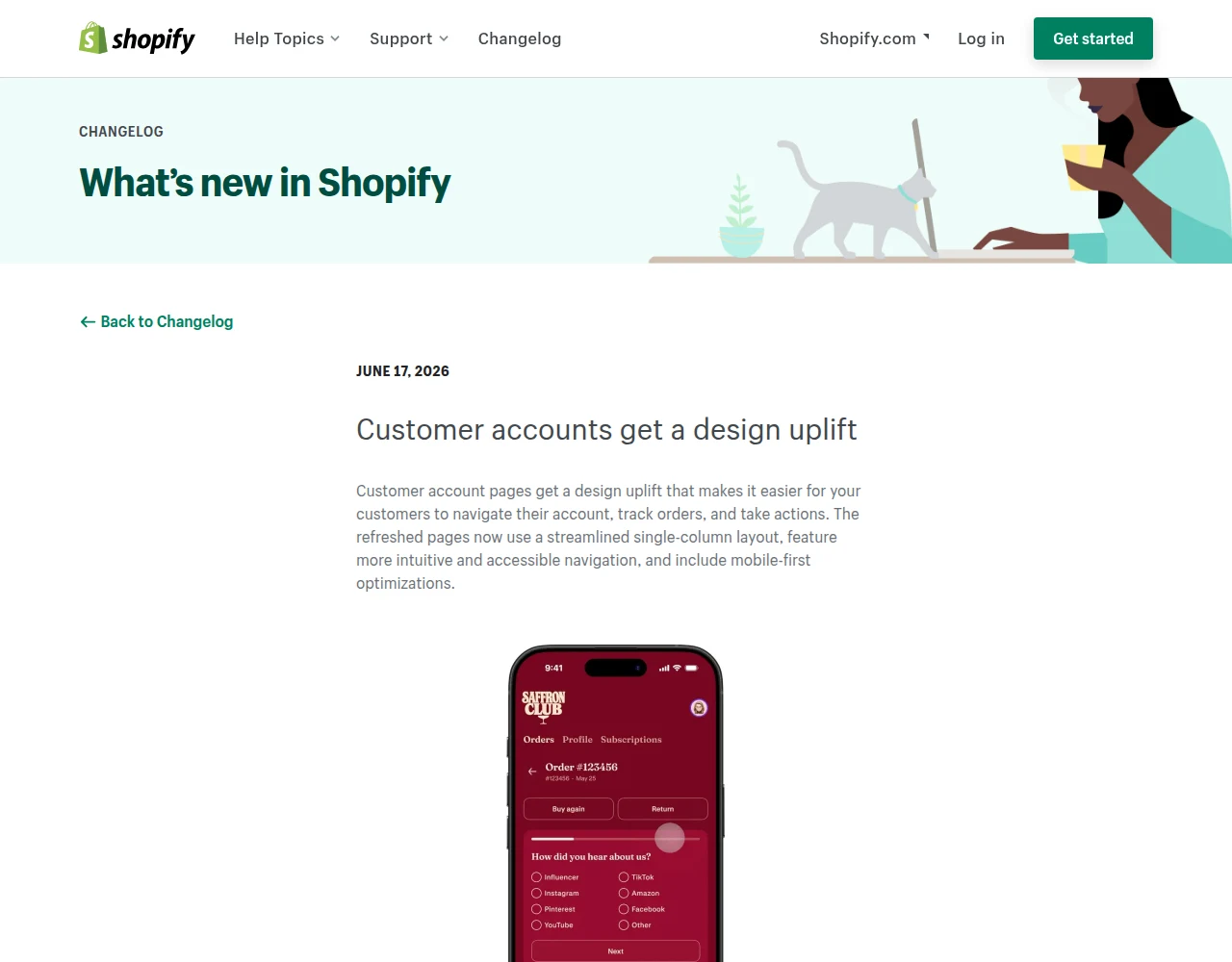
The redesign is a design uplift to the native customer account pages, focused on mobile. The headline is a streamlined single-column layout with clearer navigation. The specifics are where the useful bits hide.
On mobile, account menus with up to four navigation links now display inline at the top of the page instead of collapsing behind a hamburger. That sounds minor. It is not. A hidden menu is a tax on every navigation, and removing it on the page customers visit to reorder is a real usability gain.
Order pages got the most attention. The order summary now displays inline rather than collapsed, so customers can scan what they bought without tapping to expand. Product images link straight to the product page, which is a direct reorder path. And more order actions surface at the top of each order instead of being buried in a menu, including the actions your apps add.
Two changes are pure opportunity, and I will come back to them: the empty order state can now show product recommendations you curate, and the sign-in page gained controls for logo, colors, section styles, and a brand image.
Are customer accounts part of my theme? No, and that matters
Here is the point that trips people up. The current customer accounts are not theme Liquid. They are a Shopify-hosted experience you customize in the checkout and account editor and extend with customer account UI extensions and apps. That is why this redesign arrived platform-side, not as a theme update you pull.
The practical consequence: you cannot “break” your theme with this change, because your theme does not render these pages. What can misalign is anything you added in the account editor or through an account extension. A single-column layout reflows where your additions sit, so a block you placed assuming a wider or two-column structure may now look cramped or stranded.
So the audit is narrow. If you never customized accounts, you have nothing to check and a cleaner experience to enjoy. If you did, open the editor and look.
What to re-check this week
Three quick checks, none needing a developer.
First, if you customized your account or order pages in the checkout and account editor, preview them on a 390px mobile viewport and confirm your additions still read well in the single-column layout. Reflow is the only real risk here.
Second, if you run account UI extensions or apps that inject into the order summary, confirm they appear at the top with the native actions and are not duplicated or pushed off-screen.
Third, and this is the one most stores miss: if you are still on classic (legacy) customer accounts, you do not get any of this. The redesign applies to new customer accounts only. Upgrading is the prerequisite for everything else here, and classic accounts are on borrowed time regardless.
The two retention levers nobody is using
Now the part worth your actual attention. The redesign added two merchandising placements, and almost no store will configure them.
The empty order state is the screen a brand-new account holder sees before their first order. It used to be a dead end. Now you can curate product recommendations there. Think about who sees it: someone who just created an account, which usually means they are mid-consideration or just bought. Putting your best-sellers or a relevant collection in that slot is a free upsell at a high-intent moment. This is the kind of placement I would normally have to build with a custom section, handed to you in the editor.
The sign-in page is the first thing a returning customer sees, and it now takes a logo, colors, section styles, and a brand image. A generic sign-in page is a small trust leak at the exact moment someone is committing to log in and buy again. Branding it is ten minutes of work for a cleaner, more trustworthy re-entry into your store. Pair it with how you think about returning-visitor friction and it compounds.
Neither lever moves your numbers like a checkout fix. Both are free, fast, and sitting unused.
Where this fits in Shopify’s 2026 direction
Customer accounts have been quietly moving from a theme afterthought to a Shopify-owned, extensible surface for two years. This redesign is another step: more platform control, more editor customization, fewer theme dependencies. It rhymes with what Shopify did to checkout, and with how it is pulling subscriptions and consent into platform-managed surfaces.
The read for merchants is consistent: the post-purchase and account experience is becoming a real CRO surface, not a utility you ignore. The stores that treat it that way, starting with the two levers above, get a retention edge for almost no effort.
The takeaway
- Upgrade to new customer accounts if you are still on classic. The redesign and every lever here require it.
- Re-check any account customizations on mobile. Single-column reflow is the only real risk, and it is a five-minute look.
- Curate the empty order state. It is a free, high-intent upsell slot most stores will leave blank.
- Brand your sign-in page. Logo, colors, and a brand image are a ten-minute trust win on the page returning buyers see first.
- Treat the account as a retention surface, not plumbing. That mindset is the actual upgrade here.
Kaspian Fuad is a Shopify CRO consultant and Liquid developer. 12 years in ecommerce, 100+ DTC stores, Top Rated Plus on Upwork. Book a free 30-minute call if you want a second opinion on your post-purchase and retention surfaces.