

Search “shopify cro audit cost” and the quotes run from free to five figures. One agency sells a Shopify conversion audit at $997 flat. Forum threads argue about it. Almost nobody shows the math behind their number.
Here is mine. I sell a $500 focused audit and a $2,000 to $5,000 full-funnel audit, at a published $50 an hour, and I have run the full version on 100-plus Shopify stores over 12 years.
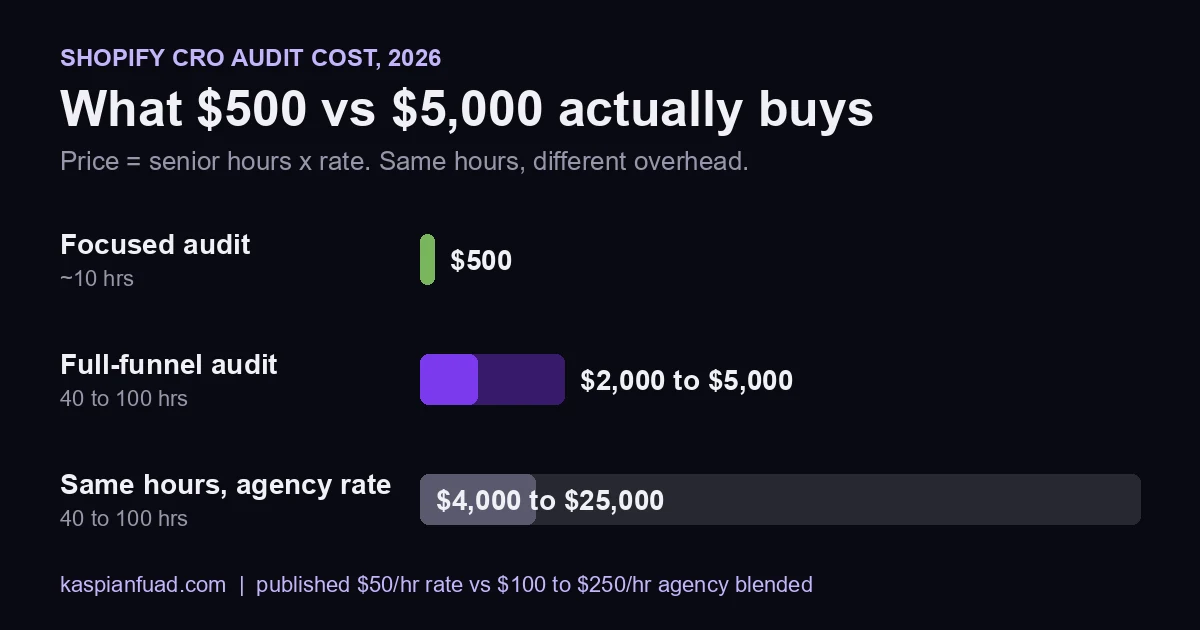
TL;DR: A Shopify CRO audit costs $500 (focused, about 10 hours) or $2,000 to $5,000 (full-funnel, 40 to 100 hours) from a solo senior specialist in 2026. The same hours at a $100 to $250 agency rate cost $4,000 to $25,000. The price is hours times rate. What you should get for it is a ranked, dollar-weighted fix list built from your own admin, GA4, and Search Console data.
Why this matters for your store
- A template audit and a real one can carry the same price, and only one of them tells you which leak to fix first.
- Buying the wrong tier costs either weeks of dev time on low-value fixes or $3,000+ spent diagnosing a problem you already knew.
- The first fix a good audit ranks is usually worth more per year than the audit itself. On a 60,000-session mobile PDP, a 0.3-point lift at a $90 AOV is $194,400 a year.
If you want the whole page on one sheet, grab the free scope and red-flag checklist below. Then the rest of the post walks through exactly what happens inside the six days you are paying for.
Download the CRO Audit Cost and Scope Checklist (PDF)
How much does a Shopify CRO audit cost in 2026?
A Shopify CRO audit costs $500 for a focused audit or $2,000 to $5,000 for a full-funnel audit when you hire a solo senior specialist directly. Divide either number by the hourly rate and you get the real product: hours of senior attention on your store.
| Tier | Price | Senior hours | Delivery | Best for |
|---|---|---|---|---|
| Mini-audit call | Free | 0.5 | Same day, Loom recap | Finding out if you need an audit at all |
| Focused audit | $500 | About 10 | 2 to 3 days | One known leaky stage (PDP, cart, or checkout) |
| Full-funnel audit | $2,000 to $5,000 | 40 to 100 | 6 business days | All 7 areas, stores with real traffic and many apps |
| Same full audit at an agency | $4,000 to $25,000 | 40 to 100 | 2 to 4 weeks | Teams that need a PM and a multi-person bench |
The agency row is the same hours at the $100 to $250 blended rate a US Shopify Plus agency charges, which I lay out on my engagement tiers page. Same work, different overhead. I compare the two buying paths in detail in CRO agency vs freelancer.
If a quote will not resolve to hours times a rate, ask for both numbers before you sign. The same rule applies to retainers, which I break down in what a Shopify CRO retainer costs, and to general dev work in how much a Shopify expert costs.
What makes a CRO audit cost $2,000 versus $5,000?
The spread inside the full-funnel tier comes from five things, and every one of them adds hours, not prestige.
- App count. A Dawn store with 8 apps takes an afternoon to inventory. A Plus store with 50 apps takes a day, because every app block has to be checked against Lighthouse’s third-party code report.
- Markets and locales. Each extra currency or language multiplies the pages that can break, which is how I found 38 hardcoded prices on one Markets store.
- Checkout extensions. On Plus, every checkout UI extension and pixel gets checked for double-firing events.
- Analytics damage. If GA4 double-counts purchases, a day goes to fixing the data before any conversion number means anything.
- Rush turnaround. Inside 72 hours costs 40 percent more and skips the triangulation day. I do not recommend it.
A single-storefront DTC brand on Dawn sits near $2,000. A Plus store with 50 apps and three locales sits near $5,000.
Is a $500 CRO audit worth it, or is it a template?
A $500 audit is worth it when you already know where the funnel leaks. Ten focused hours on one stage beats forty scattered hours on seven when the problem is obvious in your own Shopify analytics: say, add-to-cart is healthy but checkout completion collapses on mobile.
It is not enough when you do not know where the money goes, when you run Shopify Plus with 30+ apps, or when your GA4 and Shopify numbers disagree. Buy the full audit then, or you will pay for a second one.
The price alone does not tell you which one you are buying. The process does.
How do you spot a template CRO audit before you pay?
Six red flags, any one of which means the report was written before anyone looked at your data:
- It needs only your URL. A storefront-only review catches roughly 40 percent of what an audit should find. No admin, GA4, or Search Console access means no funnel numbers.
- The findings could apply to any store. “Add trust badges” and “improve your CTA” are a checklist, not a diagnosis.
- Nothing is ranked by dollars. If finding 1 and finding 30 carry the same weight, you still do not know what to fix first.
- No file paths or code. Your developer should be able to start work without a call.
- No sample report. Ask for an anonymized sample. A working auditor has several.
- The person who sold it is not the person who does it. Ask who opens your admin on day one.
The free version of this test is my self-serve CRO audit checklist. Run it first, and you will read any paid proposal with sharper eyes.
What do you get for the price of a full CRO audit?
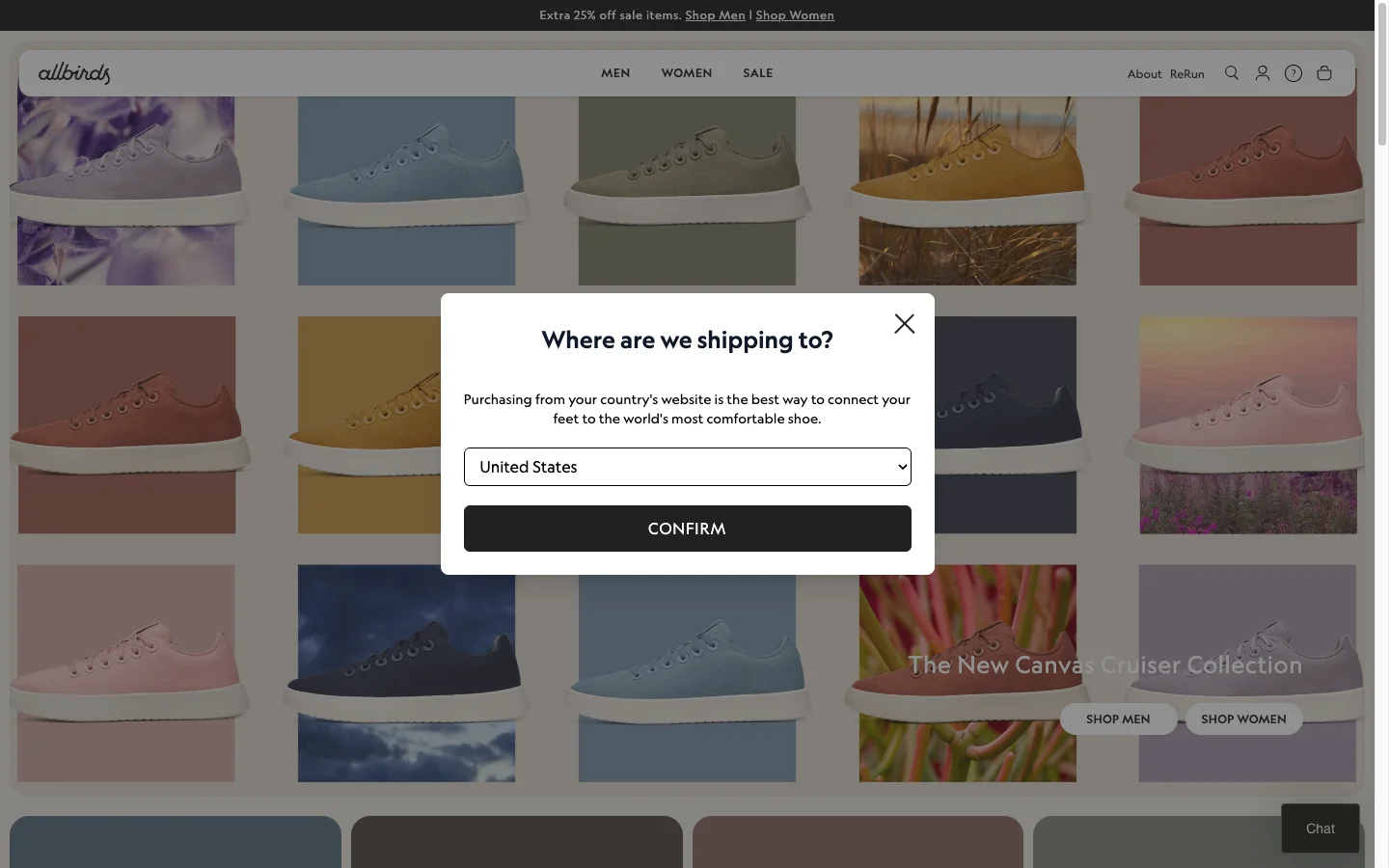
A Shopify CRO audit is a structured diagnostic of a live store that identifies where conversion is leaking, ranks each leak by estimated dollar impact, and delivers a written remediation plan. A Lighthouse score or a page of design opinions does not qualify. The deliverable is a numbered set of fixes, each one tied to a specific page, a specific user behavior, a specific dollar figure, and a specific implementation path.
A finished audit deliverable on my desk has five components. The audit report runs 25 to 60 pages. The fix list is a separate document or sheet ranked by dollar impact. The Loom walkthrough is 30 to 60 minutes of me on the screen with the merchant’s store open, talking through every finding. The 30-day implementation plan is a week-by-week schedule of which fixes ship in which order. The delivery call is a 60-minute working session at the end where the merchant asks questions and we agree on what happens next.
The merchant’s developer should be able to start work on day one of the implementation plan without ever opening Slack to ask me what I meant. That is the bar. If the audit is not implementation-ready, it is not done.
How long does a Shopify CRO audit take?
Six business days end-to-end is the standard timeline for a full-funnel audit: three days for diagnosis, two for documentation, one for delivery. The focused $500 audit compresses one stage of this into 2 to 3 days. That assumes access is handed off cleanly on day zero. Roughly one in four audits slips by 24 to 48 hours because the merchant takes time to invite me to GA4 or Search Console.
Here is the day-by-day breakdown:
| Day | Phase | What happens |
|---|---|---|
| 0 | Discovery call | 30-minute Calendly call. Confirm scope, traffic shape, top 3 pain points, KPI baseline. |
| 0 | Access handoff | Staff invite to Shopify admin, Viewer to GA4 and Search Console, read to Clarity or Hotjar, dev theme created. |
| 1 | Analytics diagnostic | GA4 funnel pull, GSC query and CTR pull, Clarity heatmap and rage-click review. |
| 2 | Storefront audit | PDP, collection, cart, checkout walked manually on desktop, mobile, Safari, Chrome, low bandwidth. |
| 3 | Code and theme audit | Theme inspector, app stack inventory, Liquid review, Lighthouse on PDP and collection. |
| 4 | Data triangulation | Cross-check GA4 funnel drop-offs against Clarity sessions and storefront findings. |
| 5 | Report and Loom | Write the report, build the prioritized fix list, record the Loom walkthrough. |
| 6 | Delivery call | 60-minute working session, hand over the plan, confirm next steps. |
Rush audits inside 72 hours are possible for stores under 10,000 monthly sessions but cost 40 percent more and skip the data triangulation day. I do not recommend them.
What access do you need from the merchant?
A real audit needs four things: Shopify admin Staff access, GA4 Viewer, Search Console read, and a development theme. Anything less and the audit becomes a guess. I will not take on a paid audit without all four. The number of audits I have done with merchants who only granted Collaborator with the wrong scopes is too high, and I have stopped accepting that arrangement.
The full access checklist I send before kickoff:
- Shopify admin: Staff access with theme editing, app management, analytics, and customer data scopes. Collaborator access works on Plus if scopes match.
- Theme: a duplicate of the live theme published as a development theme, named “CRO Audit YYYY-MM-DD”, that I can preview and inspect without touching the live store.
- Google Analytics 4: Viewer role on the property the storefront reports to. Editor is not required.
- Google Search Console: Restricted user role on the verified property. Required for the query and CTR pull on day 1.
- Microsoft Clarity or Hotjar: read access if either is installed. If neither is installed I add Clarity on the dev theme on day 1 because Clarity is free and rage-click data is non-negotiable.
- Email and SMS platform: read access on Klaviyo, Postscript, or Attentive. Required to validate event firing and abandoned-cart flow integrity.
- Apps: a list of installed apps with login access where automation can be inspected (review apps, bundle apps, post-purchase apps, popups).
I never request Owner access. I never request payment processor or bank access. I never request anything I do not need to deliver the report.
What does day 1 of the audit look like?
Day 1 is data first, storefront second. I open GA4, pull the funnel for the last 30 and 90 days, and write down four numbers: sessions, add-to-cart rate, checkout-initiation rate, purchase rate. Those map to the GA4 ecommerce events spec and tell me whether the bleeding is at discovery, consideration, intent, or checkout. The report’s structure follows from there.
Then Search Console: top 50 landing pages by impressions, top 50 queries by impressions, average CTR. A page ranking position 3 with 0.4% CTR leaves traffic on the table that costs nothing to recover.
Then Microsoft Clarity, filtered to rage clicks and dead clicks. If a PDP shows 8% dead-click rate on the variant selector, I do not need to guess what is broken. The user told me.
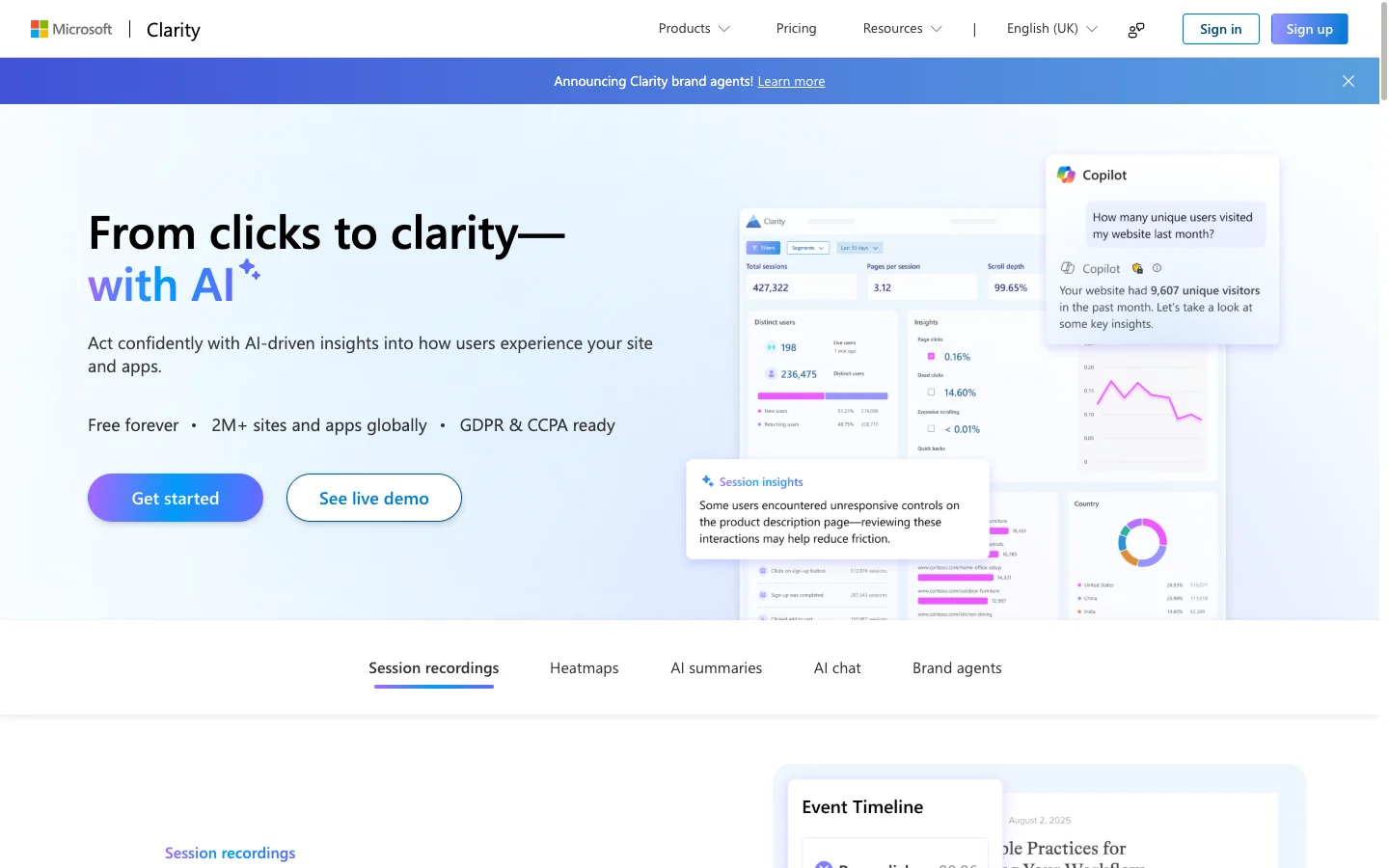
By the end of day 1 I have a one-page diagnostic: where the funnel is leaking, what the SEO data corroborates, and which storefront pages rage-click data points at. Day 2 starts with that page open.
What gets audited in the 7-area framework?
The 7-area framework is the structural backbone of every audit I run. It maps to where conversion actually leaks on a Shopify store, in roughly the order users encounter friction. I run it the same way every time so nothing slips. Across 100-plus audits the relative weights shift but the seven areas stay constant.
| Area | What I audit | Common leaks |
|---|---|---|
| 1. Product detail page | Above-fold layout, gallery, variant selector, price, ATC, trust signals, schema | Variant pickers that hide price, gallery that breaks on Safari mobile, missing schema |
| 2. Collection and listing | Filter UX, sort defaults, card density, product card data, pagination | Slow filter rerenders, missing prices on cards, infinite scroll killing back-button state |
| 3. Cart and checkout | Cart drawer, cart page, accelerated payments, checkout extensions, post-purchase | Cart drawer that requires a click to see the total, Shop Pay button below the fold |
| 4. Mobile UX | Sticky ATC, tap targets, gallery swipe, form auto-zoom, viewport handling | Sticky ATC over the price, 44px tap-target failures, iOS form zoom |
| 5. Core Web Vitals | LCP, INP, CLS, TBT, on the four highest-traffic templates | Hero images without priority hint, third-party scripts blocking main thread, layout shift from late-loading prices |
| 6. Analytics integrity | GA4 events, ecommerce object, Klaviyo events, Meta CAPI, GSC verification | Missing add_to_cart, double-firing purchase, broken Meta Pixel after checkout extensibility migration |
| 7. App and code bloat | Installed app count, app block scripts, theme JS bundle, render-blocking CSS | Five review apps when one is enough, hardcoded prices breaking multi-currency, jQuery loaded twice |
Each area has a tool or deeper guide on this site. CWV runs through the Core Web Vitals checker against web.dev thresholds. App bloat through the app detector. Multi-currency price audits through the Hardcoded Price Detector. PDP and mobile in the mobile CRO guide. Cart in cart abandonment hidden causes (anchored against Baymard’s 69.99% benchmark). Checkout in the checkout optimization guide covering Shop Pay’s 1.72x conversion uplift.
How are findings prioritized?
Findings are ranked by estimated dollar impact, not by severity, not by ease, not by how interesting the issue is to me. Dollar impact is the only ranking that survives a CFO conversation. Every finding in the fix list has four columns: the issue, the page or template, the estimated annualized dollar impact, and the implementation effort in hours.
The dollar-impact math is straightforward and is documented in detail in the Shopify conversion leaks dollar impact breakdown. The short version: I take the affected sessions per month, multiply by the conservative conversion-rate lift I expect from the fix (usually 0.1 to 0.5 percentage points), multiply by the average order value, and annualize. A fix that affects 60,000 mobile sessions per month with an estimated 0.3-point lift on a $90 AOV is worth $194,400 per year. A fix that affects 800 desktop sessions on a 0.1-point lift is worth $864 per year. Both go in the report. Only one goes near the top.
The fix list is not a wishlist. It is the order I would ship the work in if I were the one shipping it.
What deliverables should the audit fee include?
Five artifacts: report, fix list, Loom walkthrough, 30-day plan, delivery call. The PDF report runs 25 to 60 pages, structured by the 7-area framework, every finding logged with screenshot, file path, broken code, corrected code, and testing steps.
The fix list ships as a Google Sheet or Linear board sorted by dollar impact: ID, area, page, issue, dollar impact, hours, priority, owner, status. The Loom is 30 to 60 minutes of me on screen with the merchant’s storefront open. Most teams tell me the Loom is the deliverable they actually use. The 30-day plan is week-by-week: week 1 analytics integrity, week 2 highest-value PDP and checkout fixes, week 3 mobile UX and Core Web Vitals, week 4 app cleanup. The delivery call is a 60-minute Zoom working session.
What happens after the audit is delivered?
Three options: DIY, retainer, or fixed-scope project. About 60 percent of audit clients hire me to implement, 40 percent take the report to an internal developer or another agency.
- DIY: the fix list is written so any competent Shopify Liquid developer can ship from it. I offer a 30-day Slack channel for free clarification questions, capped at one hour.
- Retainer: recurring weekly or biweekly block, 8 to 16 hours per week, working through the fix list in priority order. This is how the Factory Direct Blinds and WD Electronics engagements run.
- Fixed-scope: a defined slice of the fix list (usually the top 5 to 10 items) at a fixed price. This is how Everly and Casa Amar started.
What did three real audits find, and what happened next?
Three recent audits, three different problems, same framework. Each ranked the priority leak by dollar impact and shipped the implementation plan from there.
- Enea Studio: luxury jewelry, Lighthouse mobile 23 with Core Web Vitals failing. Render-blocking jQuery, missing hero preloads, Slick gallery on mobile. Post-sprint: all three CWV passed on field data, Lighthouse recovered into the 70s.
- Everly: Shopify Markets store with FOUC. 38 hardcoded prices and 90 lines of bespoke JS fighting Markets currency. CLS 0.11 on mobile dropped to 0.00 after a four-hour fix using the
money_with_currencyfilter. - Casa Amar: Focal 10.1.3, 0.01 percent CVR on 37,000 monthly sessions. 11 active apps, 4 review apps stacked on the PDP, and a checkout extension double-firing the GA4 purchase event. That double-fire reframed every other dollar estimate.
The pattern is the same across all three. The audit is not what moves revenue. The audit is the document that gives the team permission to ship the right fix in the right order. That is what merchants pay for. I run the same audit discipline on my own work: see the 4 patterns I found auditing 69 of my own posts.
Want a free 30-minute mini-audit?
Book here. I will walk through your store live, identify the top 3 conversion leaks, and send a Loom recap. If a full paid audit is the right fit, a fixed-price proposal arrives within 24 hours. If not, you keep the Loom and ship the fixes in-house.
For more before you book, the Shopify CRO audit guide is the educational walkthrough and the audit checklist is the 40-point self-serve list.
The takeaway
- Price the audit as hours times rate: about 10 hours for 00, 40 to 100 hours for ,000 to ,000.
- Buy the 00 focused audit only when you already know which funnel stage leaks.
- Reject any audit that needs only your URL and never asks for admin, GA4, or Search Console access.
- Demand a fix list ranked by dollar impact, with file paths and corrected code for every item.
- Ask for an anonymized sample report and the name of the person who will open your admin.
I publish my audit prices and my hourly rate because the math should be the first thing you see, not the last. If you are not sure which tier your store needs, my free 30-minute diagnostic call will tell you, and you keep the Loom either way.