

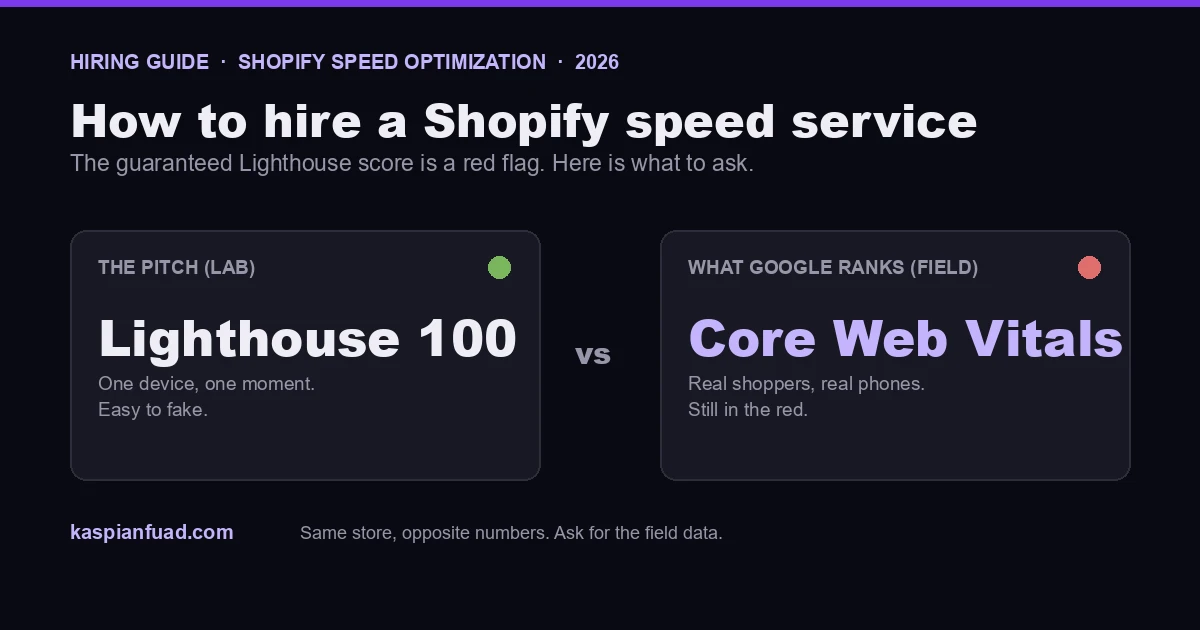
TL;DR: Before you hire a Shopify speed optimization service, know the two things most of them will not tell you. First, a “guaranteed 95+ Lighthouse score” is a red flag, not a feature, because Lighthouse is a lab test and Google ranks on real-user Core Web Vitals. Second, the cheap gigs mostly just compress images, which Shopify already does for free. Here are the five questions that separate a real service from a screenshot, and what the work should actually cost.
I do this work, so I could just pitch you. Instead, here is how I would vet someone if I were hiring it out, because the honest version is what actually protects your money. The whole market leads with a Lighthouse number, and that number is the easiest thing to fake and the least connected to your revenue.
What does a Shopify speed optimization service actually do?
A real one does four things, in order. It audits which apps and scripts add blocking time to your pages, using measured data rather than a guess. It fixes the theme, the render-blocking CSS and JavaScript that no app can touch. It defers non-critical third-party scripts so they load after the page is interactive. And it measures before and after on your actual templates, the product and collection pages where shoppers browse. My Shopify speed optimization case study shows what that looks like on a real store, fix by fix.
What it should not be is only image compression. If a provider’s whole offer is smaller images, you are overpaying, because Shopify serves responsive images and lazy-loads them natively, and free apps handle the rest. Image weight is real, but it is the shallowest part of the job, and it is where the cheap gigs stop.
Why a “guaranteed Lighthouse score” is a red flag
This is the one that costs merchants the most. Lighthouse is a lab test: one simulated device, one network, one moment. Google does not rank on it. Google ranks on field Core Web Vitals, the Chrome UX Report data from your real shoppers on their real phones. Those two numbers can point in opposite directions.
A provider can hit a guaranteed 95+ Lighthouse score by stripping features, lazy-loading things that should load immediately, or optimizing the exact page the lab tests, while your real Interaction to Next Paint stays in the red because the heavy work happens when a shopper taps. I would rather have a Lighthouse 88 with excellent field Core Web Vitals and every conversion feature working than a Lighthouse 100 on a stripped store that converts worse. So would Shopify: its own performance docs point you to real-user data, not the lab score. I break the two apart in Shopify Lighthouse vs CrUX. If someone sells you the lab number as the deliverable, they are selling the wrong number.
The 5 questions to ask before you hire
Ask these five, and the pitch decks fall away fast. A real service answers all of them plainly.
- What specifically is slowing my store down? They should name apps, scripts, and theme issues, not say “your site is slow.”
- Which apps and scripts are responsible, with numbers? I measure blocking time per app in my App Bloat Detector, so this is answerable, not hand-wavy.
- What will you change in my theme? Vague “optimization” is a warning. You want the actual render-blocking and deferral work named.
- What are my before-and-after Core Web Vitals on product and collection pages? Field data on the templates that matter, not a homepage Lighthouse run.
- Can you repeat the same test under the same conditions? A result you cannot reproduce is not a result.
If they answer those, then discuss price. If the headline is “95+ Lighthouse guaranteed,” keep looking.
How much does Shopify speed optimization cost?
Honest ranges, because nobody else on this search will give you one. A one-time optimization on a typical store runs a few hundred to a couple thousand dollars, driven by how many apps you run and how custom the theme is. A lean store with a modern theme is at the low end; a store carrying twenty apps and a heavily customized theme is at the high end, because untangling that safely takes real hours.
Below about $100, on Fiverr and similar, you are almost always buying image compression and a Lighthouse screenshot. Above that, you are paying for the theme and app work that actually moves the field number. I keep my rates public rather than hiding behind “contact us,” and I scope each store on its real app and theme load; the cost of a Shopify expert piece has my thinking on rates in general.
Should you DIY or hire it out?
I would rather tell you the truth here than win a job I should not. DIY if your store runs a modern theme, a handful of apps, and you are comfortable editing Liquid. The work is knowable, and I publish the exact steps for free: the full speed guide, the Core Web Vitals playbook, and how to audit your apps.
Hire it out when the stakes or the complexity are higher: many apps, a custom theme, or a store where you cannot afford a mistake. Deferral is where DIY goes wrong, because deferring the wrong script breaks the cart or the checkout, and a broken checkout costs more than a slow one. If a paid app is the hidden weight, my Vitals-style breakdown shows how I find it.
What do real results look like?
Not a green Lighthouse gauge. A real result is your field Core Web Vitals moving from needs-improvement to good, measured on the CrUX data Google uses, which you can pull yourself with my CrUX grader. Expect the fix to land in a few days to two weeks, and the field number to take about 28 days to catch up, because CrUX reports a rolling 28-day window. Any provider who promises a ranking jump the next morning does not understand how the measurement works.
Download the Speed Service Hiring Checklist (PDF)
The takeaway
- A guaranteed Lighthouse score is a red flag. Google ranks on field Core Web Vitals, not the lab number.
- Ask the five questions. A real service names the apps, the theme changes, and the before-and-after field data.
- Watch the floor. Under $100 is usually just image compression, which Shopify does for free.
- DIY when simple, hire when risky. The wrong deferral breaks the cart, and that costs more than slowness.
- Judge on field data, on a 28-day lag. A same-day ranking promise means they misread the measurement.
I run Shopify speed optimizations on measured field data, not lab-score guarantees, and I publish my rates. If you want to know exactly what is slowing your store and what it would take to fix, my 30-minute diagnostic call is free.