

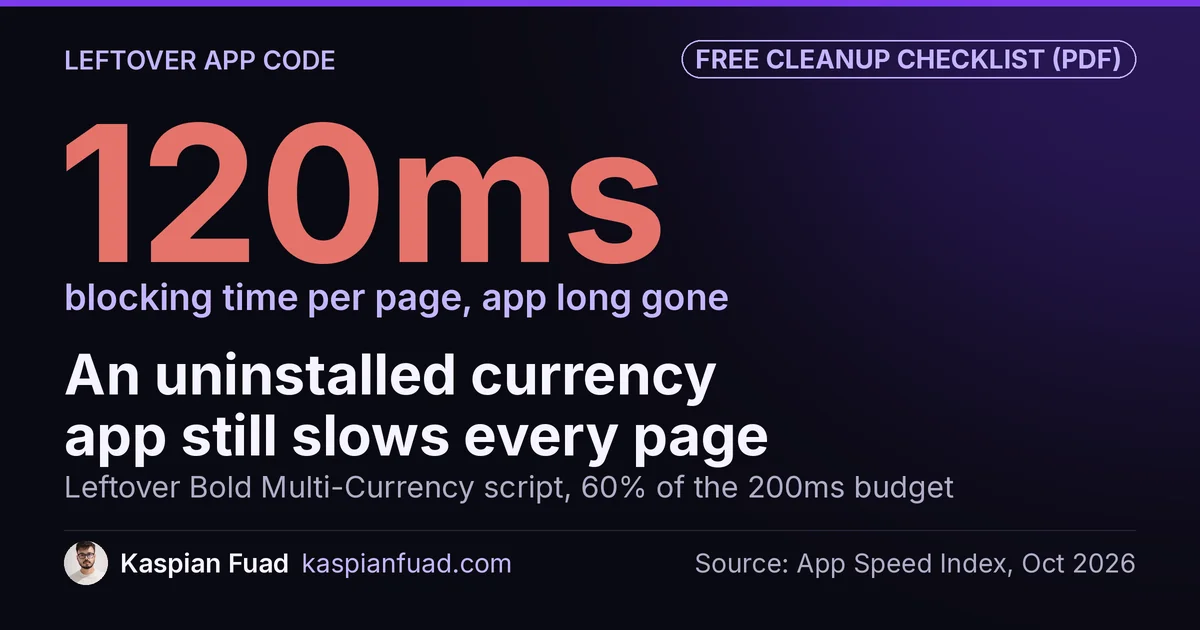
TL;DR: Uninstalling a Shopify app does not always remove its code. Apps that wrote into theme.liquid or the snippets folder leave scripts that keep running on every page, and a leftover Bold Multi-Currency script still costs about 120ms of blocking time, 60% of Google’s 200ms budget. Find leftovers in 15 minutes with View Source and a theme code search, then delete them on a duplicate theme.
The app was gone from the admin. Its script was not. On a DTC dog gear store I audited, a script from an app Shopify removed in 2019 still loaded on every product page, while two app pixels sat Disconnected in the admin and still billed about $26 a month.
This is for a Shopify owner who uninstalled apps to speed the store up and watched PageSpeed refuse to move. Below is why uninstalling leaves code behind, what each dead script costs, the 15-minute check that finds it, and what to delete versus leave alone. One honest limit: deleting dead code will not fix a heavy app you still use. That needs a different fix.
Download the Shopify leftover app code cleanup checklist (PDF)
Why this matters for your store
- A dead script blocks the main thread exactly like a live one, so your shoppers pay for apps you stopped paying for.
- Your admin app list is the billing view, so it hides leftovers and makes the store look cleaner than it is.
- Off-Shopify app subscriptions keep charging after uninstall, so a forgotten vendor can bill you for months.
Does uninstalling a Shopify app remove its code?
Sometimes. It depends on how the app was installed, and most stores older than a few years carry both kinds.
Shopify’s help center says it plainly: “Some apps add code to your online store theme that isn’t automatically removed when you uninstall the app.” Its uninstall guide tells you to confirm whether an app needs extra uninstall steps, which almost nobody does.
The split is between two install styles:
- Theme app extensions. The app adds an app block or an app embed you toggle in the theme editor. Shopify’s theme app extension docs say these apps “don’t edit theme code,” so there is nothing written into your files to leave behind.
- Direct theme edits. Older apps wrote a
<script>tag intolayout/theme.liquid, dropped a file intosnippets/, and added a{% render %}tag to call it. The app does not track those lines, so they stay.
Shopify now forces new apps into the first style. Requirement 5.1.1 of the App Store requirements says an app that modifies the theme must use theme app extensions. That helps new installs. It does nothing for the code an app wrote into your theme in 2021, or the snippet a freelancer pasted from an app’s setup page by hand.
There is a third source people forget: you. If you pasted a tracking pixel into Settings, Customer events, or copied an app’s install snippet into a section yourself, no uninstall will ever touch it, because Shopify sees it as your code.
How much does leftover app code slow a Shopify store?
A leftover script costs what the live app cost, because the browser cannot tell the difference. It downloads the file, parses it and runs it. Shopify’s guide to auditing third-party scripts says it directly: the feature “becomes unneeded, but the code still executes”.
The worst leftovers come from apps that no longer exist, because nobody is left to remind you they are there. Here is the blocking time I measure for scripts from five of them, from the same dataset behind my App Speed Index:
| Leftover script | What happened to the app | Blocking time I measure | Share of the 200ms budget |
|---|---|---|---|
| Bold Multi-Currency | Delisted from the App Store | ~120ms | 60% |
| Yotpo SMSBump | Shut down at the end of 2025 | ~100ms | 50% |
| Shopify Geolocation app | Discontinued by Shopify in 2025 | ~60ms | 30% |
| Beam Impact | Delisted from the App Store | ~60ms | 30% |
| ShareASale pixel | Network closed, eligible accounts moved to Awin | ~50ms | 25% |
The budget comes from Google’s Total Blocking Time guidance, which treats under 200ms as good on a mobile device. Two of these leftovers together eat more than the whole budget before a single app you actually use has loaded.
Blocking time is the right number to watch because it is the lab stand-in for Interaction to Next Paint, the Core Web Vital that measures how fast the page answers a tap. My App Bloat Report explains the metric in more depth.
Not every leftover costs you. A snippet file that no {% render %} tag calls is dead weight in the code editor and nothing more. The cost sits in the lines that print a <script> or a stylesheet link into the page. That is where to look first.
How do I find leftover app code on my Shopify store?
This takes about 15 minutes on a typical theme. On the average store I audit, 6 of the 14 third-party script domains belong to apps nobody uses anymore, so expect to find something.
- List what you pay for. Open Settings, then Apps and sales channels, and write down every installed app. That is your keep list.
- List what the page loads. Open a product page, press Ctrl+U for View Source and search for
<script src. Note every domain that is not your store orcdn.shopify.com. My free app bloat detector does this step for you and names each app with its blocking time. - Match the two lists. Any domain with no installed app behind it is a leftover. My guide on how to see what apps a Shopify store uses covers the domains that do not carry an obvious app name.
- Find where it loads. In Online Store, Themes, Edit code, open
layout/theme.liquidand search for the domain. Then searchsnippets/for the app’s name, since app snippets usually carry it in the filename. - Check the switches. In the theme editor, open App embeds and turn off any embed for an app you no longer use. Then open Settings, Customer events, and remove custom pixels for tools you dropped.
A leftover in theme.liquid usually looks like one of these two lines. The domain and file name vary by app:
{%- comment -%} layout/theme.liquid {%- endcomment -%}
{% render 'old-currency-app' %}
<script src="https://cdn.old-app-vendor.com/widget.js" defer></script>
The first line pulls in a snippet that prints the app’s script. The second loads it directly. Both run on every page of the store, since theme.liquid wraps every template.
What should I delete, and what should I leave alone?
Work on a copy. Shopify’s duplicate theme guide is the safety net here: you edit the copy, preview it and publish only when it works.
Delete the <script> tags and {% render %} lines for apps that are no longer installed. Remove the render tag first and preview, then delete the snippet file it called. If the theme throws a Liquid error, another file still renders that snippet, so search for its name before you go further.
Leave three things alone. First, code an installed app still uses, even if it looks heavy; deferring it is a separate job covered in my third-party script defer guide. Second, config/settings_data.json, because the theme editor rewrites it.
Third, do not treat the checkout as theme code: on Plus, leftovers there live in the old checkout setup, which I found on 11 of 14 Plus checkouts I audited in one quarter.
Page builders are the messy case. PageFly, Shogun and GemPages leave snippet files, asset files and sections behind, and some pages still depend on them after uninstall. My page builder alternatives guide covers how to rebuild those pages before you delete anything.
Then test the preview like a shopper would: open a product page, add to cart, open the cart, run a search and change a variant. If all five work, publish.
Does removing dead app code actually move the score?
It moved a real one. On a custom blinds store, app code that nothing used was still loading on every page type. Deleting it was one of five changes in a sprint that cut mobile Total Blocking Time from 2,290ms to 480ms and took mobile PageSpeed from 38 to 81.
I will not pretend the deletion did that alone. It shipped with image, CSS, font and conditional loading fixes, and the full breakdown is in the speed optimization case study. What I can say is that deletion is the cheapest fix on the list. It costs nothing, and the code cannot come back to break anything.
The dog gear store makes the other point. Its orphaned script came from an app Shopify had pulled in 2019, and nobody on the team knew it existed. Leftovers do not announce themselves. You find them only by comparing what the page loads against what you pay for.
How do I check the leftover code is actually gone?
This takes five minutes after you publish:
- Open View Source on the same product page and search for each domain you removed. Every search should return zero.
- Open Chrome DevTools, Network tab, filter by the domain and reload. No requests should appear. The Coverage panel also shows how much of each remaining script goes unused.
- Run PageSpeed Insights three times on that product page and compare the median Total Blocking Time with your baseline. Single runs vary, so never trust one.
Then check Settings, Billing, and your card statement for any vendor that billed you outside Shopify. Shopify’s uninstall guide says uninstalling does not cancel those external charges, so cancel each one with the vendor.
Should I clean it up myself or hire someone?
Do it yourself if the leftovers sit in theme.liquid as one or two script tags and you are comfortable working on a duplicate theme. That is a 15-minute job with the steps above.
Hire help when the theme has been edited by several freelancers, a page builder is involved, or the snippets folder holds dozens of files you cannot name. The risk there is deleting something an installed app or a live page still needs. Leftover cleanup is usually one line item inside a speed audit rather than its own project; my guide on hiring a Shopify speed optimization service covers what that audit should include. I bill $50 an hour and work on a duplicate theme, never the live one.
Run the check this week. The leftovers have been loading on every page since the day you uninstalled.
The takeaway
- List every third-party script domain on a product page and match each one to an app you still pay for.
- Delete script tags and render tags for uninstalled apps on a duplicate theme, then preview before publishing.
- Leave settings_data.json, live app code and checkout settings alone, since they break in ways a preview will not show.
- Verify with View Source, the Network tab and the median of three PageSpeed runs.
- Cancel off-Shopify app subscriptions with each vendor, because uninstalling does not stop them.
I audit Shopify stores for speed and conversion and publish the blocking time I measure for each app. If you want a second pair of eyes on what your theme still loads, my 30-minute diagnostic call is free.