

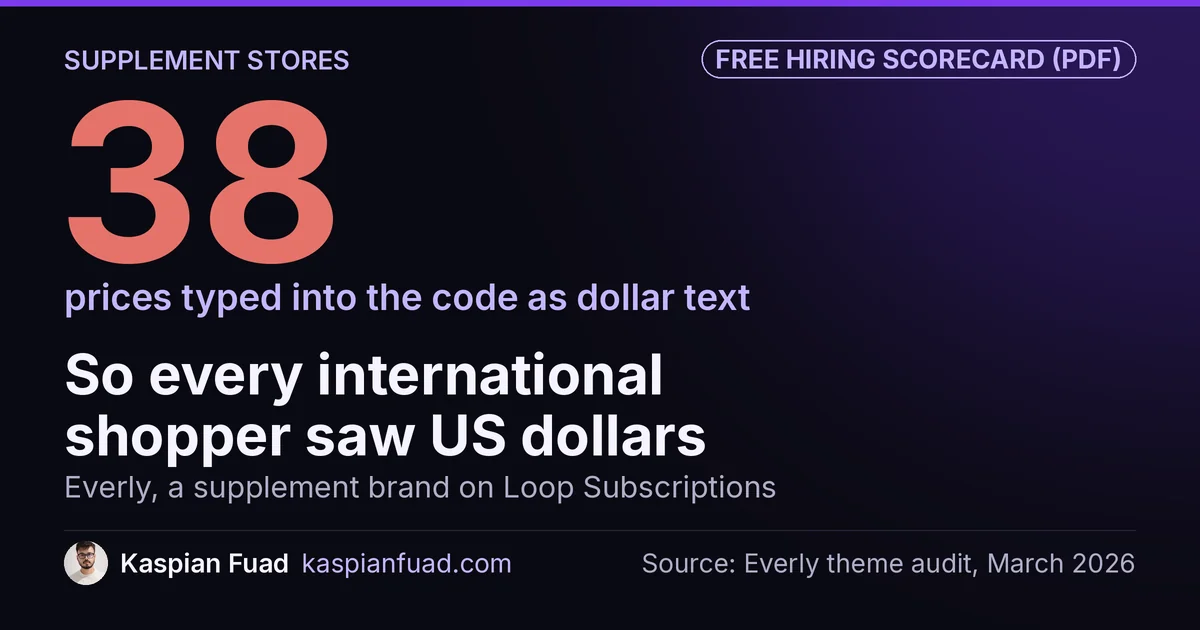
TL;DR: A supplement brand needs a Shopify developer who handles three things a general theme developer misses: subscription prices rendered by Liquid, product page slots for Supplement Facts and the FDA disclaimer, and an app stack light enough for phones. On Everly, a supplement brand on Loop Subscriptions, 38 hardcoded prices broke currency conversion, and the fix took CLS from 0.11 to 0.00. Budget $500 for the audit.
International shoppers on Everly’s subscription page saw US dollars, all 236 regions of them. Shopify Markets was switched on and set up correctly. The page had simply been built so that Markets had nothing to convert.
If you run a supplement brand on Shopify, most of your revenue probably repeats every month, so a broken subscribe box costs you the subscriber, not one order. Below is the fix order I’d follow, the app weight a typical supplement stack carries, what the work costs, and what to ask before you sign. One honest limit: a developer can’t make a health claim legal. That call belongs to you and your regulatory adviser. The developer controls where the facts, the disclaimer and the terms render.
Download the supplement store developer scorecard (PDF)
Why this matters for your store
- A subscriber who sees the wrong price on the first visit never becomes month two, three or twelve.
- Supplement pages carry legal text that most themes have no slot for, so it ends up missing or pasted in by hand.
- Subscription, reviews, quiz, loyalty and email apps all load on the product page, which is where your mobile buyers decide.
What should a Shopify developer fix first on a supplement store?
Here’s the order I’d work in. It follows the money: a shopper who sees a wrong or confusing price never reads anything below it.
| Order | Problem | What to check | Fix |
|---|---|---|---|
| 1 | Subscription price rendering | Prices typed as text, or rewritten by JavaScript after load | Every price through Liquid money, per-delivery price from the selling plan |
| 2 | Subscribe terms | Frequency, per-delivery price or cancel terms hidden | Terms next to the subscribe option, matching the checkout disclosure |
| 3 | Supplement Facts and claims | Facts only as a label photo, disclaimer missing | Facts as text, disclaimer built into the claims section |
| 4 | Reviews | Too few, or filtered by rating | Review requests after delivery, no filtering |
| 5 | App weight | Five or more apps loading on every product page | Lightest app per job, scripts only where they’re used |
Speed sits last only because the first four are cheaper and faster to ship. It still matters, and the app stack section below shows what a supplement store carries.
Why do subscription prices break on a supplement store?
Everly sells pumpkin seed oil supplements through a custom-coded Shopify landing page with Loop Subscriptions. It had two markets: the US in dollars, and an International market of 236 regions in local currencies. Every visitor saw USD anyway.
I audited the two section files behind the page, about 8,400 lines of code between them. Every price was a static string like $29.99, with zero uses of Shopify’s money filter anywhere. That covered sale prices, compare-at prices, three bundle tiers, savings badges and the subscription per-delivery price. Markets converts what Liquid renders. It can’t convert text someone typed into a template.
Then there was the flash. A script at the bottom of each file fetched the product’s data after the page painted and rewrote the prices on screen. Shoppers saw a price, saw it vanish, then saw it again reformatted. That rewrite pushed CLS to 0.11, over Google’s 0.1 line, and it still only handled dollars. The variant IDs in the code were stale too, because the product had been recreated at some point.
The fix moved every price into Liquid and deleted about 90 lines of JavaScript. The subscription price now comes straight from the selling plan:
sections/custom-lander-1.liquid
{% for spa in v1.selling_plan_allocations %}
  {% if spa.selling_plan.id == 6810501426 %}
    {% assign v1_sp_price = spa.per_delivery_price %}
  {% endif %}
{% endfor %}
{{ v1_sp_price | money }}
Shopify’s docs say per_delivery_price comes out in the shopper’s local currency, which is the whole point. After the change, a UK preview showed pounds on every price and CLS measured 0.00. The work ran on a duplicate theme and turned around in under 48 hours. My hardcoded prices fix guide walks through the same pattern on a regular theme.
How should a supplement product page show ingredients and claims?
Supplement pages need two things most themes don’t have a slot for. The first is the Supplement Facts panel as real text, not only a photo of the bottle. A screen reader can’t read a photo of a label, and neither can a shopper zooming in on a 390px phone screen.
The second is the disclaimer. Under 21 CFR 101.93(c), a structure/function claim like “supports joint health” has to carry this text: “This statement has not been evaluated by the Food and Drug Administration. This product is not intended to diagnose, treat, cure, or prevent any disease.” The same rule gives the brand 30 days after first marketing to notify the FDA. That part is your job, not the developer’s.
The FTC side is about evidence. Its Health Products Compliance Guidance says health claims need “competent and reliable scientific evidence”, and most of its examples are supplement ads. A developer won’t judge your evidence. What a good one does is build the disclaimer into the same section as the claims, so nobody can publish a benefit block without it.
What should the subscribe option tell shoppers before they pick it?
Four things, right next to the subscribe radio button: the price per delivery, how often it ships, what they save against one-time, and how to cancel. If any of those only appears at checkout, the shopper meets it at the moment they’re most likely to back out.
Checkout has its own version now. On June 22, 2026, Shopify started showing an updated default subscription disclosure at checkout for stores that hadn’t customized it. Your product page and your checkout should say the same thing. I covered what changed in the June 22 subscription disclosure update, with a 5-minute check.
A developer’s part here is mechanical but easy to get wrong. The per-delivery price must come from the selling plan, as in the Everly snippet above, so it stays right in every currency. The cancel line should link to the policy you actually enforce.
Why do supplement stores need more reviews, not better-looking ones?
Supplement buyers are asked to put something in their body on a stranger’s word, so reviews carry more weight than on most stores. A DTC teeth whitening brand I audited had 4 reviews against competitors’ 7,500+. Its CRO roadmap made a review generation campaign the immediate priority, because no layout change closes a gap that size.
The temptation is to filter. The FTC’s final rule on fake reviews, announced August 14, 2024, bans review suppression. That includes presenting a review section as showing all or most reviews when negative ones were held back. So don’t set your widget to hide 1 and 2 star reviews. Ask for more reviews instead, with a request timed to arrive after the shopper has used the product for a while.
How heavy is a supplement store’s app stack?
A typical supplement store runs a subscription app, a reviews app, a product quiz, a loyalty program and Klaviyo, all on the product page. Here’s the lightest and heaviest app for each job in my App Speed Index, which lists the typical main-thread blocking time each app adds, a directional figure from real-store audits:
| Job | Lightest | Heaviest |
|---|---|---|
| Subscriptions | Seal, 45ms | Appstle, 80ms |
| Reviews | Judge.me, 80ms | Stamped, 180ms |
| Product quiz | Shop Quiz, 80ms | Octane AI, 130ms |
| Loyalty | Smile.io, 120ms | LoyaltyLion, 140ms |
| Klaviyo, 120ms | Klaviyo, 120ms | |
| Stack total | 445ms | 650ms |
The surprise: the subscription widget is the light part. The light and heavy stacks sit 205ms apart, and only 35ms of that comes from the subscription app. Reviews alone account for 100ms. For context, Google’s target for Interaction to Next Paint is 200ms, and every script on the main thread competes with the tap on Subscribe.
One caution on the subscription numbers. My Recharge vs Skio vs Loop teardown measured product page long tasks separately and found up to 110ms for Recharge, so treat the index figures as a floor. The reviews app comparison covers what each costs per month at your order volume.
What does a Shopify developer for a supplement brand cost?
I publish my rates. A fixed-scope audit is $500, delivered in 2 to 3 days. Fixes bill at $50 an hour. A weekly retainer runs $750 to $1,000 a week, and a monthly retainer of 60 to 80 hours runs $2,700 to $3,600. A US Shopify Plus agency typically bills the same work at $100 to $250 an hour blended.
For scale, the Everly job touched 2 files and finished in under 48 hours, and the result was a codebase 26 lines smaller. Most supplement fixes are like that: targeted, not a rebuild. My Shopify expert cost breakdown compares rates by region and seniority if you want a second reference point.
Whoever you hire, ask for a fix list with hours per item before you sign. A supplement store’s price depends on its subscription setup and custom landing pages far more than on how many SKUs it carries.
What should you ask before hiring one?
These come from the work above, not a generic list:
- Ask how they’d render the subscription price, and listen for “selling plan” and “money filter”, not “a script”.
- Ask them to preview your store in another market before quoting.
- Ask where the FDA disclaimer will live, and whether a claims block can ever publish without it.
- Ask whether your reviews widget filters by rating today.
- Ask which apps load on product pages that don’t need to.
My 12 questions to ask before hiring a Shopify developer covers the general ones, with red-flag answers.
How do you check your own supplement store in 5 minutes?
- Preview your best-selling product in a non-US market from Shopify admin, and read the subscription price. If it’s in dollars, that’s fix number 1.
- Run the same page through my hardcoded price detector. Any price it flags will skip Markets conversion.
- Open the page on your phone and find the per-delivery price, frequency and cancel line next to Subscribe. If any of the three is missing, that’s fix number 2.
Do step 1 today. On Everly, that single preview would have shown the problem every international shopper had been seeing.
The takeaway
- Render every price, including the subscription price, through Liquid and the money filter.
- Print per-delivery price, frequency, savings and cancel terms next to the subscribe option.
- Build the FDA disclaimer into the same section as your claims.
- Ask for more reviews instead of filtering the ones you have.
- Pick the lightest app for each job, then load each script only where it’s used.
I’m Kaspian Fuad, a Shopify developer and CRO consultant. The Everly case study has the full currency fix, code included. If you run a supplement brand, send me your store URL and I’ll tell you which of the five problems to fix first.