

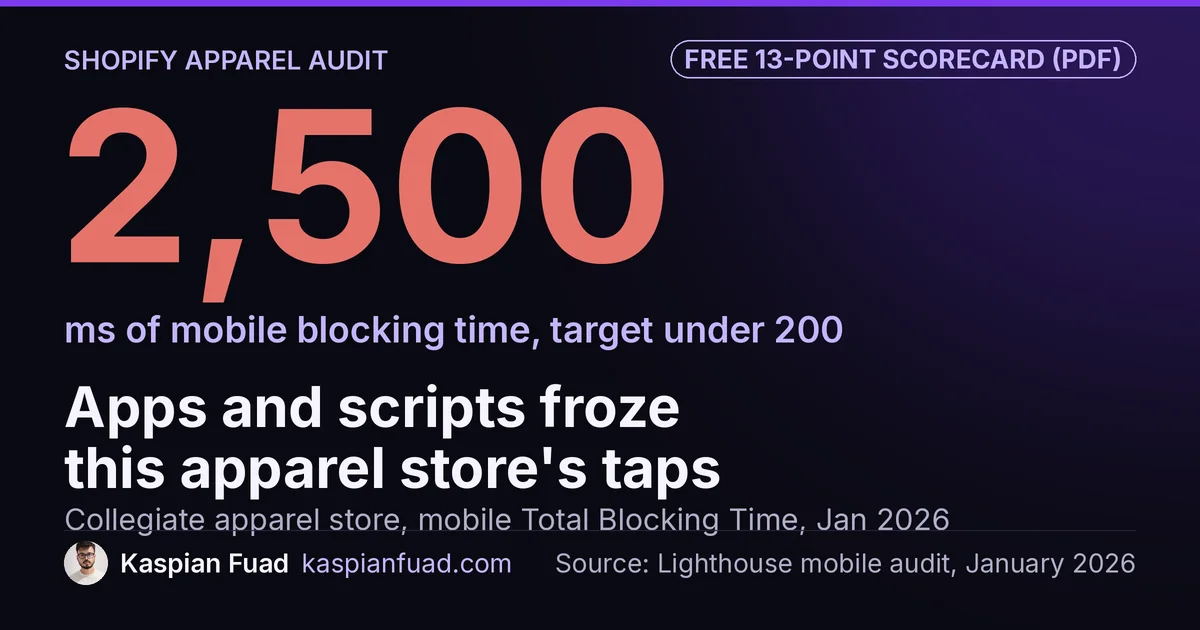
TL;DR: A clothing brand needs a Shopify developer who treats sizes and colors as product data and keeps apps off the product page. On a collegiate apparel store I audited, app sprawl and synchronous scripts pushed mobile Total Blocking Time to 2,500ms, 12x Google’s target. Size or fit is the top return reason for 53% of apparel brands. Fix fit data first, then app weight.
That store wasn’t badly built. It scored 100 on Lighthouse Best Practices, 92 on SEO and had zero layout shift. Mobile Performance was 33, with three popup tools doing one job and the homepage popup loading its whole script on every product page.
If you sell clothing on Shopify, your catalog is a grid of sizes and colors, and your revenue lands in peaks: back to school, Black Friday, a drop. Below is the fix order I’d follow, what each fix looked like on a real store, what it costs and what to ask before you hire. One honest limit: the collegiate store was an audit, so I have its before numbers and my estimates, not an after.
Download the clothing brand developer scorecard (PDF)
Why this matters for your store
- A shirt that doesn’t fit comes back, so a vague size chart costs you the sale and the return label.
- A wrong color photo is the second biggest return reason, so your gallery is a refunds problem too.
- Peak weeks carry a big share of an apparel brand’s year, so a slow product page costs most exactly when revenue is highest.
What should a Shopify developer fix first on a clothing store?
Here’s the order I’d work in. The right column comes from two real stores: the January 2026 collegiate apparel audit and the apparel line on Tuff Pupper, a dog gear brand that sells hoodies, raincoats and pajamas.
| Order | Fix | What to check | What I found |
|---|---|---|---|
| 1 | Size and fit data | Charts as images, no fit notes | Five fall apparel pages with no size table |
| 2 | Size selection | Theme preselects the first size | Default behavior in Dawn |
| 3 | Color photos | Photos not tied to a color | 8 hoodie variants hidden from the website |
| 4 | Variant limits | Products near 250 variants | Liquid stops listing at 250 |
| 5 | App weight | Duplicate tools loading site-wide | 3 popup tools, 2,500ms blocking time |
| 6 | Hero and peak prep | Lazy-loaded hero, 3000px images | 7.9s mobile LCP |
Fit comes first because it decides returns as well as sales. App weight sits fifth only because the first four are cheaper to ship, not because it matters less. On the collegiate store it was the biggest single problem.
How should a clothing product page answer “will this fit me?”
With the brand’s own measurements, written as text, next to the size buttons. A 2023 Coresight Research survey for 3DLOOK found 53% of apparel brands and retailers name size or fit as the top reason for returns. The NRF estimates 19.3% of all US online sales would be returned in 2025.
Ahead of Tuff Pupper’s October email campaigns, the raincoat, hoodie, sweater, fleece and coat pages had no size tables. I added size tables and fit guides to all five before the sends. The 12-product Comfort Pajamas line was set up with size charts on every product, because adding them later means editing 12 pages by hand.
Store the chart once and attach it to many products. A metaobject does that, and I wrote up the build in Shopify size charts without an app. An image of a chart can’t be read by a screen reader, won’t fit a 360 pixel phone and can’t be fixed in one place when the cut changes.
Should your Shopify product page preselect a size?
No. Dawn and many themes built on it render the first available variant as already selected, so the page loads with XS or S chosen. A shopper who doesn’t notice taps Add to Cart and orders a size they never picked.
That’s a return you built into the theme. Shopify’s own community forum has an open thread this quarter, close to 300 views, asking how to remove the default size and make the button say “Select size”. The fix is small: leave size empty when a product has more than one, keep color selected so the gallery has photos to show, and disable the button with the label Select a size until they choose.
One more variant trap hits big apparel catalogs. Shopify lifted the limit to 2,048 variants per product, but Liquid’s product.variants still returns only the first 250. A product with 14 sizes, 38 colors and 4 fits has 2,128 variants, and shoppers can’t reach most of them. My 250-variant cap fix covers the three ways out.
Why do color photos and swatches cause returns?
Because the shopper buys the color they saw. The same Coresight survey puts color as the second return reason at 16%, behind fit and ahead of damage. If your gallery doesn’t switch to the chosen color’s photos, or shows a lighting setup that makes navy look black, the return is already booked.
Visibility breaks quietly too. On Tuff Pupper, eight variants of the Bubblegum Pop hoodie were unpublished from the Online Store while still showing on social and Google channels, which hid an entire in-stock colorway from the website. I restored them and swept all 157 products for the same issue. Nothing in the admin flags this, so ask your developer to check.
You probably don’t need a swatch app for the chips. Shopify’s swatch object has been in Liquid since Winter 2024, and Dawn supports it. Color Swatch King runs $14.90 to $99.90 a month for the same control, plus its script. My color swatches without an app guide fills the gaps native swatches leave, like collection cards. For search, Google’s product variant markup lets one product group declare that it varies by size and color, which is exactly how a clothing catalog is built.
How many apps can a clothing store’s product page carry?
Fewer than it has. The collegiate store ran 12+ apps, several of them loading JavaScript on every page, and three popup tools doing essentially the same job. The one meant for the homepage loaded its whole bundle on product, collection and cart pages too.
Together with synchronous analytics, chat and pixel scripts, that kept the main thread busy for 20.9 seconds and put Total Blocking Time at 2,500ms. Google’s TBT guidance says aim for under 200 milliseconds. On a phone, that’s 2.5 seconds where tapping a size does nothing, and people read that as a broken site.
Here’s what apparel-typical apps add to the main thread in my App Bloat Detector:
| App | Job on a clothing store | Blocking time |
|---|---|---|
| Yotpo Reviews | Reviews and photos | 250ms |
| Okendo | Reviews and attributes | 160ms |
| Loox | Photo reviews | 130ms |
| Judge.me | Reviews | 80ms |
| Loop Returns | Exchanges and returns | 50ms |
| Redo | Returns | 0ms on a first product page visit |
In the detector’s apparel benchmark, the median app stack adds about 380ms and the slowest 10% pass 820ms. So app weight alone can fail Google’s target before your theme does anything. Pick one tool per job, and load returns and tracking apps on their own pages only.
Why does speed cost a seasonal apparel brand more?
Because the losses stack on the busiest weeks. For the collegiate store, back to school and homecoming can carry 30% to 40% of the year’s revenue in a few weeks. I estimated $3,000 to $5,000 a month in lost sales from speed alone, and that loss concentrates in those weeks.
The hero image made it worse. It was served at 3000px or wider to phones and set to lazy load, which tells the browser to fetch the most important image last. Mobile LCP measured 7.9 seconds, against Google’s 2.5 second target. Removing the lazy load and adding fetchpriority=“high” is a one-line change.
The competitive bar is low, which is good news. Fanatics scored 60 to 75 on mobile Lighthouse and ‘47 Brand 55 to 70. The store at 33 didn’t need perfect, just competent. With Black Friday on November 27, 2026, a fix shipped in early November gets a few clean weeks before the peak. Start in December and you’re fixing it for next year.
What does a Shopify developer for a clothing brand cost?
I publish my rates. A fixed-scope audit is $500, delivered in 2 to 3 days, with hours per fix. Fixes bill at $50 an hour. A weekly sprint runs $750 to $1,000 for 15 to 20 hours, and a monthly retainer of 60 to 80 hours runs $2,700 to $3,600.
The collegiate plan was phased the way most apparel work should be. The first phase took 2 to 3 days: cut the popup tools to one, fix the hero and add font preconnects. The next 1 to 2 weeks covered responsive images, script deferral and loading apps only where they’re used, aiming for Lighthouse above 70. Weeks 2 to 4 aimed at 80+ with monitoring so it doesn’t slide back.
That’s a speed and fit project, not a redesign. If someone quotes you a rebuild before they’ve looked at which apps load on your product page, read what a Shopify redesign really costs first. Whoever you hire, ask for a fix list with hours per item before you sign.
What should you ask before hiring one?
These come from the work above, not a generic list:
- Ask whether size charts will be stored as data or uploaded as images.
- Ask what the page shows before a shopper picks a size.
- Ask how the gallery picks the chosen color’s photos.
- Ask which apps load on your product page today, and which they’d cut.
- Ask what they’d ship before your next peak, and in how many hours.
My 12 questions to ask before hiring a Shopify developer covers the general ones, with red-flag answers.
How do you check your own clothing store in 5 minutes?
- Open your best seller on a phone. If a size is already selected when the page loads, that’s fix number 2.
- Switch colors twice. If the photos don’t change, or change after a visible jump, that’s fix number 3.
- Paste your URL into the App Bloat Detector. If it lists two tools doing one job, that’s fix number 5.
Do step 1 first. It takes ten seconds and it’s the cheapest return you’ll ever prevent.
The takeaway
- Store size charts as product data and show them as text beside the sizes.
- Leave size unselected until the shopper picks one.
- Tie every photo to a color, and sweep for variants hidden from the Online Store.
- Cut to one app per job, and load returns apps on their own pages.
- Ship the hero image fix before your peak, not after it.
I’m Kaspian Fuad, a Shopify developer and CRO consultant. The collegiate apparel case study has the full audit and phased plan. If you run a clothing brand, send me your store URL and I’ll tell you which of the six fixes to start with.