

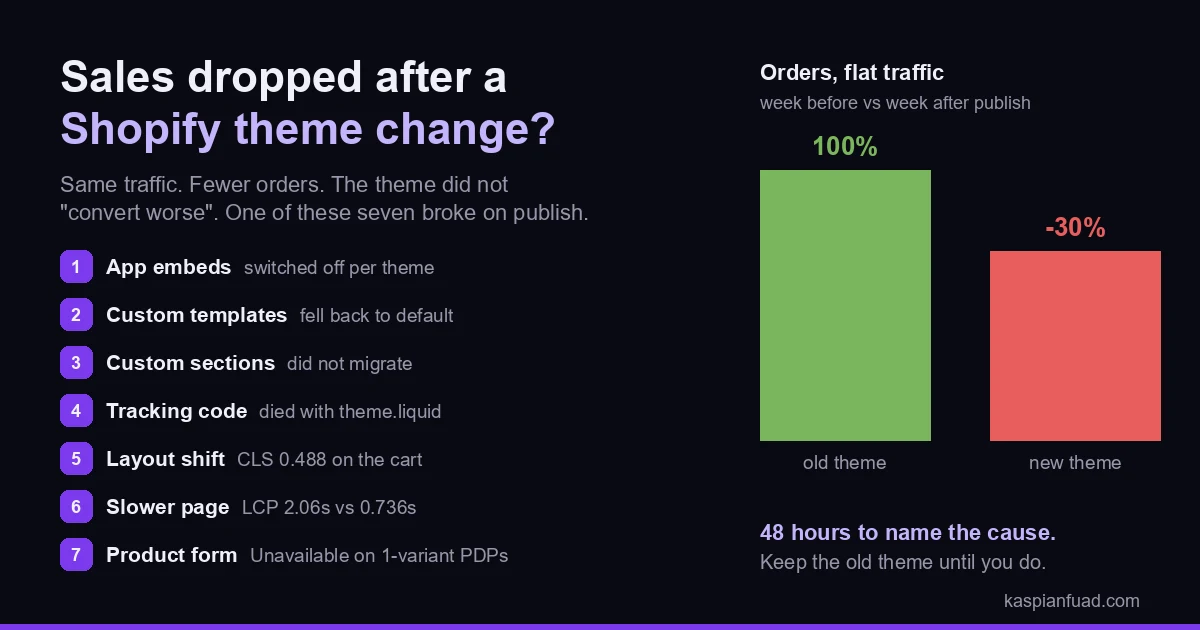
TL;DR: Sales dropped after a theme change because something specific broke on publish, not because the new theme “converts worse”. Seven things break most often: app embeds nobody re-activated, products that fell back to the default template, custom sections and metafield displays that did not carry over, tracking that lived in the old theme.liquid, new layout shift, a slower page, and a product form that fails on mobile. Split tracking from real sales, read the funnel by step, and preview the old theme next to the new one. 48 hours is enough to name the cause. Keep the old theme until you do.
I searched “shopify sales dropped after changing theme” the way a store owner does at 11pm. The top four results are Shopify Community threads, and in every one the owner is asking the same question I get in my inbox: same traffic, orders down a third, nobody can say why. The replies are guesses. Here is the version with the actual list of what breaks, in the order I check it.
Why did my Shopify sales drop after changing my theme?
Because a theme publish is not a redesign. It is a migration, and migrations lose things.
Owners assume the drop means the new design converts worse. Shoppers dislike it, the buttons are the wrong color, the font is off. That is almost never the cause, and it is the wrong place to start. A visual preference costs you a few percent at most. A 30% drop on flat traffic means a mechanism broke: a button that does not fire, a widget that vanished, a page that shifts under the thumb, a template that no longer renders the thing that sold the product.
The stores I work on run from $500,000 to $10 million a year, and the pattern is consistent enough that I check the same seven regressions every time, starting with the cheapest to rule out. Before any of them, though, one split has to happen first.
Did the theme break add-to-cart, or did it break tracking?
Half the time the sales are fine and the report is broken, so rule that out in ten minutes.
The old theme carried tracking code that the new one does not. GA4 tags, Meta pixels, and affiliate tracking scripts pasted into theme.liquid by a previous developer vanish the moment you publish a theme that never had them. Shopify’s pixels manager runs app and custom pixels in a sandbox that loads on the storefront and checkout independently of the theme, but anything hand-pasted into theme code does not survive. GA4 shows a cliff. Shopify’s order count never moved.
So open Shopify’s own order report for the seven days before and after the publish. If orders held while GA4 or your ad platform fell, you have a tag to restore, not a store to fix. I run this same first split on every sudden sales drop, and the theme-change version is the one where it pays off most, because pasted-in tracking is exactly what a theme swap deletes.
If Shopify’s orders genuinely fell, keep going.
What never carries over when you publish a new theme?
Three things, and all three are invisible from the theme editor until you go looking.
App blocks and app embeds. Apps install per theme. Shopify’s help center is direct about it: if you change your published theme, you need to re-activate those apps in your new theme, because they are not active by default. On a real store that means the reviews widget, the size chart, the cart upsell, the currency selector, the back-in-stock button, and the sticky add-to-cart all quietly disappeared at publish. Open Theme editor, App embeds, and count what is off. Then open every product page and count what is missing.
Custom templates. Products, collections and pages that were assigned to a custom template (product.bundle, page.landing, collection.sale) only render that template if the new theme has a template with the same name. Shopify’s own template documentation notes that resources whose template is deleted display with the default template until you reassign them. A bestseller that had a bespoke layout with a comparison table, a fit guide and a video is now a plain default product page. Its conversion rate drops and the store average follows.
Custom Liquid sections and metafield displays. Anything a developer built into the old theme (the shipping estimator, the ingredient table pulled from a metafield, the “fits your vehicle” badge) lives in that theme’s sections/ and snippets/ folders. The new theme has none of it. I wrote the duplicate-first workflow precisely because the customizations that sell the product are the ones that live in code, and code does not migrate with a click.
Download the Theme Change Regression Checklist (PDF)
Did the new theme make the store slower or shift the layout?
Often, and this one shows up as a mobile-only drop.
A new theme ships with new above-the-fold elements: an announcement bar that loads late, a hero image with no reserved height, a cart drawer that pops in after the page paints. Each one shifts the layout under the shopper’s thumb. Google’s threshold for a good Cumulative Layout Shift is 0.1. On WD Electronics, a Shopify Plus automotive store I run a weekly retainer on, the cart page measured a CLS of 0.488. The free-shipping bar rendered after the cart list and pushed everything below it down. A server-rendered bar plus a reserved list height took it to 0.001, and Clarity checkout abandonment fell roughly 5 points in the same window. The full sprint log is in the WD Electronics case study.
Weight is the other half. Shopify’s own theme performance guidance states that JavaScript, whether theme code or app scripts, runs on the main thread and competes directly with the browser’s ability to render content and respond to input. A theme swap often doubles up: the new theme’s JavaScript plus every app script that was already there. On the same WD store, PDP image srcset and lazy loading moved mobile LCP from 2.06s to 0.736s, a 64% cut, and the funnel moved with it.
Check the field data, not a lab score. Shopify’s Web performance dashboard in the admin summarizes loading, interactivity and visual stability from real visitors, and you can pull the same Chrome UX Report numbers per URL with my CrUX grader. Compare the 28 days before the publish with the days after. If CLS or LCP jumped on the product or cart page, you have found at least one cause, and the fix is in the Core Web Vitals playbook.
Did the product page quietly break on mobile?
This is the regression owners miss longest, because the page looks fine on the laptop where they approved it.
The product form is where theme swaps fail. On WD Electronics, two product-form bugs made it past a visual review: every single-variant product showed an Unavailable button instead of Add to cart, and accessory products added the wrong variant to the cart. A third, a calculatesubtotalwithdiscount not defined JavaScript error, hit 190 sessions before it was caught. None of those came from a theme swap, but they are exactly the class of bug a swap introduces, because a new theme’s product form reads options and variants its own way. None of them are visible on the homepage. All of them stop the sale.
Then the elements that were doing quiet work. The old theme had a sticky add-to-cart on long product pages; the new one does not, so mobile shoppers scroll a specification table and never find the button. The old theme showed installment messaging above the fold; the new one hides it under a tab. A popup that behaved on the old layout now fires over the variant picker, and on one store I measured, popups and cookie modals took 56% of mobile taps on product pages.
Test it the boring way. Open your top five products on a real phone, select every variant, change quantity, add to cart, open the cart, reach checkout. Then open the browser console on the product page and read the red lines. A theme that throws a JavaScript error on the product form is a theme that is not selling.
How do I find the exact cause in 48 hours?
In this order, cheapest check first, and change nothing until you have read all six.
- Reconcile Shopify’s native order count against GA4 and your ad platform for the week before and after the publish. If only the third-party numbers fell, restore the tracking and stop.
- Read the funnel by step and by device for the same two windows: sessions, product views, add to cart, reached checkout, orders. GA4’s checkout journey report shows the checkout steps; Shopify’s conversion summary shows the rest. The step where the drop concentrates names the layer that broke. Keep the baseline in mind: Baymard documents a 70.22% average cart abandonment rate, so judge your checkout step against your own before-window, not against zero.
- Open Theme editor on the new theme, then App embeds. Toggle on everything that was on in the old theme. Reopen the product page and count what came back.
- Preview the old theme (it is still in your library; do not delete it) and the new one side by side on your top five products, on a phone. Screenshot both above the fold. Anything present on the left and missing on the right is a suspect.
- Check the field Core Web Vitals for the product and cart pages before and after. A CLS above 0.1 or an LCP past the 2.5 second threshold is a cause, even if it is not the only one.
- Open the browser console on the product page and the cart, select variants, add to cart. Any JavaScript error in the product form is a cause.
By the end of step six you will usually have two or three named regressions. Fix them one at a time, a day apart, so you can see which fix moved the funnel. A store that changes five things on the same afternoon learns nothing.
Should I switch back to the old theme?
If the drop is over 15% and you cannot name the cause inside 48 hours, yes.
Publishing the old theme is one click, it still holds every customization it had, and the cost is only the time spent customizing the new one. At $2 million a year, a 30% drop is roughly $1,600 a day. That buys a lot of patience for a theme you can republish next week once the regressions are fixed on a duplicate. Roll back, then do the migration properly: re-activate the apps, rebuild the custom templates and sections, load-test the product form, and publish again when the preview matches the old theme on every product that matters.
The rule I give every client is simpler than the diagnostic. Never delete the old theme during the investigation. It is your control group, your rollback, and the only copy of the customizations you are about to rebuild.
Who should I hire to fix it?
A senior Shopify developer who also does conversion work. Not a designer, and not a general CRO agency.
The job is forensic, and the person doing it has to read Liquid and JavaScript and a funnel report in the same afternoon. They need to prove which change between the old and new theme moved the numbers, fix that change in theme code, and measure the recovery. A designer can make the new theme prettier; that was never the problem. A CRO agency will hand you a 50-point checklist and a testing roadmap; you do not need a roadmap, you need last month’s add-to-cart rate back.
Ask one question before you hire anyone: “Can you show me what changed between the old theme and the new one that caused this?” If the answer is a proposal to redesign the product page, keep looking. Expect a fixed-scope theme regression audit at $500 to $2,500, delivered in 2 to 3 days, and a few hours of senior time at $50 to $75 an hour for the fixes. My published rates are at the low end of that, and the audit comes with the funnel before-and-after, not a slide deck.
The takeaway
- Split tracking from sales first. Pasted-in tags die with the old theme; Shopify’s order count is the truth.
- Re-activate every app embed. Apps install per theme, and the reviews, size chart and sticky cart you lost are switched off, not gone.
- Check templates and custom sections. Bestsellers on custom templates fell back to the default page, and hand-built sections did not migrate.
- Measure CLS and LCP on the product and cart pages. A new theme that shifts or slows costs you the mobile funnel first.
- Keep the old theme and roll back at 48 hours. It is your control group and your one-click recovery.
I am Kaspian Fuad, a Shopify developer and CRO consultant. I fix theme migrations by proving what broke, one regression at a time, and measuring the funnel until it recovers. If your sales dropped after a theme change, book a call and bring the old theme.